Analyzing 3D Scan Data - 3D Analysis Screen Features KLA-Tencor P-16+ / P-6 User’s Guide
7-30 KLA-Tencor Confidential 0142530-000 AB
3/13/09
Data Menu from the Analysis Screen Menu Bar 7
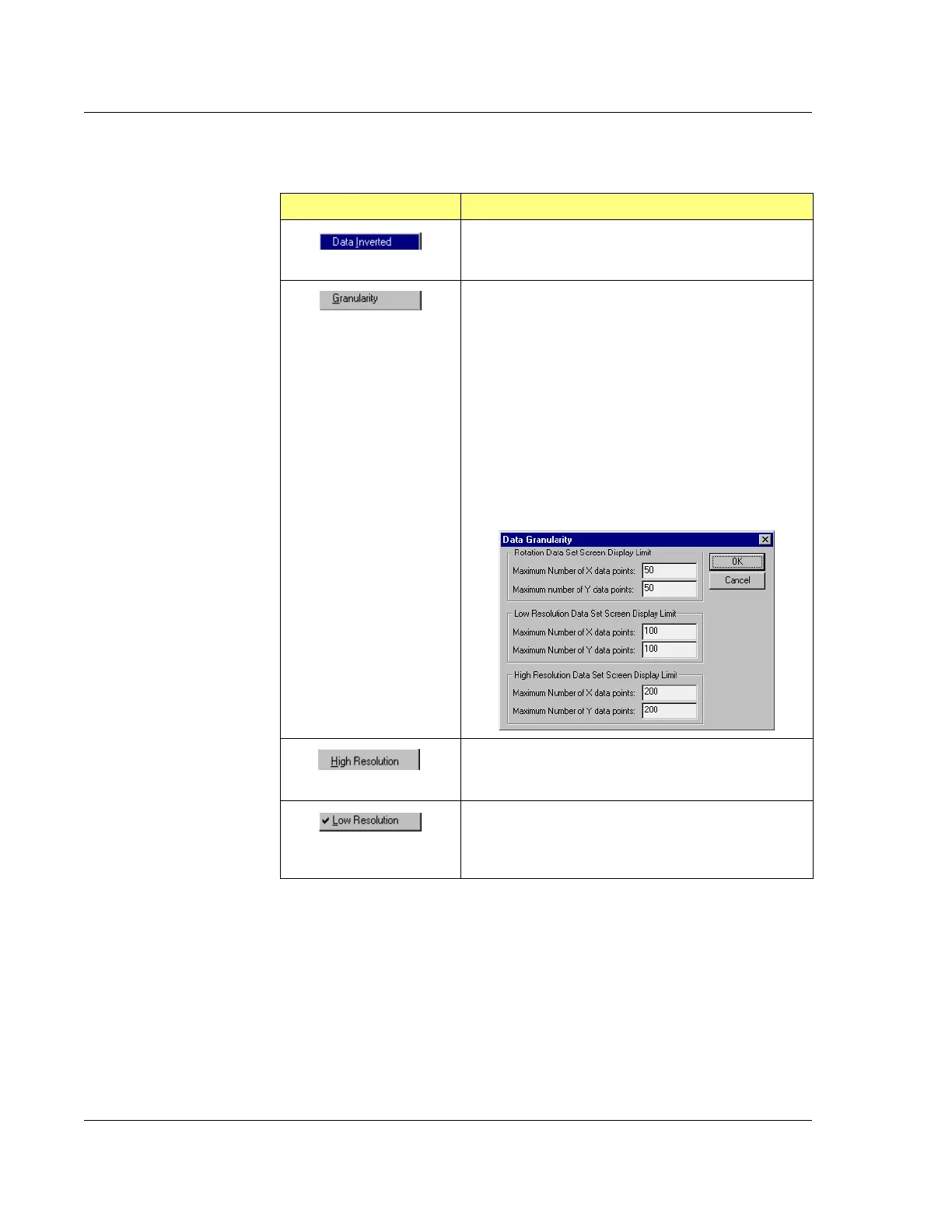
Table 7.13 Data Menu Options (From Menu Bar)
Menu Item Description of Action
This option inverts the data and changes the screen
image to reflect the inverted data.
This option allows the user to choose how many of the
collected data points will be used. It opens a dialog box
that with the necessary settings.
This feature sets the gain of the image.
The computer records more data points than are
possible to plot on-screen, so it uses a subset of the
points taken to build the image. In general, the smaller
the subset, the coarser the image and the faster it can
be displayed and rotated.
To control the image granularity from coarse to fine, set
the parameters for the data subset, using the Data
Granularity dialog box.
This option is the default view mode. If checked (like
Low Resolution in the following field), the image will be
presented in a higher resolution.
This option is for display purposes only. If checked, as
in the illustration, the image will be presented in a lower
resolution. This enhances generation time when the
image is rotated or magnified.



 To Next Page