0142530-000 AB KLA-Tencor Confidential 4-27
3/13/09
KLA-Tencor P-16+ / P-6 User’s Guide XY View Screen - Using Die Grid Navigation (Optional Feature, P-16+ only)
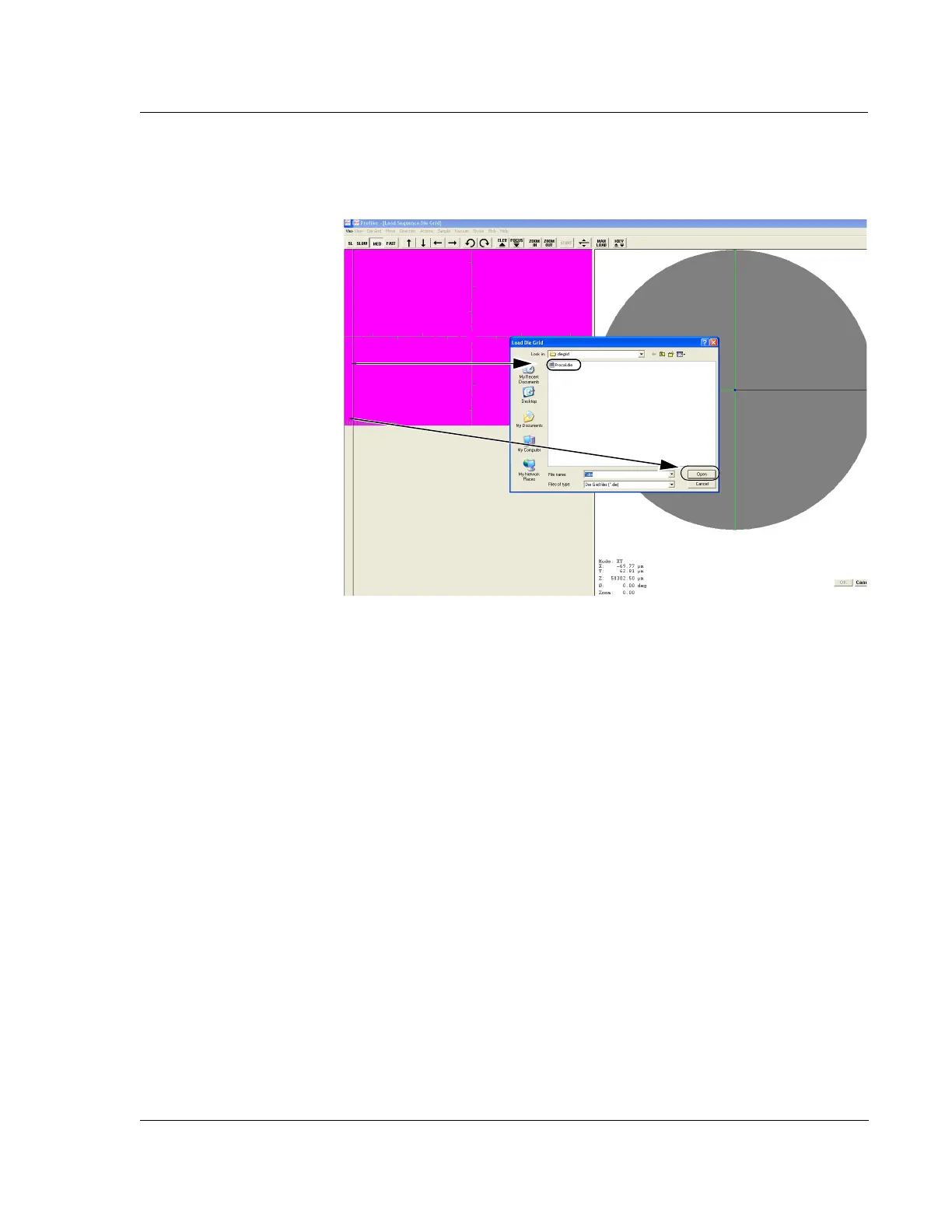
4. In the Load Die Grid dialog box, double-click the name of the die grid to be used.
This displays die grid name in the File Name display box.
5. Click
Open to load the die grid.
The system nulls the stylus and begins to search for the pattern that is displayed
on the right side of the screen. After it successfully locates the test pattern, the
die grid is loaded.
Die Grid navigation is now active and the die grid selected is applied.
Figure 4.22 Load Sequence Die Grid
Step 4 To choose a die grid to
associate with the sequence:
1. Double-click the name of
the die grid.
2. Click
Open to load it.



 To Next Page