0142530-000 AB KLA-Tencor Confidential 4-1
3/13/09
KLA-Tencor P-16+ / P-6 User’s Guide XY View Screen - Introduction
XY VIEW SCREEN Chapter 4
4
INTRODUCTION 4
The name XY View comes from the function of the screen itself, which is for viewing
the sample surface, and positioning a scan. The XY View screen also provides other
tools required to set up and perform a scan.
The P-16+ Profiler has a zoom capability that allows the operator to zoom in and out
to view the sample surface at different magnification levels.
STARTING THE XY VIEW APPLICATION 4
Procedure 4
1. When the Catalog screen is first displayed, the Sequence Recipe list is in the
Information Display window. To change to the
Scan Recipe list, click the Scan
Recipe
button.
2. Once the Scan Recipe window is active, ensure that the desired scan recipe is
highlighted by clicking on it. With the recipe highlighted, click the
XY button to
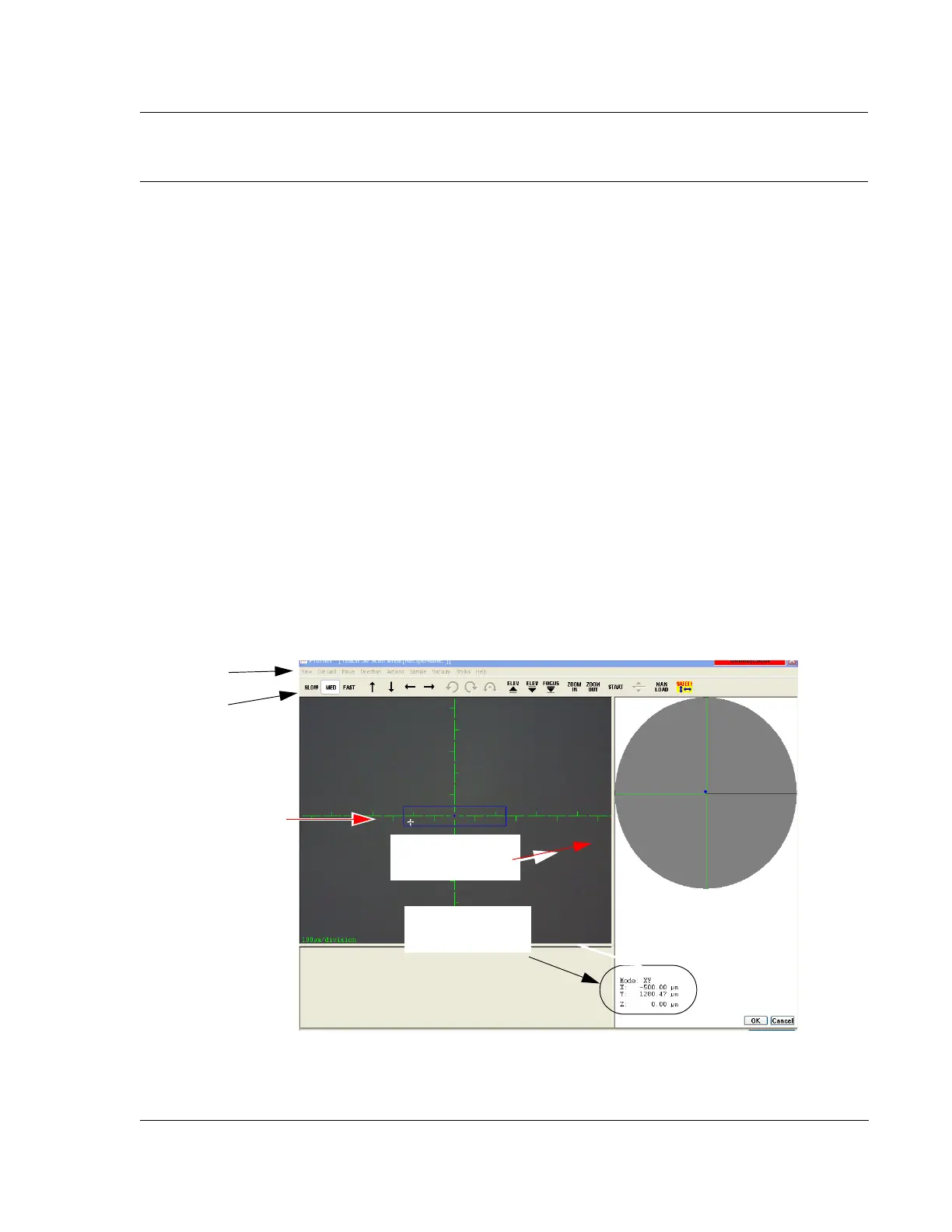
display the XY View screen. (See Figure 4.1.)
XY View Window Features 4
Figure 4.1 XY View Screen
Menu Bar
Tool Bar
Sample Navigation
Window
Video Display Window
Current Stage and
Zoom Position Field.



 To Next Page