View Scan Window - 2D Screen Function KLA-Tencor P-16+ / P-6 User’s Guide
5-2 KLA-Tencor Confidential 0142530-000 AB
3/13/09
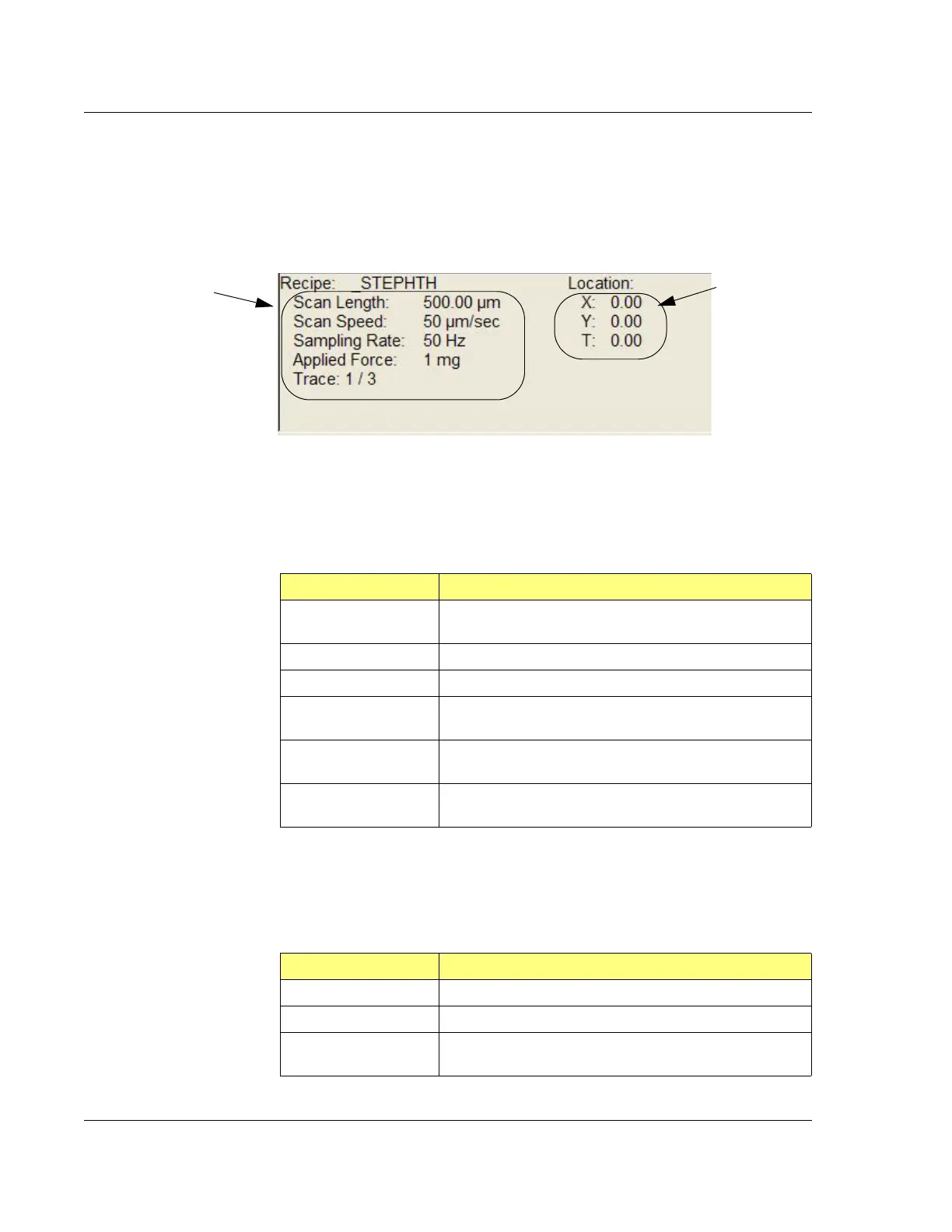
Two columns of information are presented in the lower left quadrant of the 2D scan
screen (Figure 5.1) and three columns in the 2D sequence screen.
2D Scan Information Field 5
2D Recipe Column 5
The first column in the 2D Scan Information Field is the Recipe column.
Table 5.1 presents a brief description of each parameter.
Scan Information Field - 2D Location Column 5
The second column in the Scan Information field is the Location column. Table 5.2
presents a brief description of each parameter.
Figure 5.2 2D Scan Window - Scan Information Field
Scan Recipe
information column.
Scan Location
information
column.
Table 5.1 Scan Screen - Recipe Information Column
Parameter Description
Recipe Gives the name of the recipe being used to create the
scan. If the name is followed by “…” then it is truncated.
Scan Type The type of scan being produced, 2D or 3D.
Scan Length The length of the scan on the X-axis direction.
Scan Speed How fast the stage moves during the data gathering
portion of the scan.
Sampling Rate The number of data points being collected per second
during the scan.
Scan The direction in which the scan is being performed. -> is in
the positive direction, and <- is in the negative direction.
Table 5.2 View Scan Screen - 2D Location Information Column
Parameter Description
X The X coordinate of the scan origination point
Y The Y coordinate of the scan origination point
T The rotational value of the sample at the scan origination
point.



 To Next Page