0142530-000 AB KLA-Tencor Confidential 6-5
3/13/09
KLA-Tencor P-16+ / P-6 User’s Guide Sequence Recipe and Data - Creating a Sequence Recipe
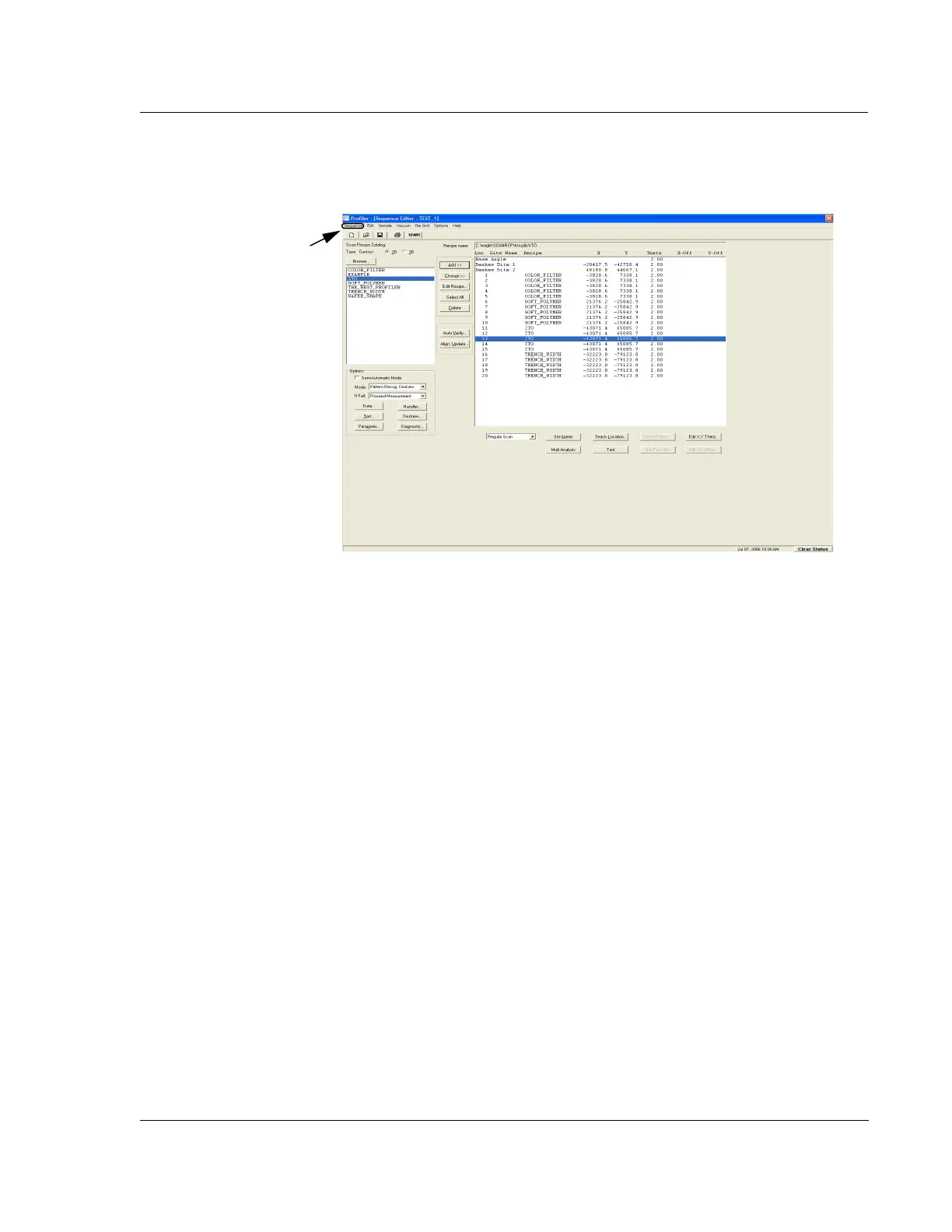
11. Click Sequence in the menu bar to display its menu. (See Figure 6.4.)
12. Click
Save or Save As to name and save the sequence.
13. The
Save Recipe dialog box appears. Type in the name of the new sequence and
click
OK to save it.
Linking a Die Grid with a Sequence (Optional Feature, P-16+ only) 6
When linking a die grid with a sequence, it is better to link it while creating a new
sequence recipe rather than to associate a die grid with an existing recipe that uses the
same recipe sequence. Use the following procedure for linking a recipe as part of the
creation of a new recipe.
1. To use a die grid, Pattern Recognition Deskew must be in place. To tie the
deskew process to pattern recognition, use the following procedure. In the
Options box located in the lower left corner of the Sequence Editor, click the
menu arrow next to the
Mode field.
Figure 6.4 Sequence Editor for NEW Recipe with Pattern Recognition
Step 11 Click Sequence then
Save or Save As to display the
dialog box for saving and
naming the sequence.



 To Next Page