0142530-000 AB KLA-Tencor Confidential 13-11
3/13/09
KLA-Tencor P-16+ / P-6 User’s Guide Stylus Change Procedure - Stylus Removal and Replacement
3. Place the ProCal Wafer precisely in the center of the stage, squarely positioned
with respect to the XY axis.
4. Turn the vacuum ON using the switch on the upper left inside door frame.
5. Close the stage door.
6. Click OK in the message box. (See Figure 13.14.)
The
Scan Offset Calibration Option dialog box is displayed (see Figure 13.16) on
top of the Calibration screen.
Two columns present the two options used to set up the Scan Offset Calibration.
The first column is the
Size column. It is used to determine the length of the step
that is to be scanned and, therefore, which triangle the scan is to be performed
on. If the step is 150
μm, the system uses the 300 μm triangle. If the step is
500
μm, the system uses the 1000 μm (1 mm) triangle.
7. Choose
150 μm (standard) to continue with the calibration. (See Figure 13.16)
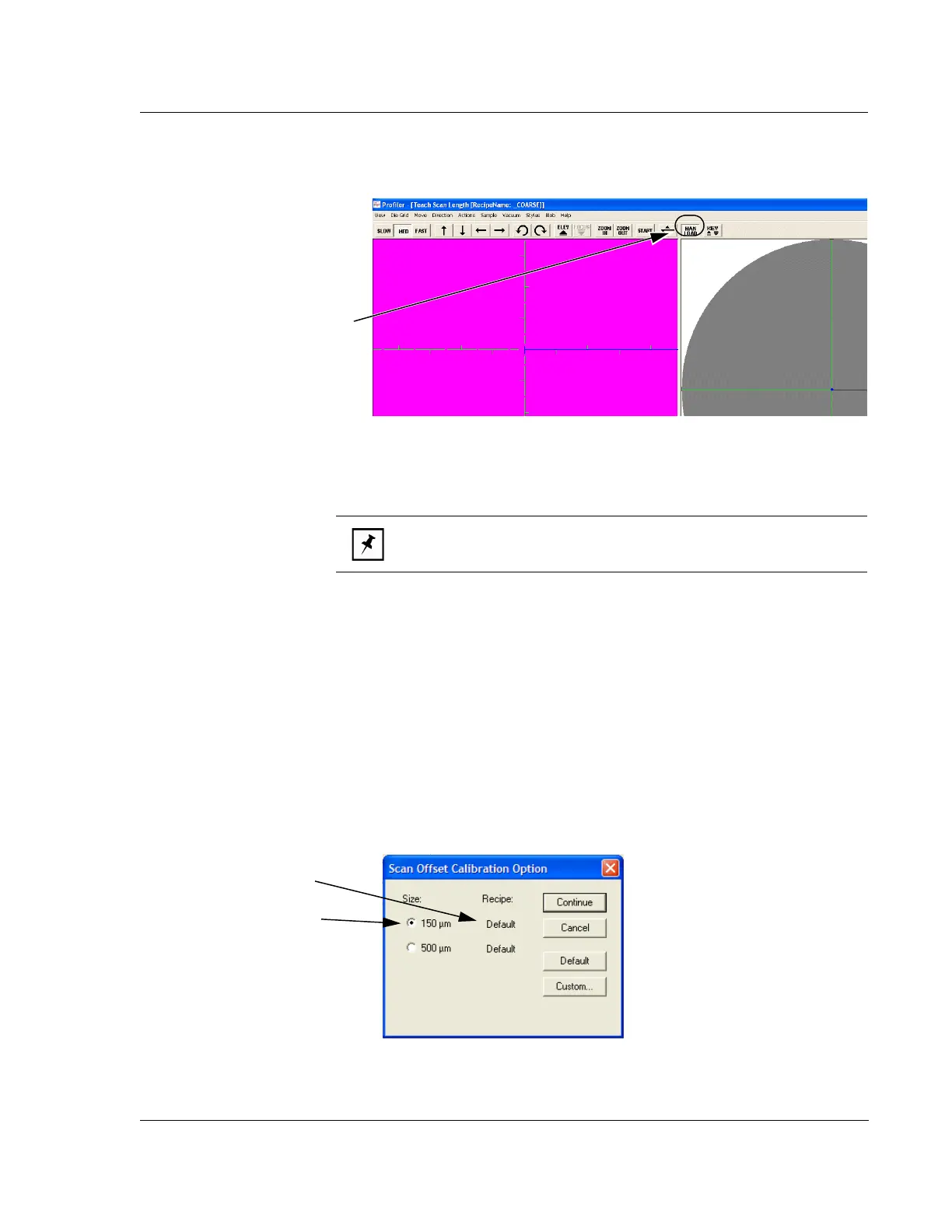
Figure 13.15 Manual Load from the Scan Offset Calibration Window
Step 10 After loading the
ProCal Wafer, click
MAN
LOAD
again to send the
stage back under the stylus.
NOTE: The Vacuum menu in the screen’s menu bar is not functional.
It does not effect the stage vacuum.
Figure 13.16 Scan Position Offset Calibration Options dialog box
Step 8 Choose Recipe type:
Custom or Default
Step 7 Click on 150 μm.



 To Next Page