System Security - Procedure to Create a New User Account KLA-Tencor P-16+ / P-6 User’s Guide
11-22 KLA-Tencor Confidential 0142530-000 AB
3/13/09
y
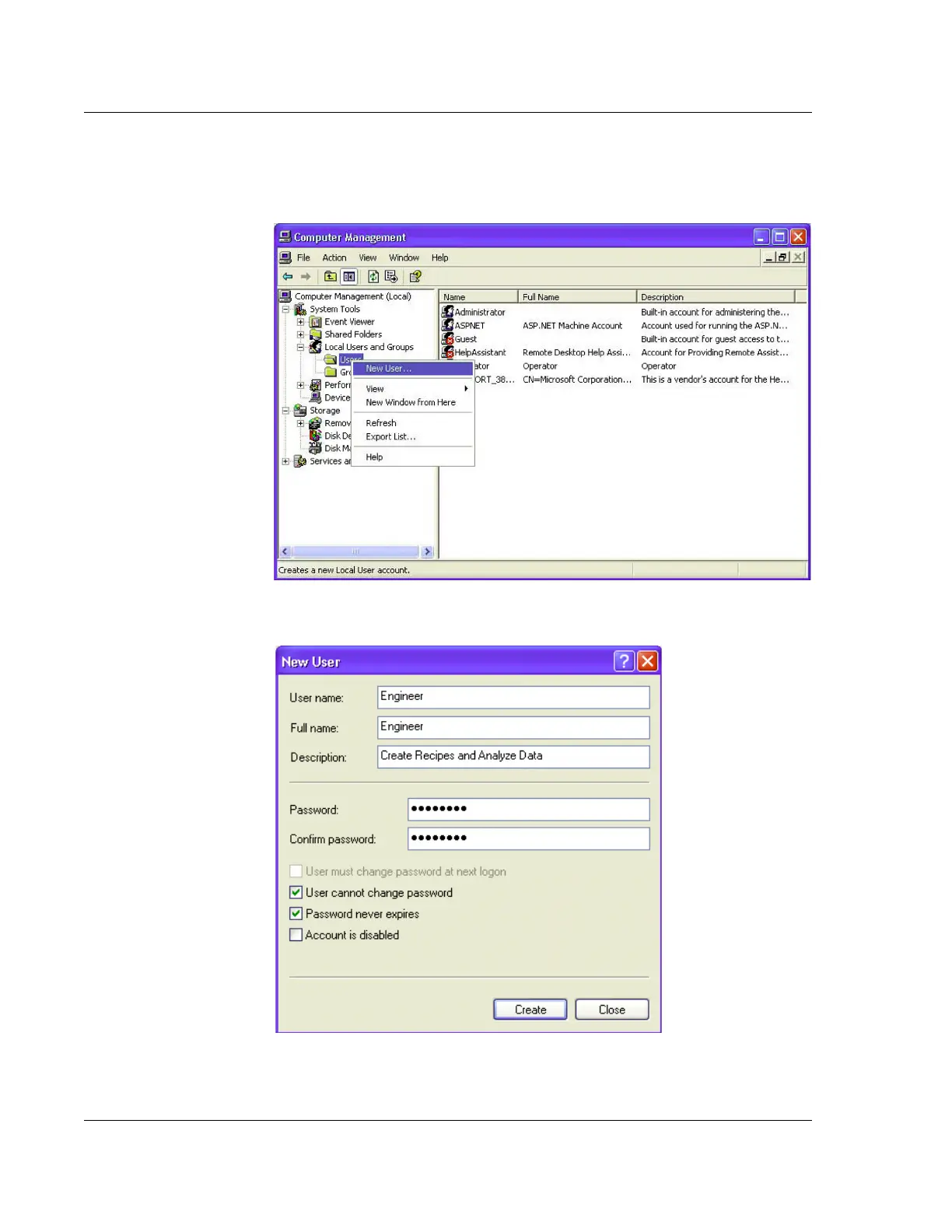
4. Right click on the Users folder and select New User. This opens the dialog to
create a new user account as shown in Figure 11.22
Figure 11.21 User Account Management
Figure 11.22 New User Interface



 To Next Page