Scan Recipes - Creating and Editing a Scan Recipe KLA-Tencor P-16+ / P-6 User’s Guide
3-42 KLA-Tencor Confidential 0142530-000 AB
3/13/09
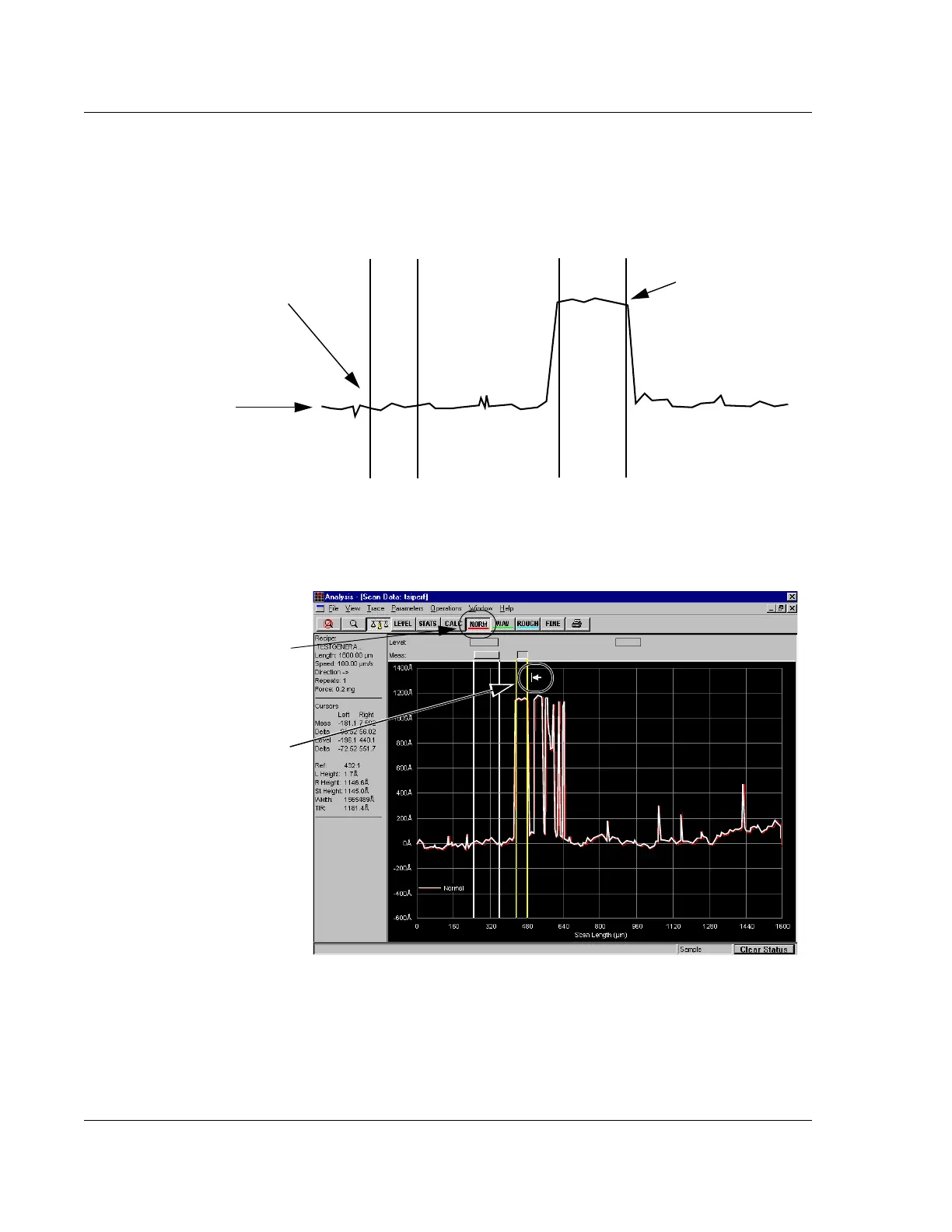
1. It is important to set the measurement cursors to accurately measure the desired
feature. In Figure 3.32 the left cursor is set on the sample surface with the cursor
borders positioned to measure a relatively flat trace segment. The right cursor is
positioned to detect the height of the step being measured. (See Figure 3.32.)
a. The Measurement cursor header appears as a 3D rectangles. The Leveling
cursors appear as 2D line boxes. (See Figure 3.33.)
Figure 3.32 Setting Measurement Cursors
In this illustration, the left cursor
is set on the sample surface.
Sample Surface
In this illustration, the
right cursor is set on
the top of the step.
Figure 3.33 Measurement Cursor on Level Trace
Step 1 The leveled trace appears
with the Measurement Cursors
active. If the
Measurement
Cursors
are not active, click the
NORM button in the tool bar.
Move the cursor into the graph
area and position it next to the
cursor boundary that is to be
moved. It appears as an arrow.



 To Next Page