0142530-000 AB KLA-Tencor Confidential 14-5
3/13/09
KLA-Tencor P-16+ / P-6 User’s Guide Configuration - Introduction to System Configuration
9. For a downward slope (negative step height), multiply the tilt correction factor
by negative one (-1). For an upward slope (positive step height), no adjustment
is required.
10. Enter the sample correction factors on the Configuration page of the software
and click on the button Save Stage Configuration Changes when done.
Stylus Details 14
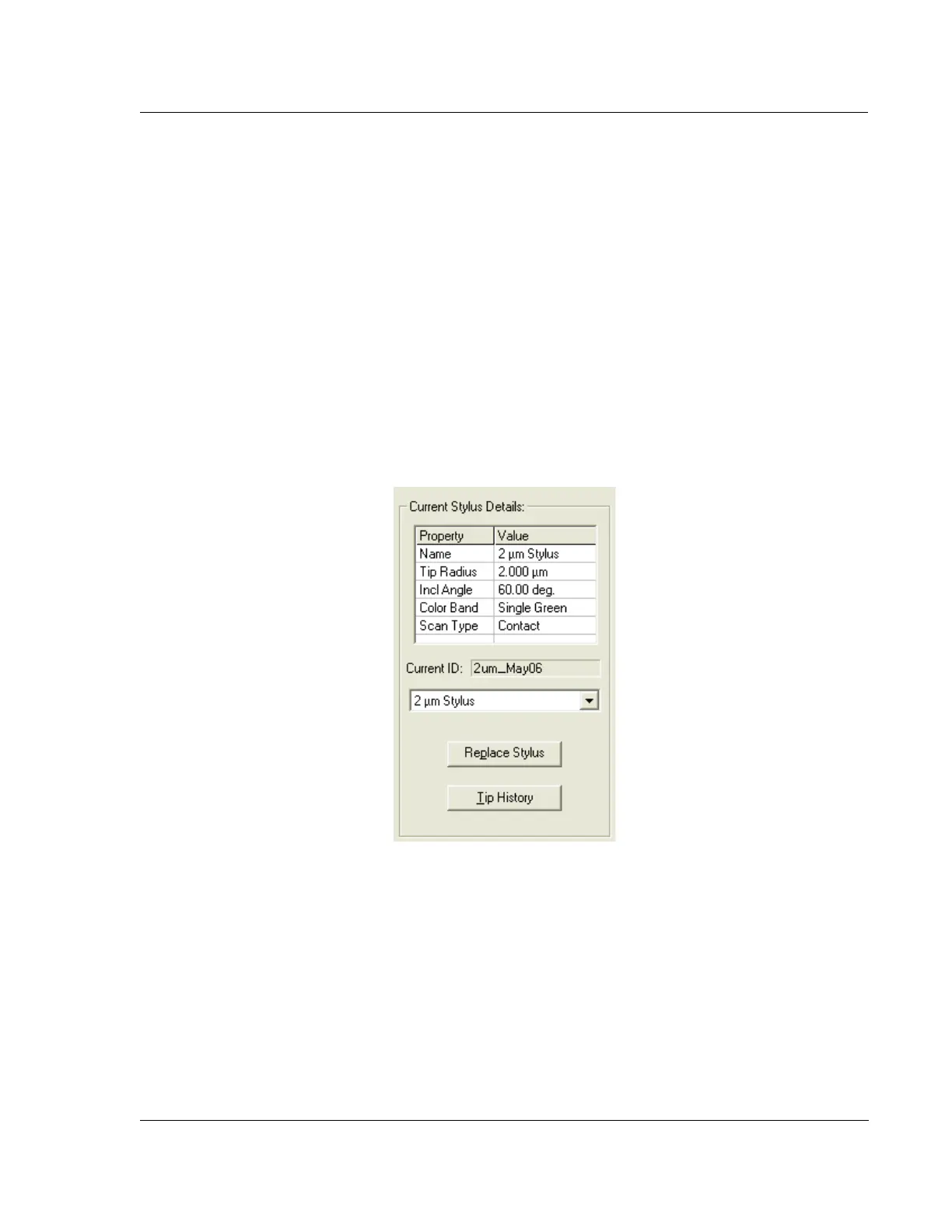
The Stylus Details configuration shown in Figure 14.5 displays information about the
stylus currently installed in the system. The current stylus details section provides
basic information about the stylus, such as the tip radius and cone angle. Below this
section is the stylus ID entered by the user at the time of the stylus exchange. It is
important to give each stylus a unique ID since the system keeps a history file for
each stylus installed in the system based on the user entered ID. The Tip History
button opens the stylus history file in a text viewer.
INTRODUCTION TO SYSTEM CONFIGURATION 14
The KLA-Tencor system application software must have the correct information in its
internal configuration files to properly run the instrument. The following sections
cover checking and editing these configurations.
Figure 14.5 Stylus Details



 To Next Page