0142530-000 AB KLA-Tencor Confidential 14-11
3/13/09
KLA-Tencor P-16+ / P-6 User’s Guide Configuration - System Configuration
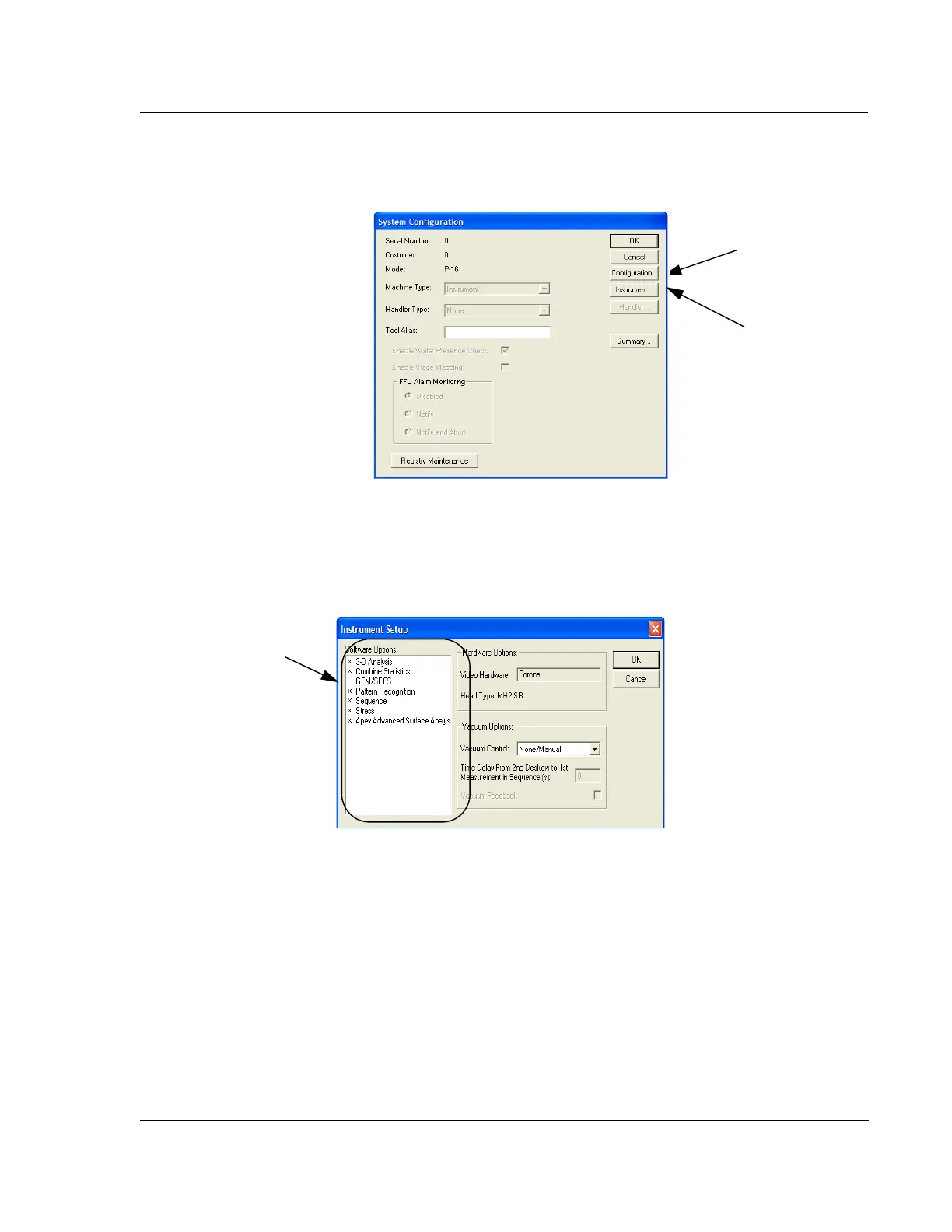
The System Configuration dialog box appears. (See Figure 14.10)
Instrument Setup Configuration Dialog Box 14
The Instrument Setup dialog box provides access to the Software Options activation
box and the
Vacuum Options box. The Hardware Options box is a display box that
reports the current Video Hardware and MicroHead type. The following steps detail
the operation and function of each activity box and check box. (See Figure 14.11.)
Figure 14.10 System Configuration Dialog Box
Configuration…
Dialog Box
Instrument…
Dialog Box
Figure 14.11 Instrument Setup Dialog Box
Step 1 Change the
Software Options by
clicking on them. The
chosen options will have
an X next to them.
Deactivated options
have no X.



 To Next Page