0142530-000 AB KLA-Tencor Confidential 7-43
3/13/09
KLA-Tencor P-16+ / P-6 User’s Guide Analyzing 3D Scan Data - Saving Scan Data
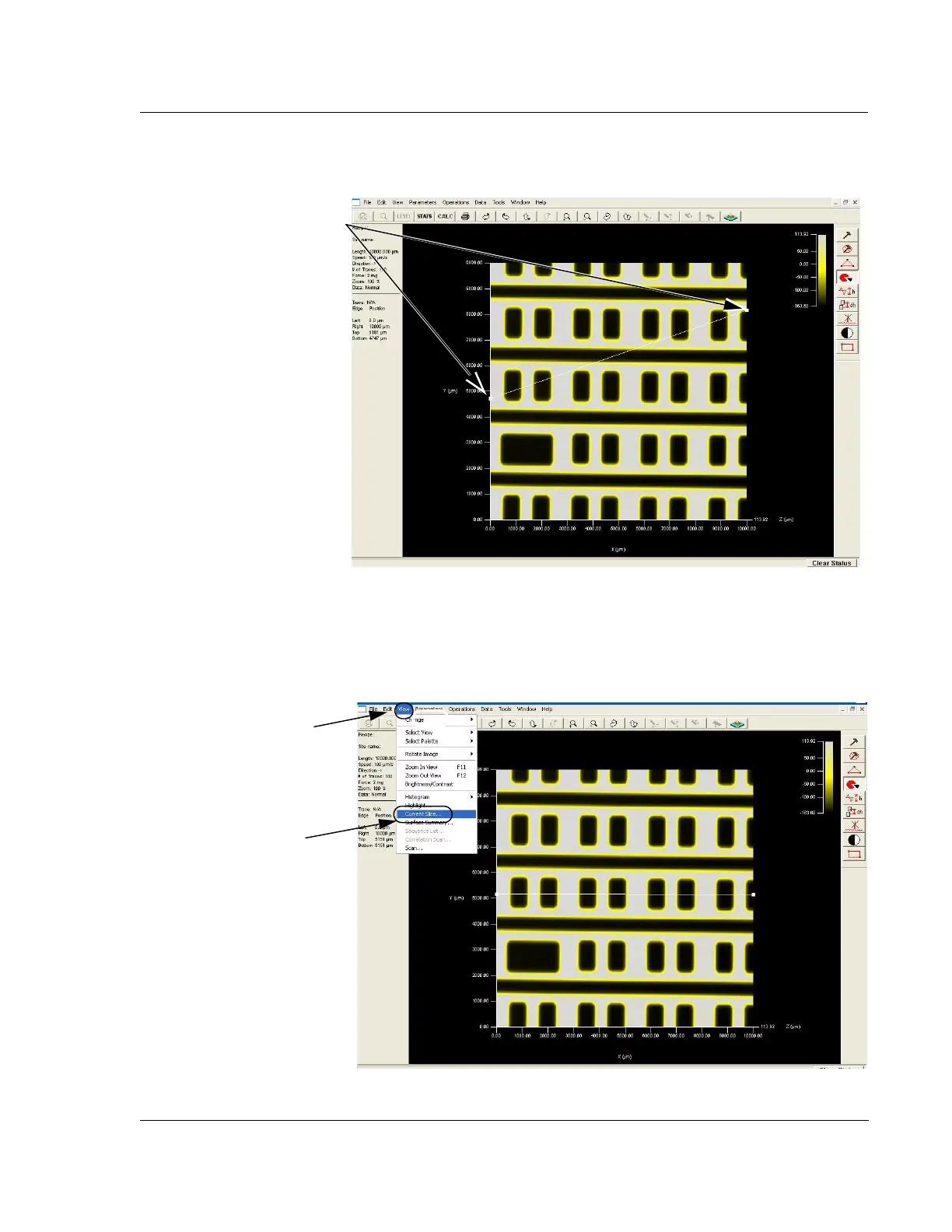
7. When the slice line has been placed, click View in the menu bar to display its
menu. (See Figure 7.31.)
8. Choose
Current Slice… to display the 2D slice trace. (See Figure 7.31.)
Figure 7.30 Analysis Screen with Slice Tool Active
Step 6 To create the slice, click
and drag the endpoints of the
unlocked slice tool or the line
segment of the vertical or
horizontal slice tools.
Figure 7.31 Analysis Screen with Both 2D and 3D Images
Step 7 With the slice
tool placed, click
View in
the menu bar to display
its menu.
Step 8 Choose
Current
Slice…
from the menu.



 To Next Page