Scan Recipes - Creating and Editing a Scan Recipe KLA-Tencor P-16+ / P-6 User’s Guide
3-44 KLA-Tencor Confidential 0142530-000 AB
3/13/09
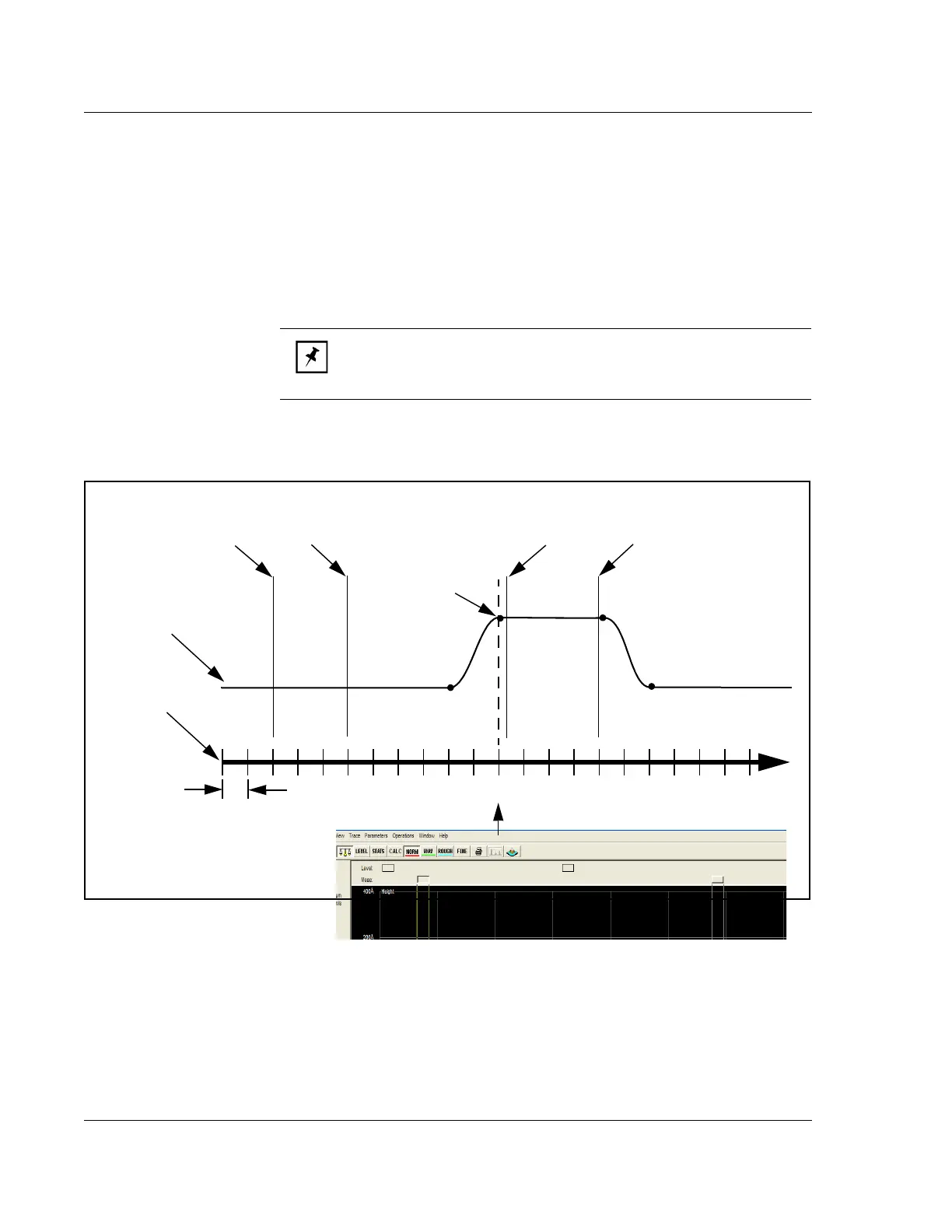
Relative to Feature Detected
When there is a check (9) in its checkbox, the cursor limits are set relative to the
feature that is defined in the
Feature Detection parameters window in the Recipe
Editor
. (See Feature Detection (Only for 2D Scans) on page 3-31.) The feature
becomes the 0 point (the origin of the new coordinate system), with the points to the
left being negative and those to the right being positive. (See Figure 3.35.) The
cursors are set using the same method previously described. The system
automatically places the measurement and leveling cursors relative to the actual
feature instead of relative to the starting point of the scan.
Second Order Curve Removal
This option is designed to remove a secondary curvature from the overall trace of a
curved surface. Features should then appear relative to a flat surface.
NOTE: If Relative to Feature Detected is not checked, there should be
no negative numbers in any cursor position because the start of the
scan is the “0” point.
Figure 3.35 Measurement Cursors - Relative to Feature Detection
A trace of the Step
feature illustrated
above.
UpEdge
1 micron
(μm)
Trace distance
0 1 -1
If
UpEdge is chosen as the Feature Detection point,
it becomes the zero coordinate. Everything to the left
is negative and to the right is positive.
In this illustration, with UpEdge chosen
for Feature Detection, the left cursor limits
would be -9 and -6.
In this illustration, with UpEdge chosen
for Feature Detection, the right cursor
limits would be +0.3 and +4.
-6



 To Next Page