Analyzing 3D Scan Data - 3D Analysis Screen Features KLA-Tencor P-16+ / P-6 User’s Guide
7-16 KLA-Tencor Confidential 0142530-000 AB
3/13/09
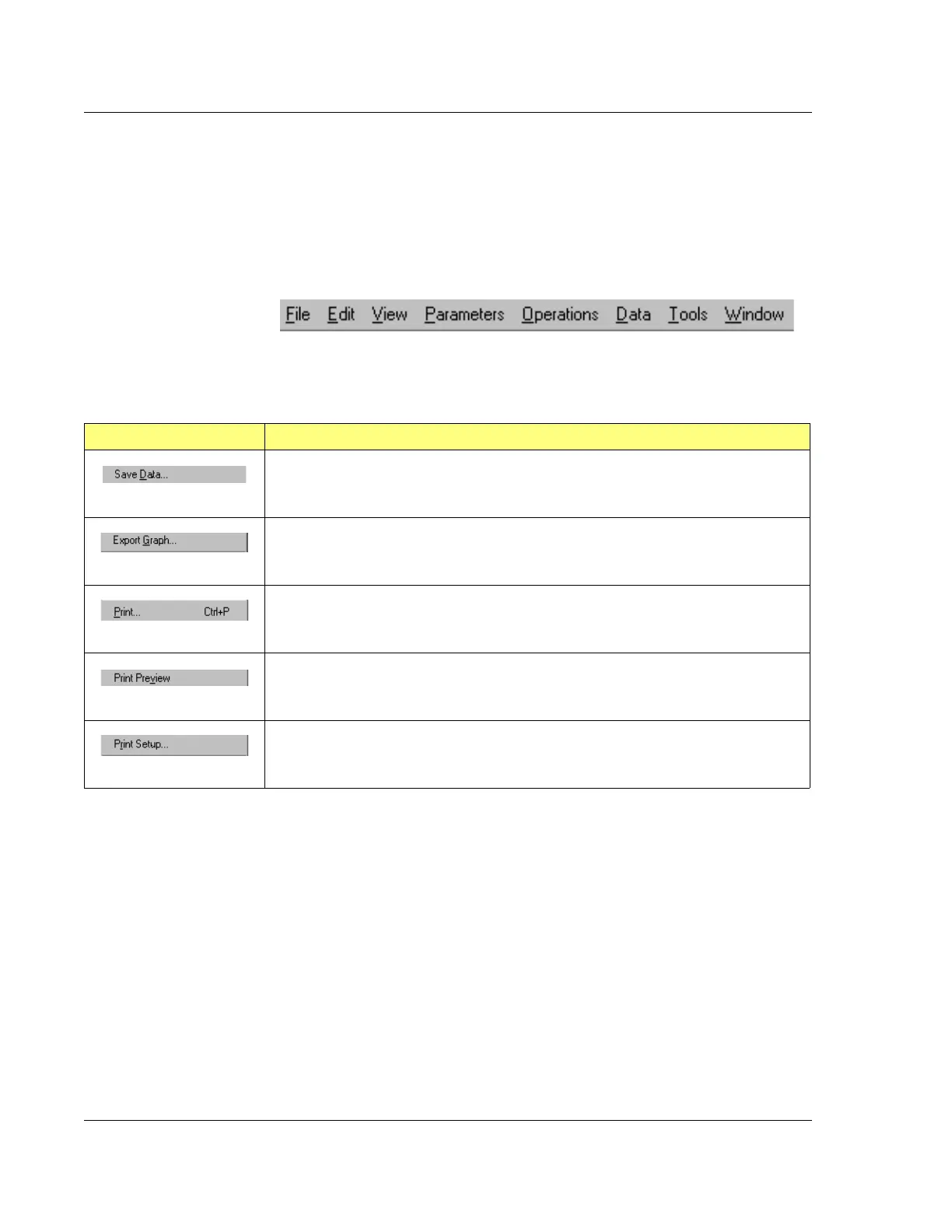
Analysis Menu Bar 7
Most of the functions available in the two Analysis Tool Bars and the Right-click
menu, are also available using the Menu Bar at the top of the screen. In addition, there
are numerous other menu items that facilitate functions necessary for the processing
of 3D scan data.
File Menu 7
Figure 7.14 Analysis Screen Menu Bar
Table 7.7 File Menu Operations
Menu Item Description of Action
Saves the current data to a file. This option displays the Save Dialog box with its
associated options.
Exports the current data. This option displays the Export dialog box with its associated
options.
Prints the current data. This option displays the Print dialog box with its associated
options.
This option displays a thumbnail presentation of the material that is to be printed so it
can be reviewed.
This option displays the Print Setup dialog box with its printer/print setup options.



 To Next Page