Sequence Recipe and Data - Sequence Editor Window Features KLA-Tencor P-16+ / P-6 User’s Guide
6-20 KLA-Tencor Confidential 0142530-000 AB
3/13/09
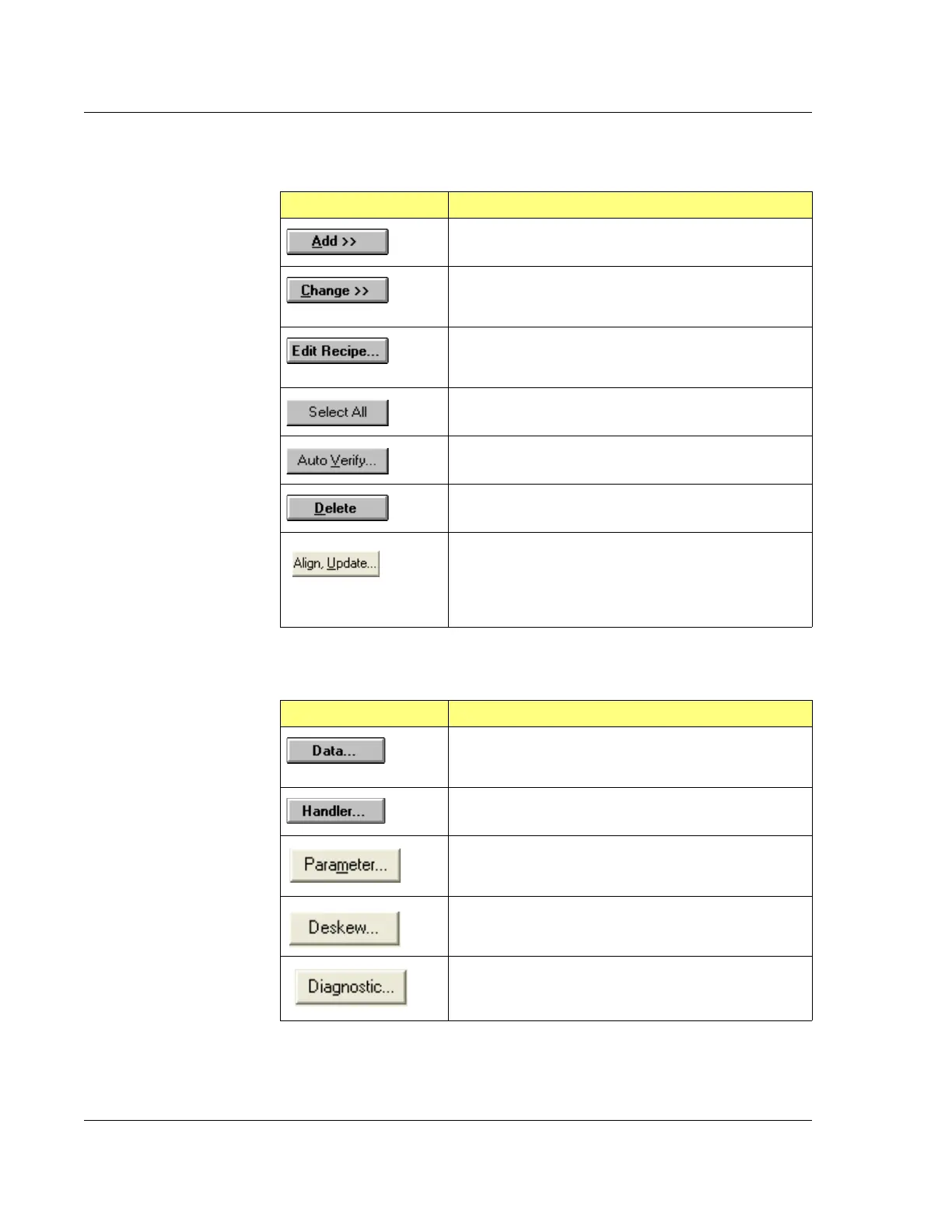
Table 6.2 Sequence List Buttons
Button Description
Adds the selected Scan recipe into the sequence.
After highlighting an existing site in the Sequence list,
clicking this button changes the Scan recipe for the site
to whatever is highlighted in the catalog.
Displays the Scan Recipe Editor, open to the recipe
selected in the Scan recipe Catalog (the field to the left of
the
Edit Recipe… button.)
This selects all the recipes in the current Sequence
Recipe.
This goes to the XY View screen and locates the current
scan location in the video screen for verification.
Deletes the selected site from the sequence.
This feature corrects for wafer placement error due to
wafer loading. Alignment is accomplished through Center
of Wafer, Die Grid, and Double Deskew analysis. This
feature should be used before modifying or adding sites
to an existing Sequence recipe that uses deskew.
Table 6.3 Options Buttons
Button Description
Displays the Data Saving Options dialog box where
sequence data can be automatically saved, exported, or
printed.
Displays the
Handler dialog box. The P-16+ Profiler has
no handler so the only option available is
Manual Load.
Allows the user to select specific recipe parameter
values to be displayed and updated during data
acquisition
From this dialog box, the user can select criteria for
Pattern Recognition and Deskew.
This dialog box offers the user the option to automatically
save the Deskew Site and Scan Site images directly from
the camera.



 To Next Page