Stylus Change Procedure - Stylus Removal and Replacement KLA-Tencor P-16+ / P-6 User’s Guide
13-14 KLA-Tencor Confidential 0142530-000 AB
3/13/09
ii. If the new parameter values were not already saved, a dialog box
requires the user to choose between the save options before exiting
the Recipe Editor. Choose Save Changes to set the changes to the
Custom recipe so they are used in the scan.
10. From the
Scan Offset Calibration screen, click MAN LOAD in the tool bar to move
the stage back beneath the stylus. (See Figure 13.15.)
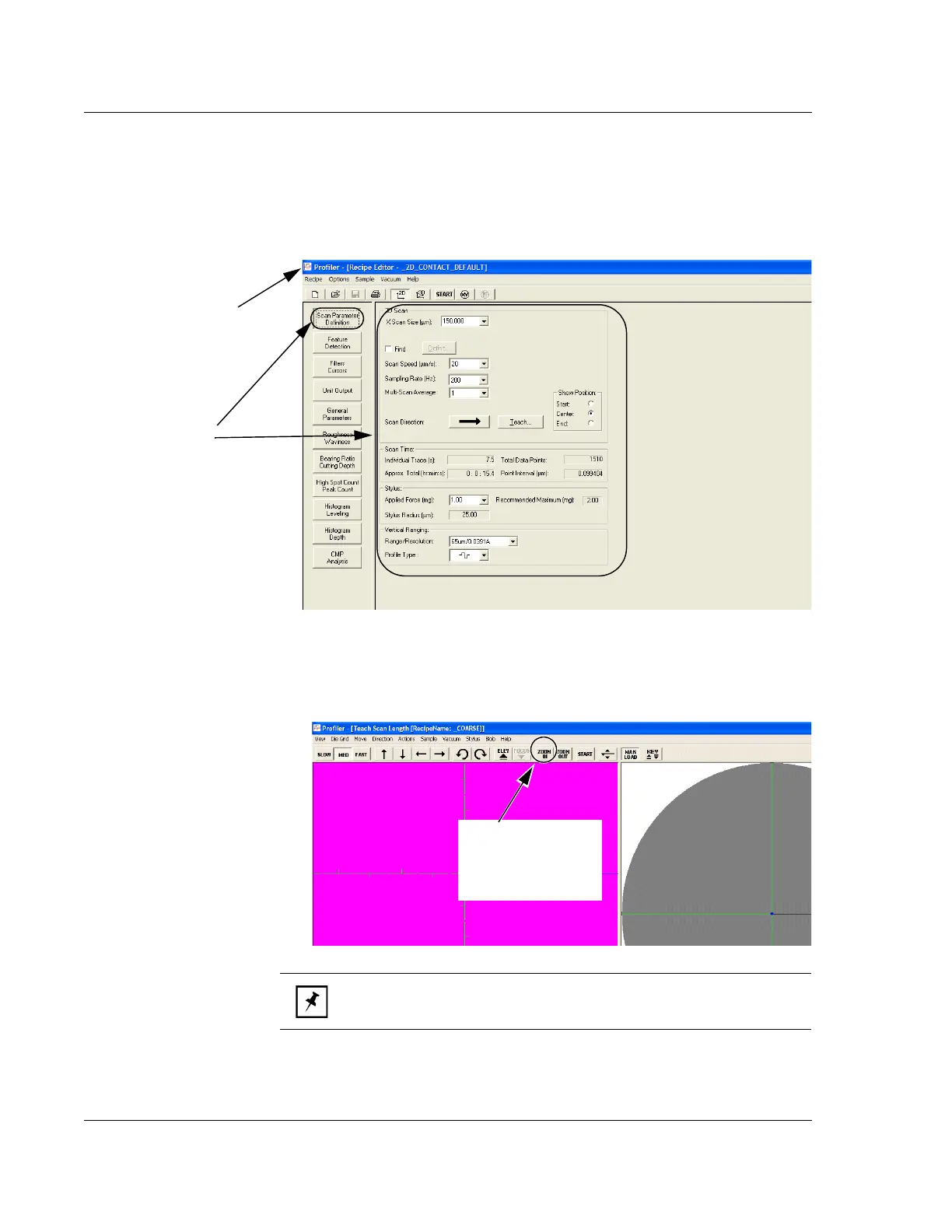
Figure 13.20 Scan Parameter Definition - _OFF150 - Recipe Editor
This window (Scan
Parameter Definition) is the
only one required if there are
to be recipe changes related
to the Scan Position Offset
Calibration procedure.
Step i Click to display the
Control Button menu. Choose
Close from the menu.
Figure 13.21 ZOOM IN - Scan Offset Calibration
Step 12 Click the
required zoom button
to position the zoom at
the desired level.
NOTE: KLA-Tencor recommends that the optics be zoomed all the
way out (set at 0), or that the desired zoom setting be locked.



 To Next Page