0142530-000 AB KLA-Tencor Confidential 8-3
3/13/09
KLA-Tencor P-16+ / P-6 User’s Guide APEX 2D/3D - Getting Started - Overview of Apex 2D/3D
ary
Applying an Operator or Carrying out a Study
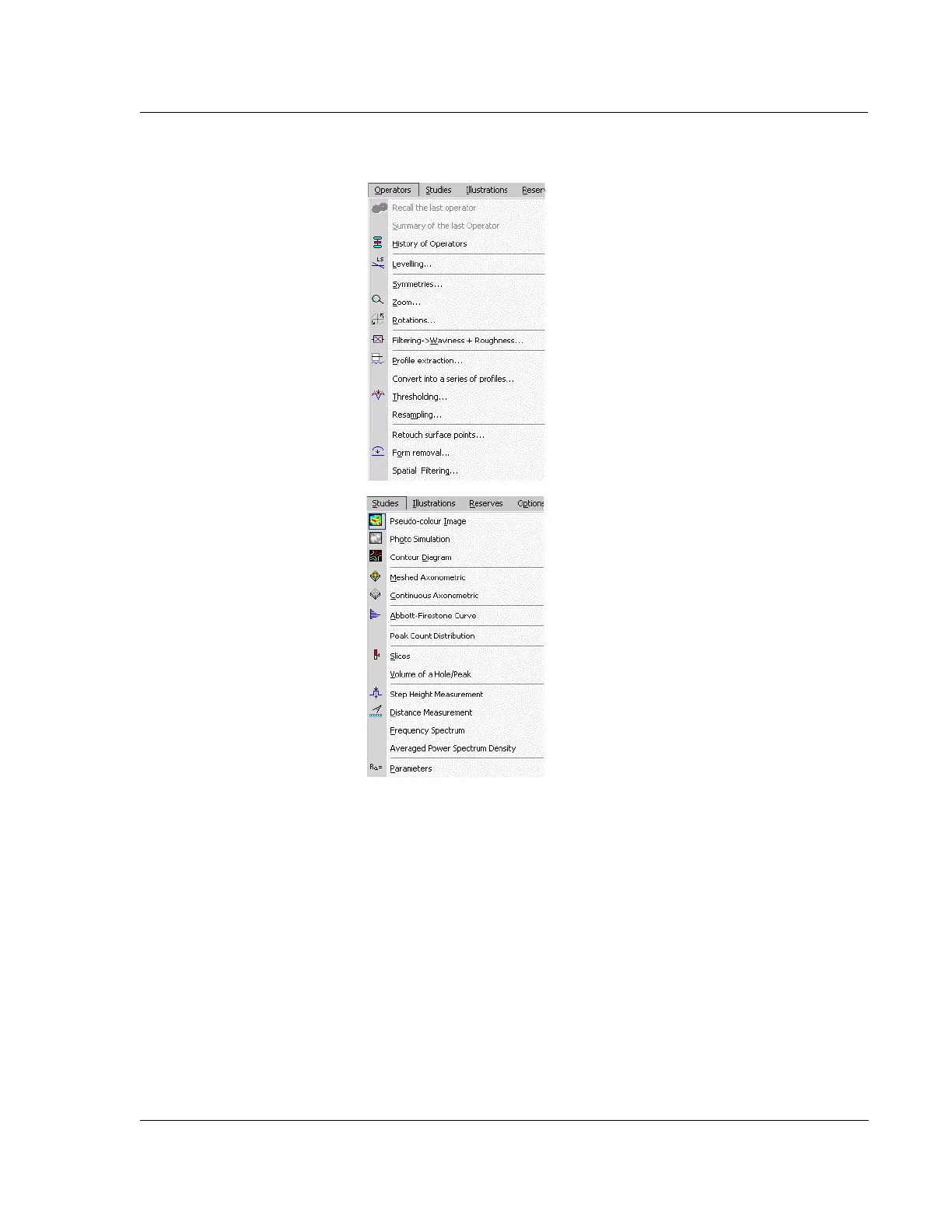
An operator is a mathematical opera-
tion that is applied to a studiable and
generates one or more new studiables.
To apply an operator, select any studiable
(by clicking on it so that its border is dis-
played as a dotted blue line), then select
an operator from the Operators menu (for
example Zoom, Levelling, Rough-
ness/waviness filtering, Form removal
operator...).
A study is a graphical representation
of a studiable (for example, 3D represen-
tation of a surface...) or an analysis done
on a studiable (calculation of the Ra
parameter...)
To apply a study, select any studiable,
then select a study from the Studies
menu.
For complete info on how to use Apex,
go to the Help Menu and click Help
Topics.



 To Next Page