User Manual UMN:CLI
V5808
129
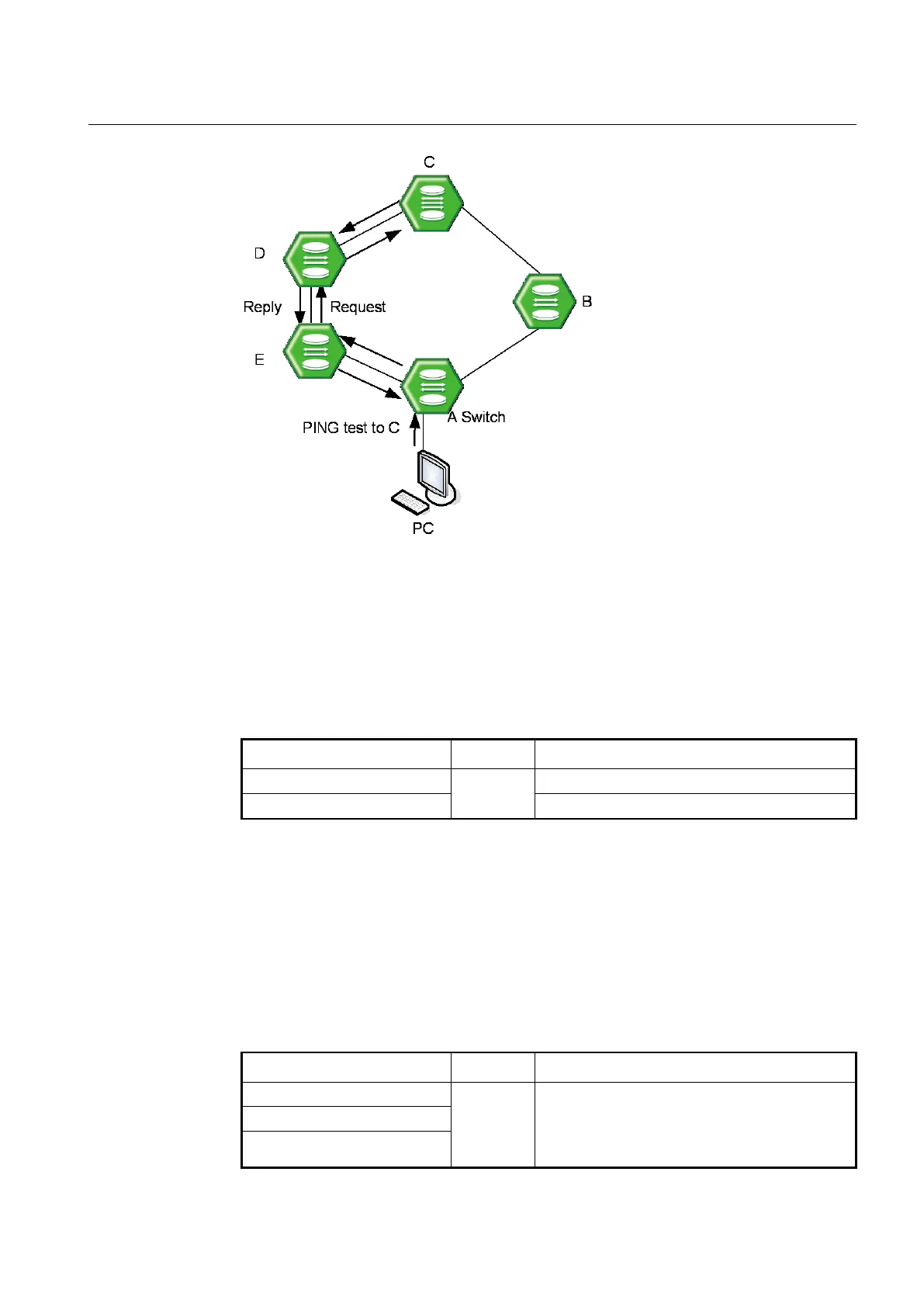
Fig. 6.2 IP Source Routing
To perform ping test as the route which the manager designated, use the following steps.
Step 1 Enable IP source-routing function from the equipment connected to PC which the PING
test is going to be performed.
To enable/disable IP source-routing in the V5808, use the following command.
Enable IP source-routing function.
Disable IP source-routing function.
Step 2 Perform the ping test from PC as the designate route with the ping command.
6.3.3 Tracing Packet Route
You can discover the routes that packets will actually take when traveling to their
destinations. To do this, the traceroute command sends probe datagrams and displays
the round-trip time for each node.
If the timer goes off before a response comes in, an asterisk (*) is printed on the screen.
Traces packet routes through the network.
WORD: destination IP address or host name
A.B.C.D: destination IP address
icmp: use ICMP Echo instead of UDP datagrams



 To Next Page