UMN:CLI User Manual
V5808
264
8.1.3 MAC-based VLAN
The V5808 can assign a frame to a VLAN based on the source MAC address in the
received frames. Using this, all frames emitted by a given end station will be assigned to
the same VLAN, regardless of the port on which the frame arrives. This is useful for
mobility application.
To configure a MAC-based VLAN, follow these steps.
1. Create VLAN groups for the MAC addresses you want to use.
2. Map the MAC address to the appropriate VLAN.
vlan macbase MAC-ADDR
VLANS
Adds a specified MAC address to a MAC-based VLAN.
MAC-ADDR: MAC address of end station
VLANS: VLAN ID (1-4094)
Removes a specified MAC address from a specified
MAC address
8.1.4 Subnet-based VLAN
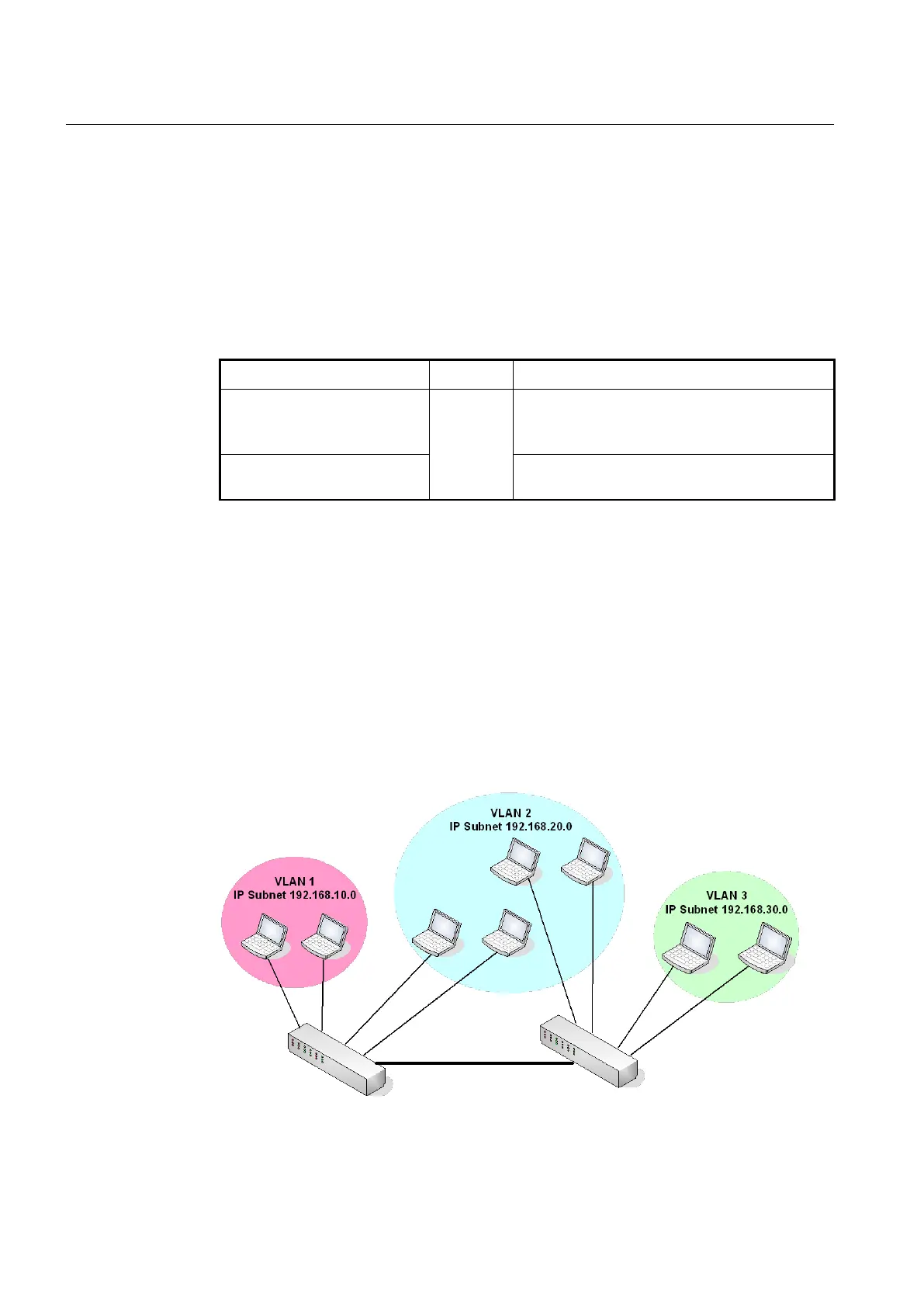
An IP address contains two parts: a subnet identifier and a station identifier. The V5808
performs two operations to create IP subnet-based VLANs.
• Parse the protocol type to determine if the frame encapsulates an IP datagram.
• Examine and extract the IP subnet portion of the IP Source Address in the encapsu-
lated datagram.
Once it is known that a given frame carries an IP datagram belonging to a given subnet,
the switch can transmit the frame as needed within the confines of the subnet to which it
belongs. If a device with a given IP address moves within the VLAN-aware network, the
boundaries of its IP subnet can automatically adjust to accommodate the station’s
address.
Fig. 8.2 Subnet-based VLAN



 To Next Page