UMN:CLI User Manual
V5808
626
Specifying OLT and ONU ID
When specifying an OLT ID in the CLI, you can simply put the number in the form of
PORT number such as 1, 2, 3, 4…7, 8. Multiple input is also possible, e.g. 1, 2, 3 or 3-4.
When specifying an ONU ID, just remember that the ONU ID is always between 1 and
128 or ONU serial number. Multiple input for the ONU ID is the same as the ONU ID, e.g.
1-3, 8-22, DSNWcb00282d.
CLI Structure
To configure GPON functionalities, enter the gpon command in Global Configuration
mode. The GPON Configuration mode is a stage of preparation for the detail PON
configuration. In this mode, you can open ONU/PM/Traffic/VoIP/DBA Profile Configuration
mode or GPON-OLT Configuration mode.
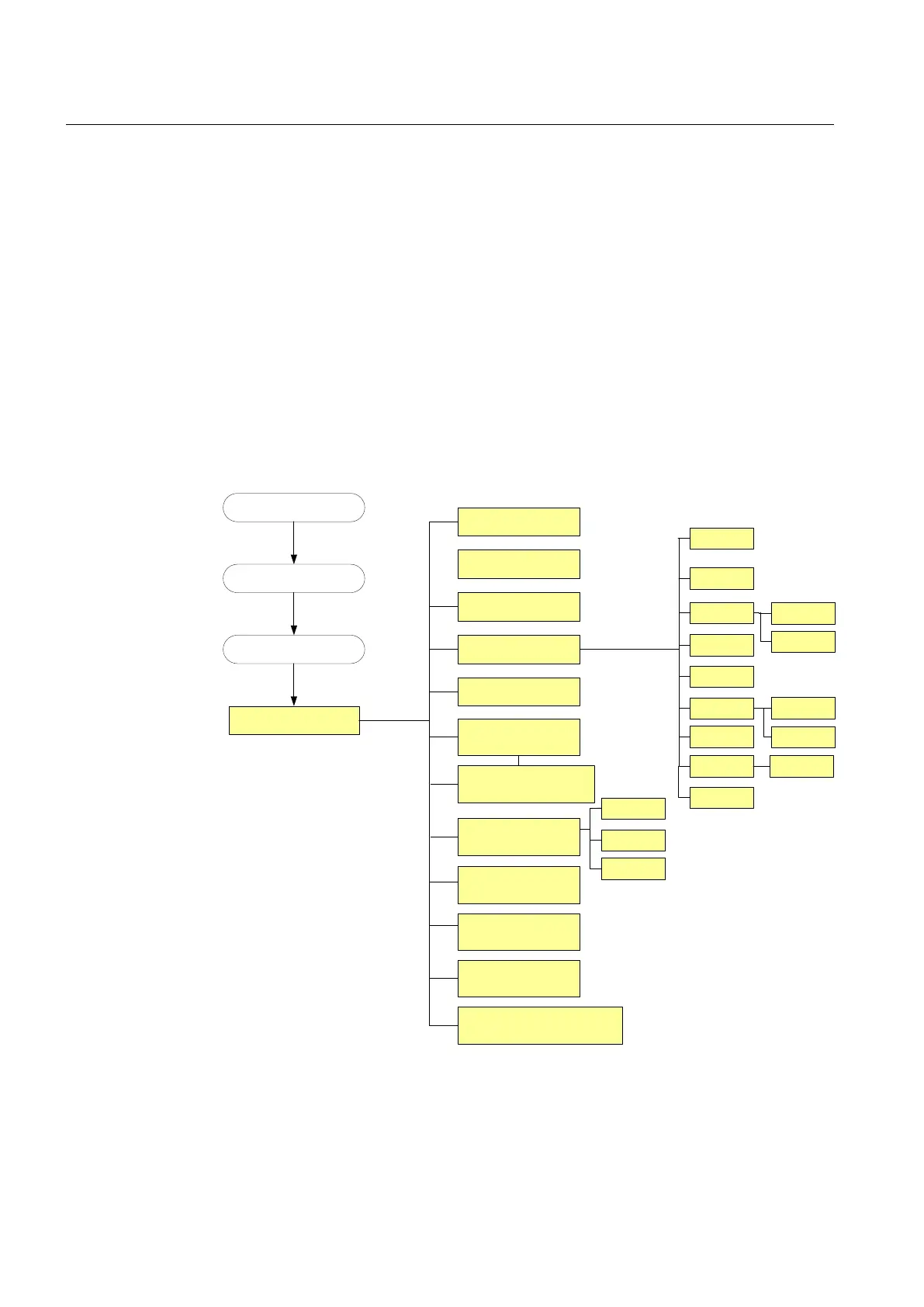
Fig. 12.2 shows the CLI structure of GPON Configuration mode.
Privilege EXEC View Mode
Privilege EXEC Enable Mode
Global Configuration Mode
GPON
Configuration Mode
‘configure terminal’
‘gpon’
GPON-OLT
‘gpon-olt OLT-ID’
ONU-Profile
‘onu-profile test create’
DBA-Profile
‘dba-profile test create’
Traffic-Profile
‘traffic-profile test create’
PM-Profile
‘pm-profile test create’
Multicast-Profile
‘multicast-profile test create’
Mapper
Bridge
ANI
UNI
TDM-PW-Profile
‘tdm-pw-profile test create’
PW-Maintenance-Profile
‘pw-maintenance-profile test
create’
IP-host
VoIP
TDM
CES TDM
UNI
IP-path
Extended-VLAN Tagging Profile
‘extended-vlan-tagging-operation test
create’
SIP
MGCP
H248
GEM Port
Network CTP
Video return
path service
T-CONT
Rate-Limit Profile
‘rate-limit-profile test create’
Multicast ACL Profile
‘multicast-access-list test create’
VoIP-Profile
‘voip-profile test create’
Fig. 12.2 CLI Structure of GPON Configuration Mode



 To Next Page