UMN:CLI User Manual
V5808
730
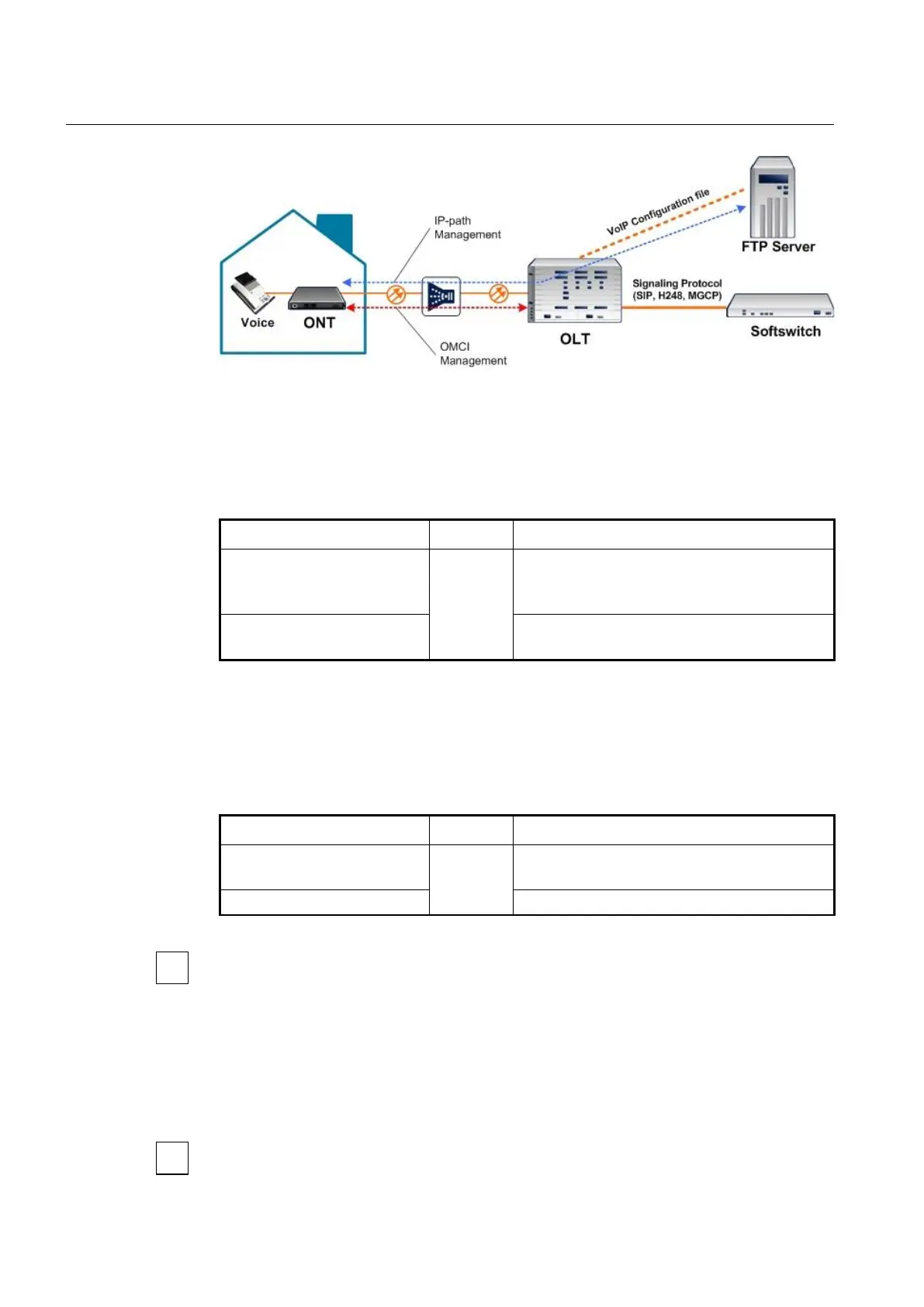
Fig. 12.7 VoIP Service Architecture
The supports the VoIP service management with two modes based on the managed
models above.
To configure VoIP service management mode, use the following command.
manage-method {omci | ip-path}
Sets VoIP service management mode.
omci: ONT Management and Control Interface
ip-path: IP-path managed
Deletes the configured VoIP service management
mode.
12.4.6.2 OMCI Managed VoIP
If you configure the VoIP service management mode as OMCI managed by using voip-
profile omci command, you need to connect VoIP profile with which OLT can handle the
configurations for VoIP clients. To connect VoIP profile to the current VoIP service, use
the following command.
Connects VoIP profile to the current VoIP service.
NAME: VoIP profile name
Disconnects the specified VoIP profile.
You need to create a VoIP profile first to connect the existing VoIP profile to the current
VoIP service. For the details of how to create and configure the VoIP profile, see 12.7
VoIP Profile.
12.4.6.3 IP-path Managed VoIP
If you configure the VoIP service management mode as IP-path managed by using voip-
profile ip-path command, you need to set IP-path configuration in VoIP IP-path
Configuration mode.
When you use the voip-profile ip-path command, you enter automatically VoIP IP-path
Configuration mode.



 To Next Page