UMN:CLI User Manual
V5808
358
8.5.10.2 DHCP Server Packet Filtering
Dynamic Host Configuration Protocol (DHCP) makes DHCP server assign IP address to
DHCP clients automatically and manage the IP address. Most ISP operators provide the
service as such a way. At this time, if a DHCP client connects with the equipment that can
be the other DHCP server such as Internet access gateway router, communication failure
might be occurred.
DHCP filtering helps to operate DHCP service by blocking DHCP request which enters
through subscriber’s port and goes out into uplink port or the other subscriber’s port and
DHCP reply which enters to the subscriber’s port.
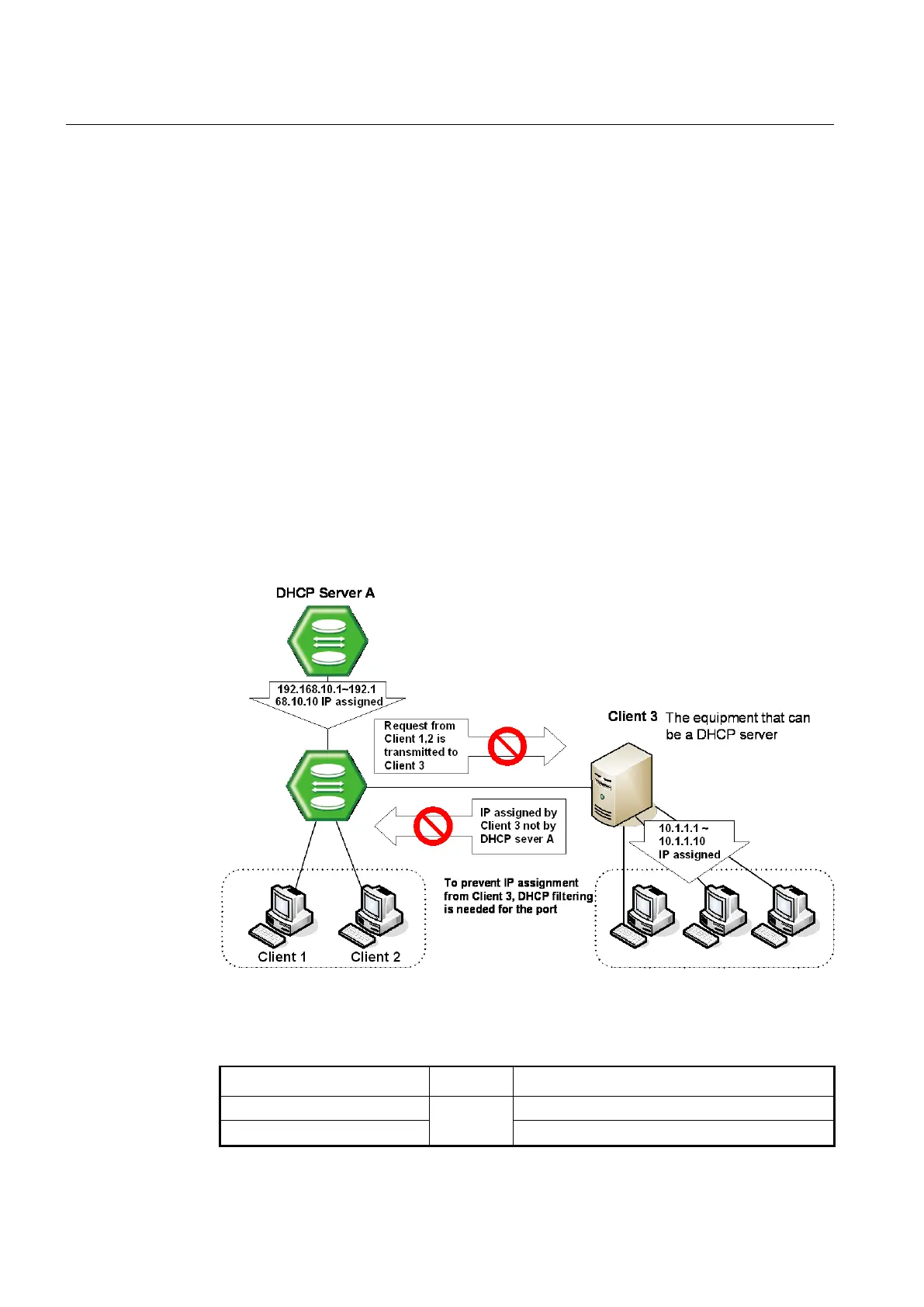
In the Fig. 8.32, server A has the IP area from 192.168.10.1 to 192.168.10.10. Suppose a
user connects with client 3 that can be DHCP server to A in order to share IP address
from 10.1.1.1 to 10.1.1.10.
Here, if client 1 and client 2 are not blocked from client 3 of DHCP server, client 1 and
client 2 will request and receive IP from client 3 so that communication blockage will be
occurred. Therefore, the filtering function should be configured between client 1 and client
3, client 2 and client 3 in order to make client 1 and client 2 receive IP without difficulty
from DHCP server A.
Fig. 8.32 DHCP Server Packet Filtering
To enable the DHCP server packet filtering, use the following command.
Enables the DHCP server packet filtering.
no dhcp-server-filter PORTS
Disables the DHCP server packet filtering.



 To Next Page