UMN:CLI User Manual
V5808
308
8.3.7 Configuring PVSTP
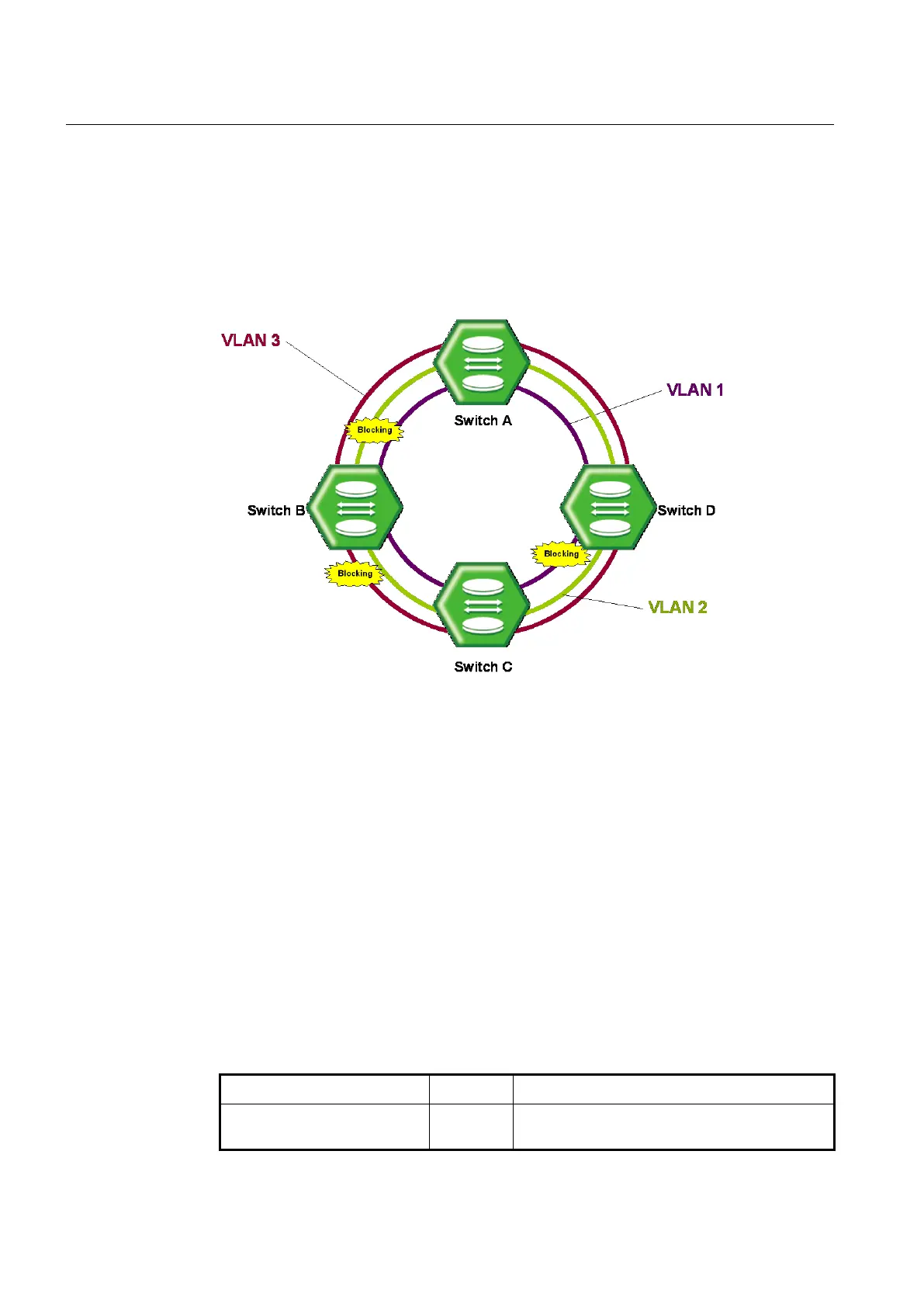
STP and RSPT are designed with one VLAN in the network. If a port becomes blocking
state, the physical port itself is blocked. But PVSTP (Per VLAN Spanning Tree Protocol)
and PVRSTP (Per VLAN Rapid Spanning Tree Protocol) maintains spanning tree
instance for each VLAN in the network. Because PVSTP treats each VLAN as a separate
network, it has the ability to load balance traffic by forwarding some VLANs on one trunk
and other VLANs. PVRSTP provides the same functionality as PVSTP with enhancement.
Fig. 8.25 Example of PVSTP
To configure PVSTP, use the following steps.
Step 1
Enable STP function using the spanning-tree command.
Step 2
Decide PVSTP mode using the spanning-tree mode rapid-pvst command.
Step 3
Enable PVSTP function using the spanning-tree vlan VLANS command.
Step 4
Configure detail options if specific commands are required.
8.3.7.1 Enabling PVSTP
To enable PVSTP function, use the following command.
Activates PVSTP function.
VLANS: VLAN ID (1-4094)



 To Next Page