UMN:CLI User Manual
V5808
714
12.4 Traffic Profile
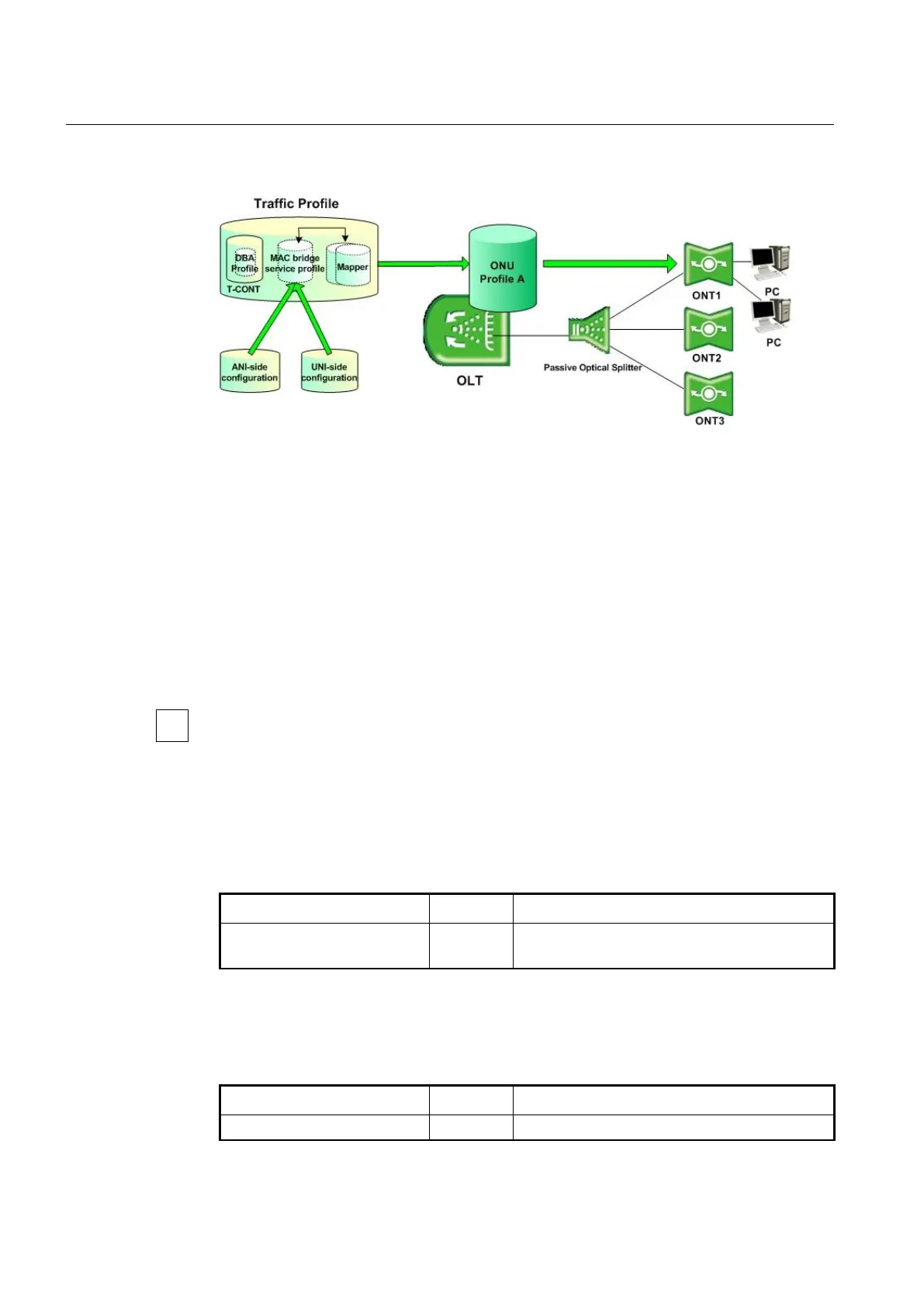
Fig. 12.5 Traffic Profile
The provides the easy and efficient management solution for various service models
that are comprised of MAC bridging and 802.1p mapping functionality using the traffic
profile.
There are two major layer 2 functions available: MAC bridging and 802.1p mapping. MAC
bridging is described in IEEE 802.1D. The bridge has many features, and can be used to
direct traffic based on MAC address or on VLAN characteristics (using the VLAN filter
feature). The mapping function describes the steering of traffic from one UNI-side entity to
ANI-side port-IDs. The mapper is equivalent to a MAC bridge with VLAN filters that only
operate on the priority bits of the VLAN tags.
The is supported by all G.984.4 compliant vender system based on the 1:N, N:M, 1:MP,
and N:MP model. Only a single 802.1p mapper is need for 1:N, N:M model deployments.
However, multiple 802.1p mappers can be used for 1:MP, N:MP model deployments.
12.4.1 Creating Traffic Profile
To create a traffic profile and open Traffic Profile Configuration mode, use the following
command.
traffic-profile NAME create
Creates a traffic profile.
NAME: traffic profile name
After opening Traffic Profile Configuration mode, the prompt changes from
SWITCH(gpon)# to SWITCH(config-traffic-pf[NAME])#.
To delete a created traffic profile, use the following command.
no traffic-profile {NAME | all}
Deletes the traffic profile with its all configurations.



 To Next Page