User Manual UMN:CLI
V5808
525
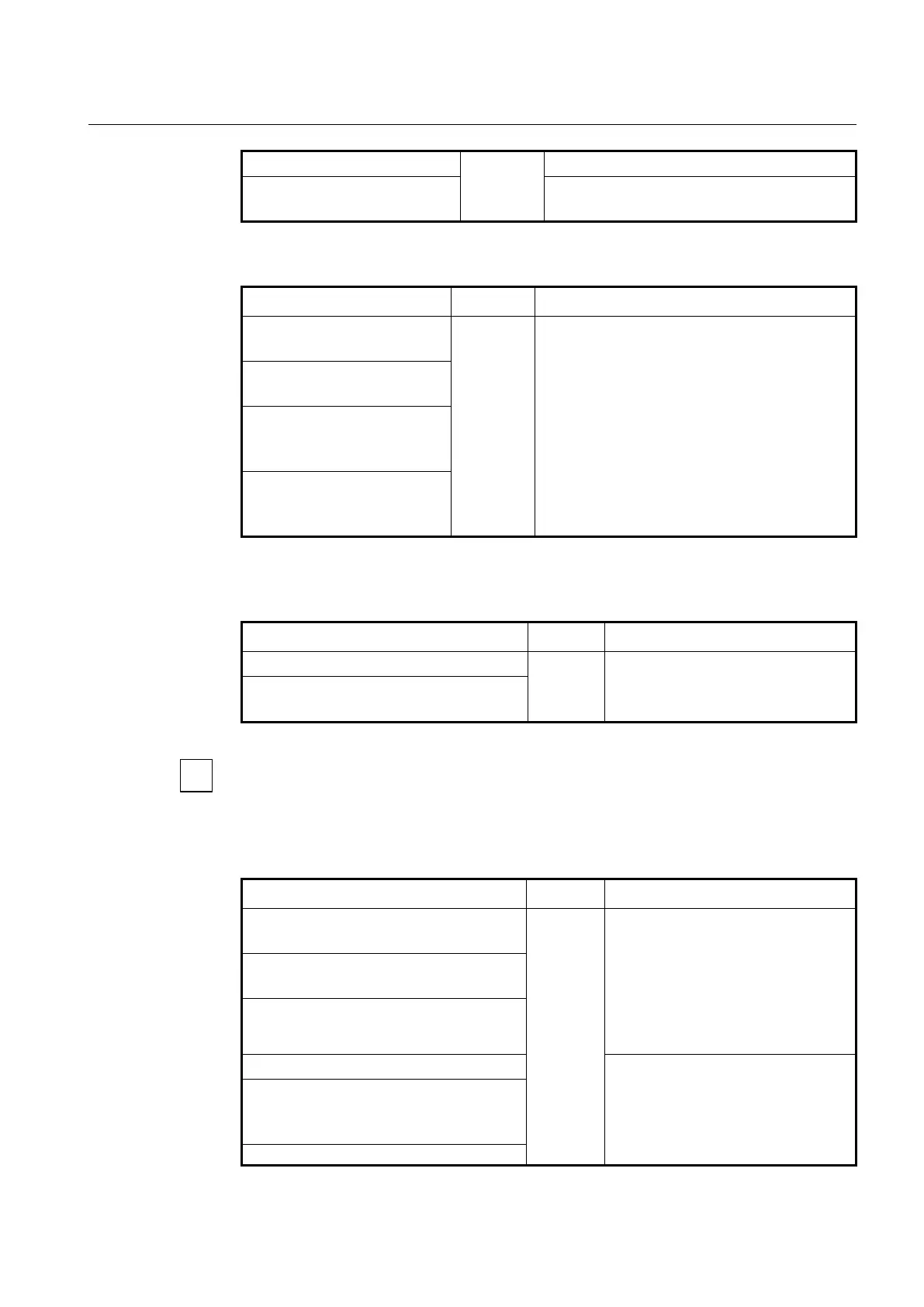
WORD {deny | permit} [LINE]
WORD: extended community list name
ip extcommunity-list expanded
WORD {deny | permit} LINE
Creates a expanded extcommunity-list.
WORD: extended community list name
To delete an entry in the extended community list, use the following command.
no ip extcommunity-list {<1-99>
| <100-199>}
Deletes an entry of the extended community-list.
no ip extcommunity-list {<1-99>
| <100-199>} {deny | permit} LINE
no ip extcommunity-list
standard WORD [{deny | permit}
LINE]
no ip extcommunity-list
expanded WORD [{deny |
permit} LINE]
To display the entry information of the extended community list, use the following
command.
show ip extcommunity-list
Shows an entry of the extended
community-list.
show ip extcommunity-list {<1-99> | <100-
199> | WORD}
Route tagging with communities is always done with a route-map. You can attach up to
32 communities to a single route with one route-map set statement. And community-lists
can be used in match conditions in route-maps to match on communities attached to BGP
routes.
To display the BGP routes matching the communities, use the following command.
show ip bgp community-list WORD [exact-
match]
Shows all networks that are permitted by
the community-list.
WORD: community-list name
exact-match: routes that have exactly the
same specified communities
unicast: IPv4 unicast address family
multicast: IPv4 multicast address family
show ip bgp {unicast | multicast} community-
list WORD [exact-match]
show bgp {unicast | multicast}
Shows all routes in a BGP table that all
the specified communities attached.
show [ip] bgp community {AA:NN | internet |
local-AS | no-advertise | no-export} [exact-
match]
show [ip] bgp {unicast | multicast}


 To Next Page