6. BASIC OPERATION
89
6.3 Selecting the Measurement Mode
The types of measurement screens available are WFM, VECT, PIC, AUDIO, STATUS, and EYE.
There is also another type, MULTI, that combines these six types. Press a mode key on the
front panel to select the type.
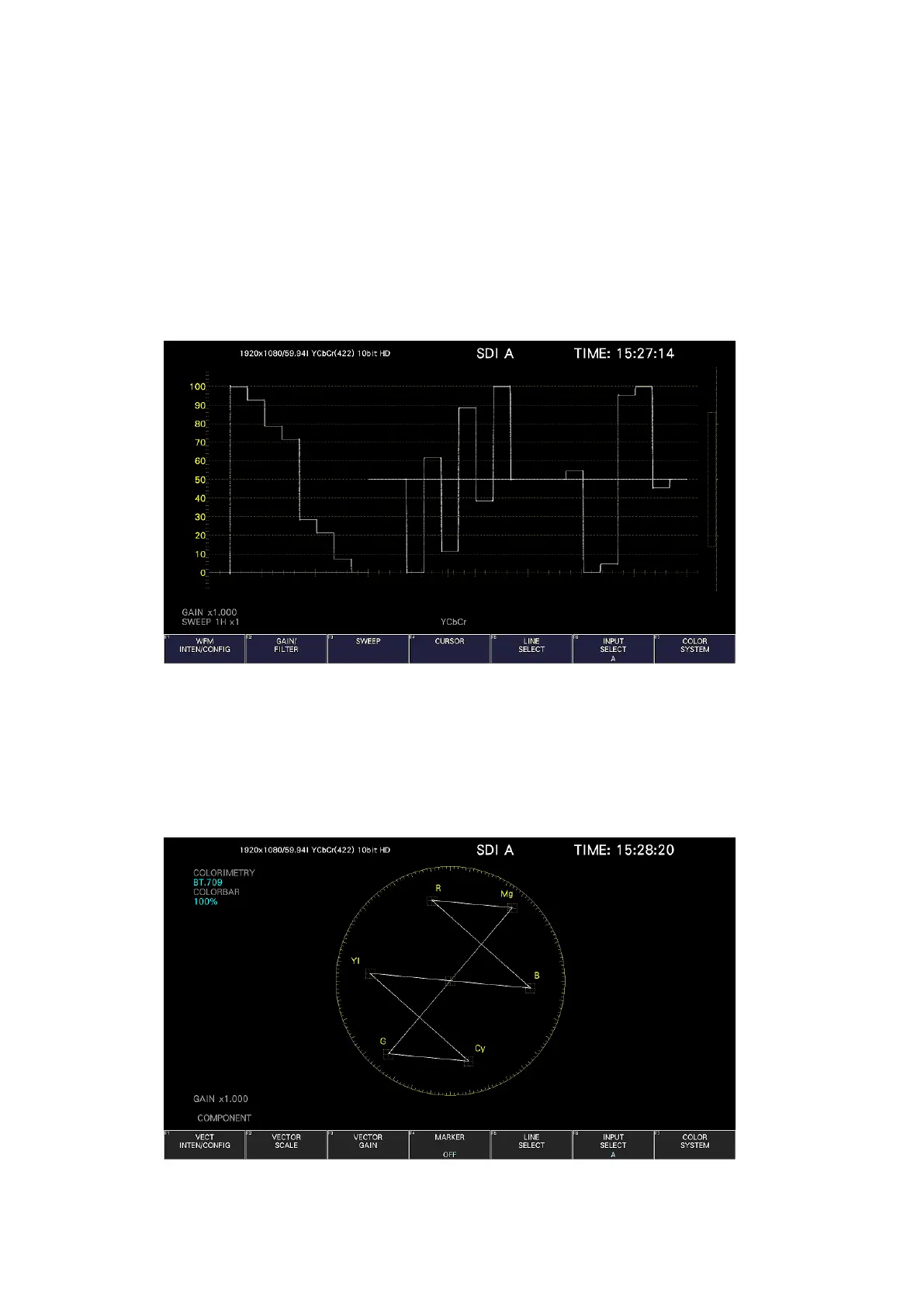
6.3.1 Video Signal Waveform Display
To display video signal waveforms, press WFM.
The available features include line select display, which displays the waveform of the
selected line, RGB display, and pseudo-composite display.
Figure 6-27 Video signal waveform display
6.3.2 Vector Display
To display vectors, press VECT.
The available features include line select display, marker display, pseudo-composite display,
5-bar display, and CIE chromaticity diagram display (SER22).
Figure 6-28 Vector display



 To Next Page