11. VECTOR DISPLAY
224
11.9 Configuring the Marker Settings
To configure the marker settings, press F•4 MARKER or F•4 VARIABLE MARKER.
When the VARIABLE SCALE is set to off, you can use F•4 MARKER to turn the marker display
on and off.
When the VARIABLE SCALE is set to on, you can use F•4 VARIABLE MARKER to display the
VARIABLE MARKER menu.
[See also] VARIABLE SCALE → Section 11.3.7, “Turning the Variable Scale On and Off”
11.9.1 Displaying the Vector Marker
When the VARIABLE SCALE is set to off, to display a marker on the vector display, follow the
procedure below.
[See also] VARIABLE SCALE → Section 11.3.7, “Turning the Variable Scale On and Off”
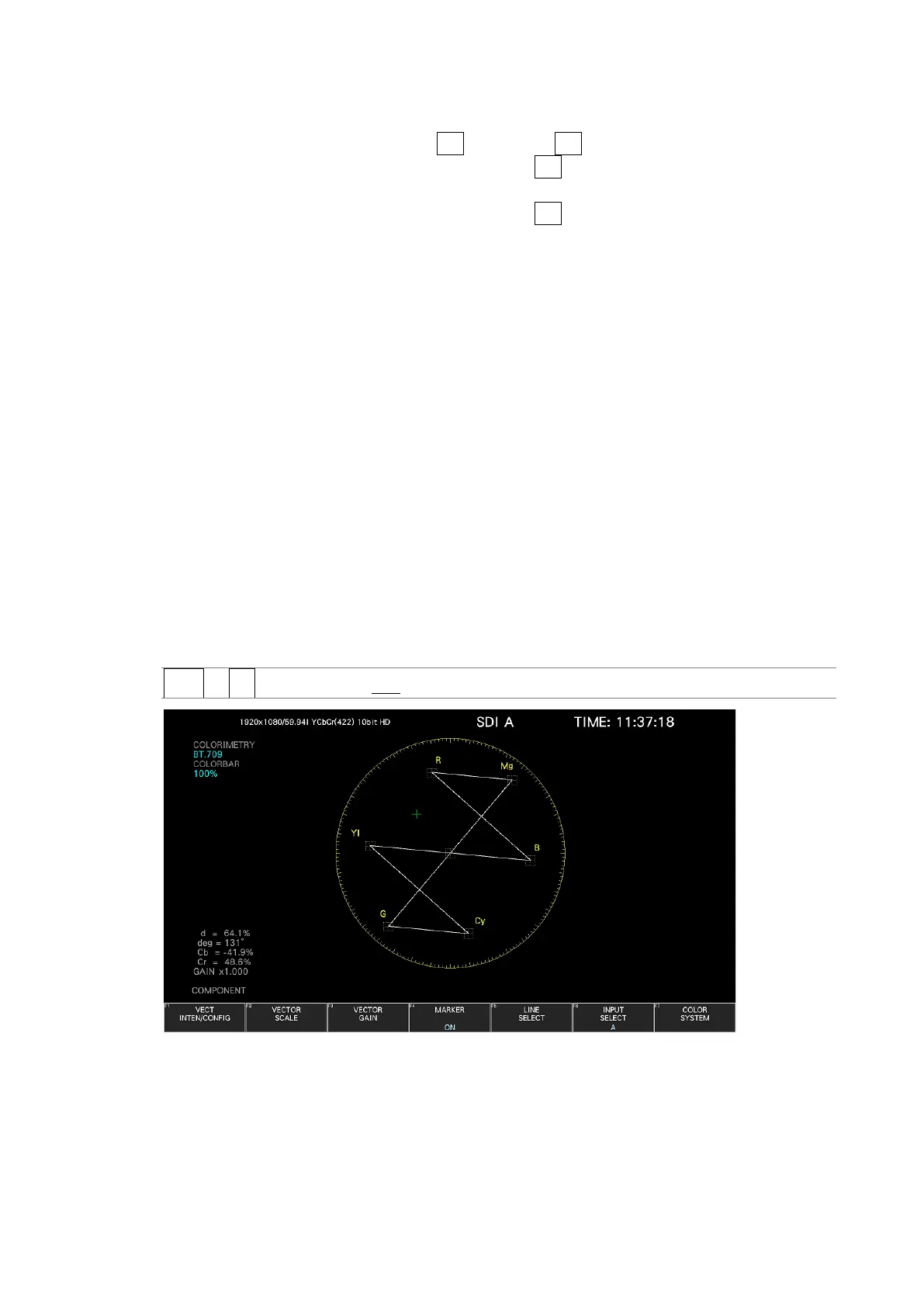
You can move the marker horizontally using the H POS knob and vertically using the V POS
knob. The measured values are displayed in the lower left of the display. Press the H POS
knob to move the marker to the Cb = 0.0% position. Press the V POS knob to move the
marker to the Cr = 0.0% position.
Measured values are displayed using the following references: Cb at position B = 100.0%
and Cr at position R = 100.0%. The distance from the center is expressed as “d,” and hue is
expressed as “deg.”
Normally, the marker is displayed in green. When if falls outside the display area, it blinks in
red. If this occurs, "OVER" appears above the measured values.
Procedure
VECT → F•4 MARKER: ON / OFF
Figure 11-14 Displaying the vector marker



 To Next Page