6. BASIC OPERATION
114
6.6.1 Enhanced Layout Procedure
As an example, this section will explain the procedure to display the enhanced layout of
channels A and B.
Enhanced layout can be shown in simul mode when multi-screen display is in use.
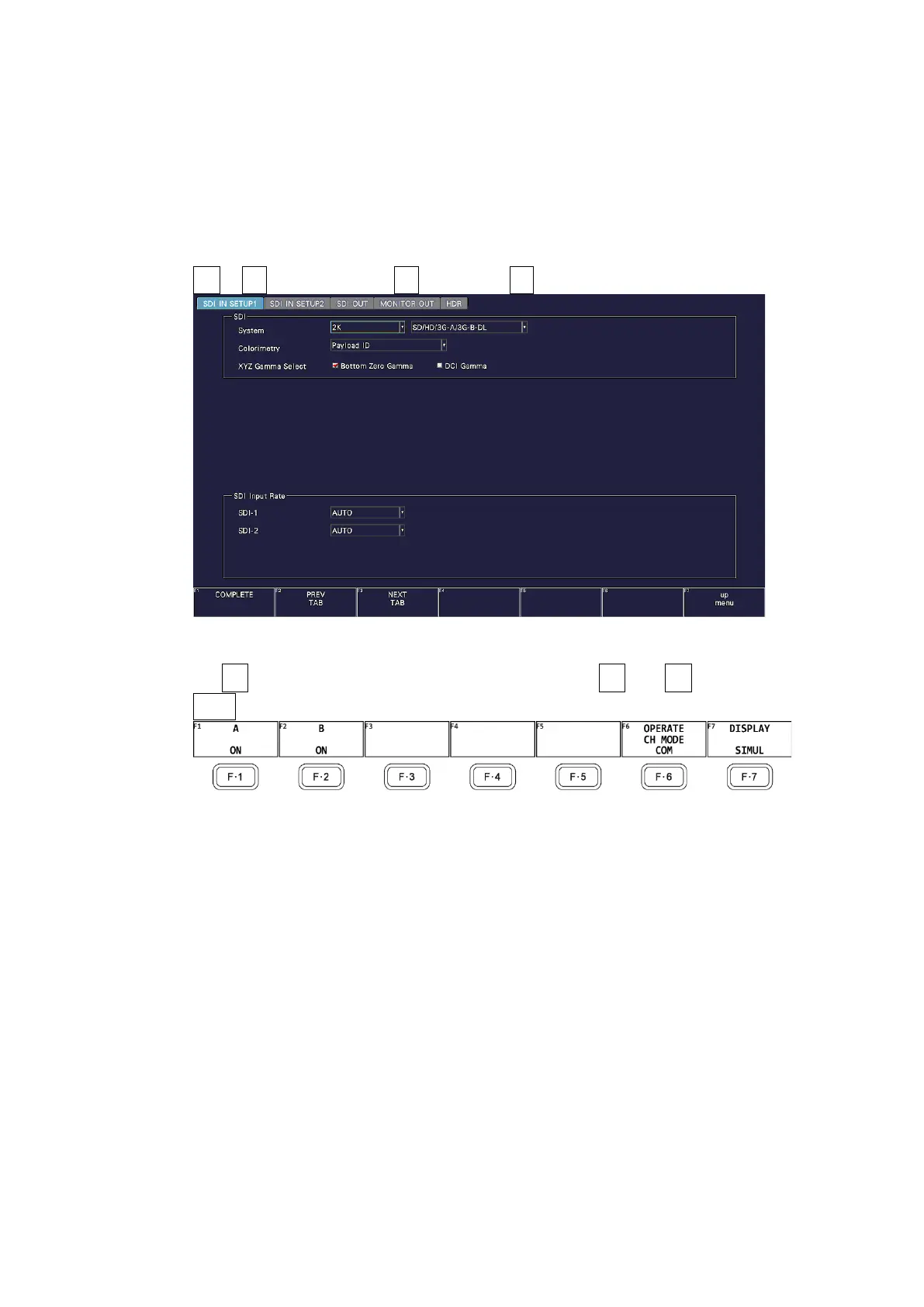
1. On the SDI IN SETUP1 tab of the SYS menu, set SDI System to 2K SD/HD/3G-A/3G-B-
DL.
SYS → F•1 SIGNAL IN OUT → F•2 PREV TAB or F•3 NEXT TAB →
Figure 6-53 SDI IN SETUP1 tab
2. Set F•7 DISPLAY of the INPUT menu to SIMUL, and set F•1 A to F•2 B to ON.
INPUT →
Figure 6-54 INPUT menu
3. Press MULTI.



 To Next Page