10. Video Signal Waveform Display
187
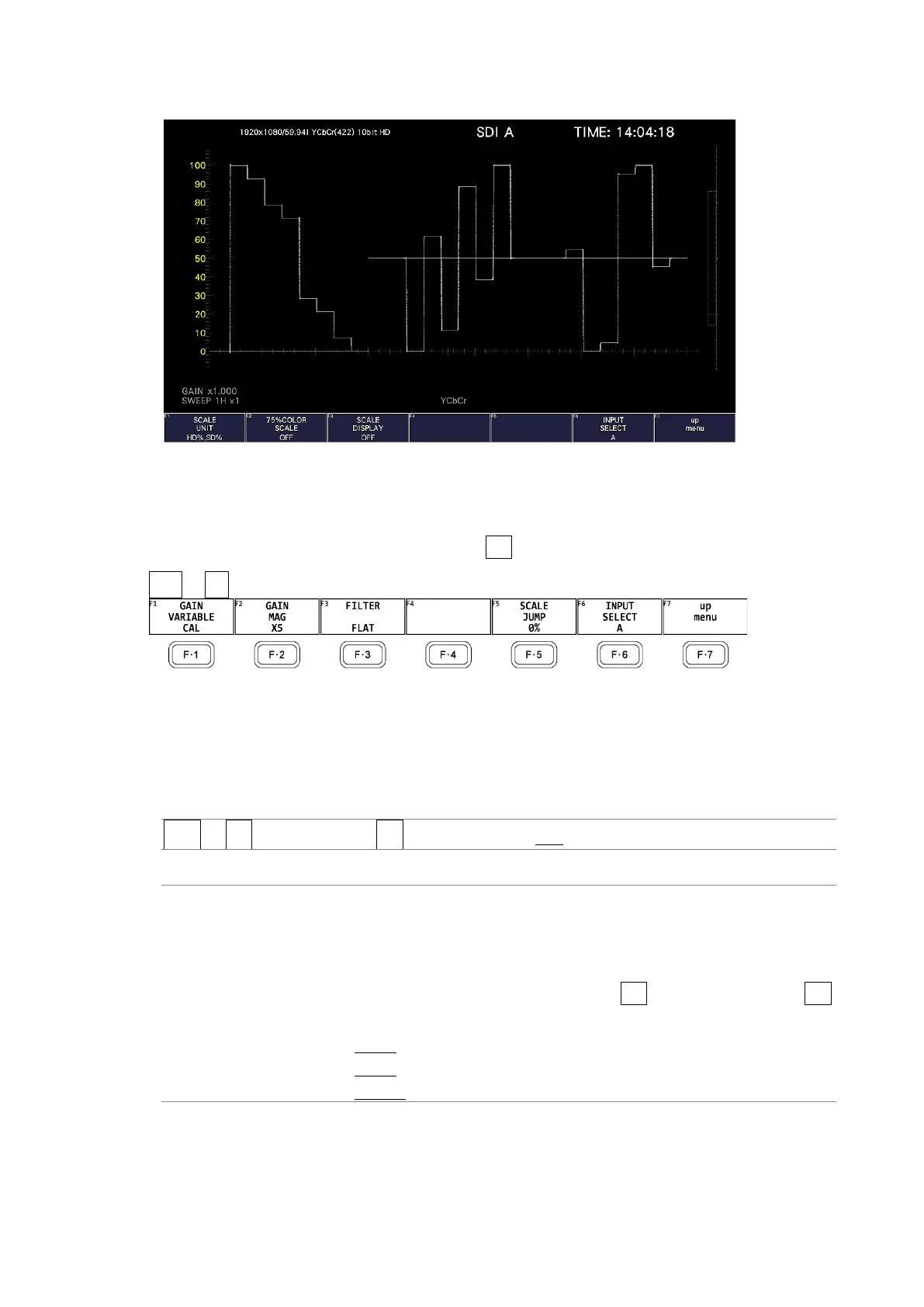
SCALE DISPLAY = OFF
Figure 10-10 Displaying the scale
10.4 Configuring the Gain and Filter Settings
To configure the gain and filter settings, press F•2 GAIN/FILTER on the WFM menu.
WFM → F•2 GAIN/FILTER →
Figure 10-11 GAIN/FILTER menu
10.4.1 Setting the Variable Gain
To set the variable video signal waveform gain, follow the procedure below.
Procedure
WFM → F•2 GAIN/FILTER → F•1 GAIN VARIABLE: CAL / VARIABLE
Settings
CAL: The waveform gain is fixed.
VARIABLE: You can adjust the waveform gain by turning the function dial (F•D).
Press the function dial (F•D) to return the setting to its default value
(1.000 or 5.000).
The adjusted gain value (the combination of F•1 GAIN VARIABLE and F•2
GAIN MAG) appears at the bottom of the screen.
0.200 - 1.000 - 2.000 (for X1)
1.000 - 5.000 - 10.000 (for X5)
2.000 - 10.000 (for X10)



 To Next Page