13. Picture Screen
288
13.8 Focus Assist Display (SER25)
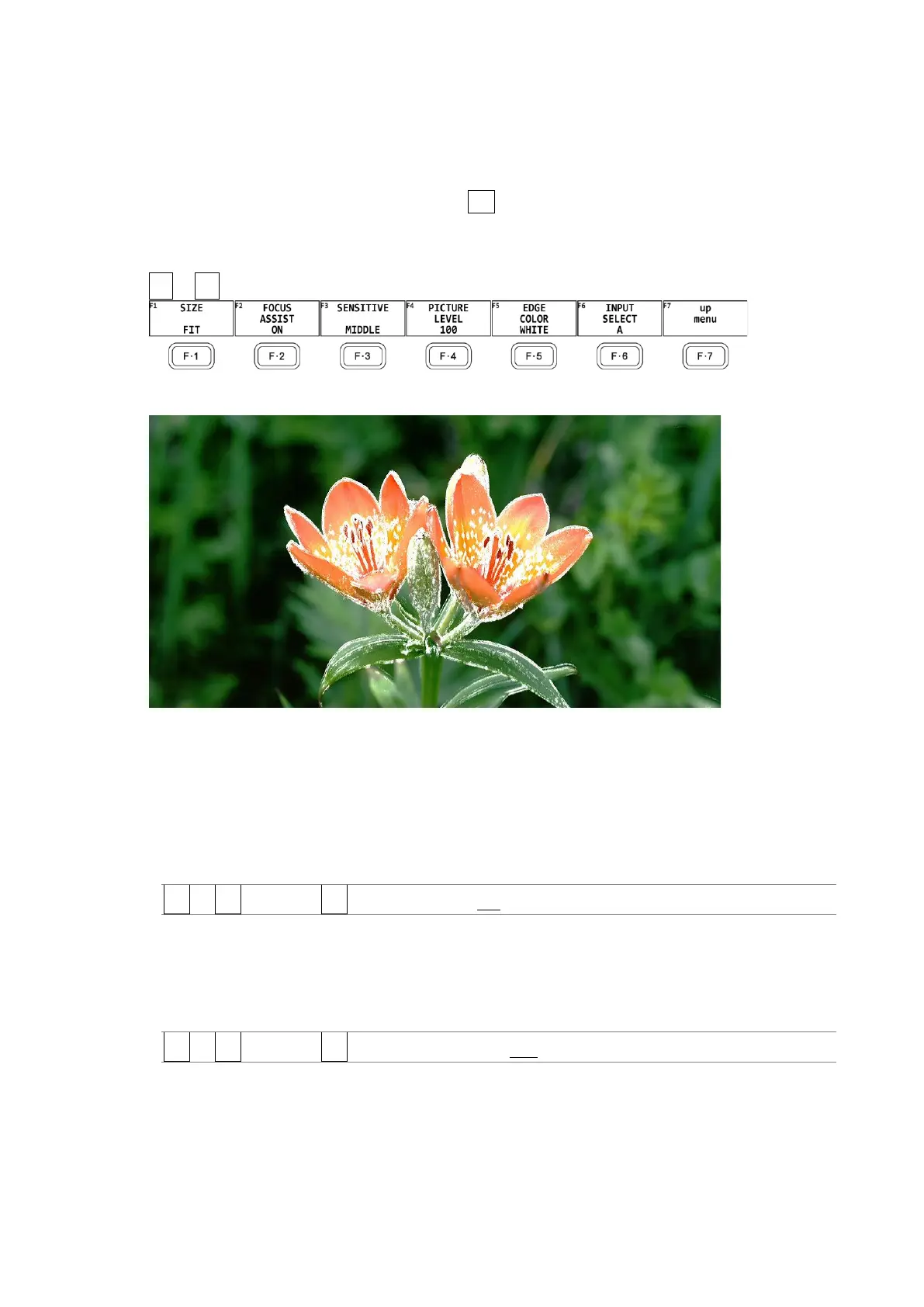
The focus assist display makes it easy to verify the focus by highlighting the image according
to the amount of detected edges.
To configure the focus assist settings, press F•4 FOCUS on the PIC menu.
This menu item does not appear when PICTURE MODE is set to FULL FRM.
[See also] SIZE → 13.1, “Selecting the Display Mode”
PIC → F•4 FOCUS →
Figure 13-31 FOCUS menu
Figure 13-32 Focus assist display
13.8.1 Selecting the Display Mode
To select the picture display mode, follow the procedure below.
For details, see section 13.1, “Selecting the Display Mode.”
Procedure
PIC → F•4 FOCUS → F•1 PICTURE MODE: FIT / REAL / X2
13.8.2 Turning Focus Assist On and Off
To turn the focus assist display on and off, follow the procedure below.
Procedure
PIC → F•4 FOCUS → F•2 FOCUS ASSIST: ON / OFF



 To Next Page