16. Status Display
351
16.4.5 Saving to a USB Memory Device
You can save the event log to a USB memory device as a text file.
To save a file with a name that you specify, follow the procedure below.
1. Used to connect USB memory.
2. Press F•6 USB MEMORY.
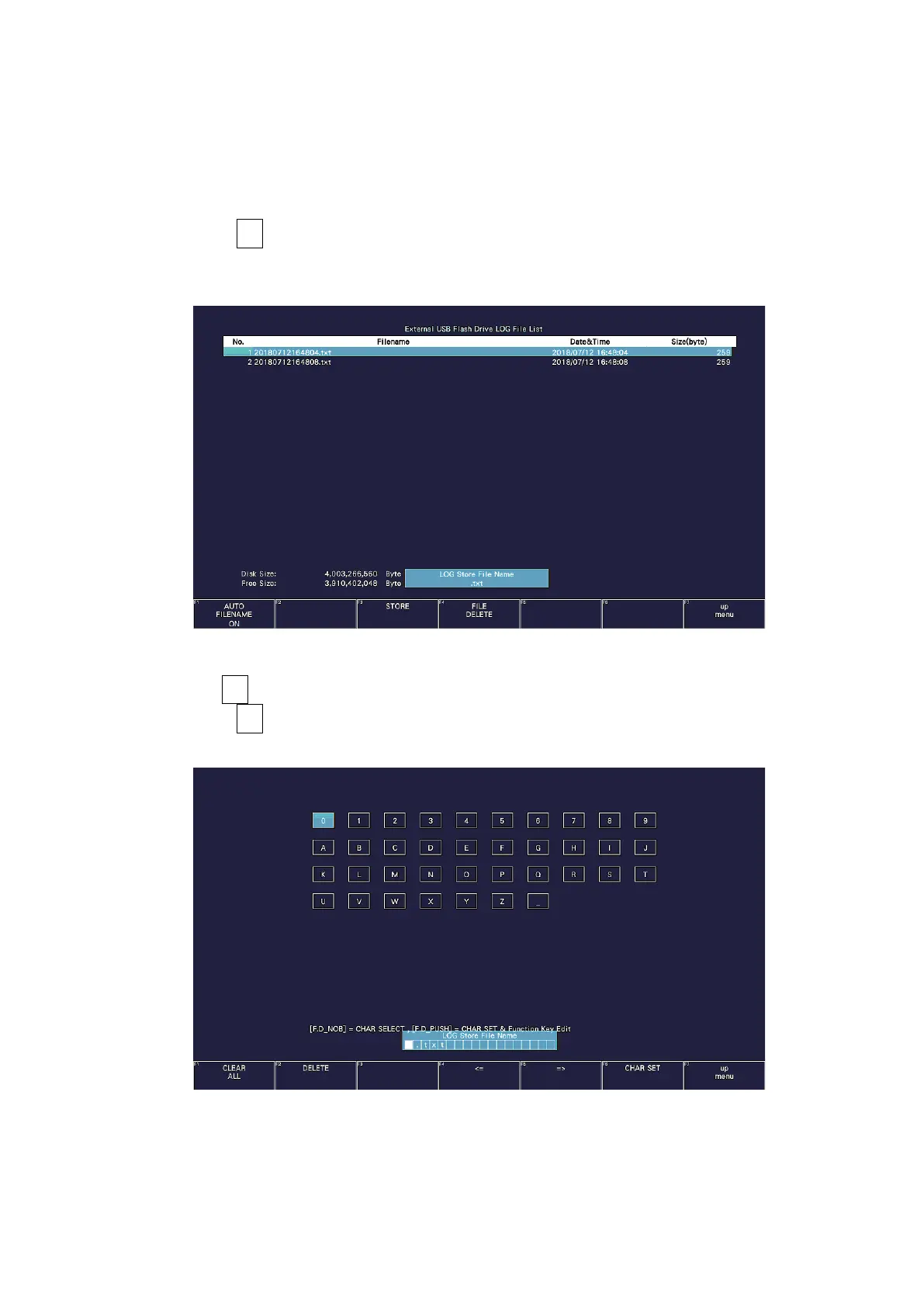
The file list screen appears.
This setting appears when a USB memory device is connected.
Figure 16-7 File list screen
3. Set F•1 AUTO FILENAME to OFF.
4. Press F•2 NAME INPUT.
The file name input display appears.
Figure 16-8 File name input screen



 To Next Page