17. Eye Pattern Display (LV5300/LV5300A/LV7300-SER02)
415
17.9.3 Selecting the Sweep Time
To select the eye pattern sweep time, follow the procedure below.
Procedure
EYE → F•2 GAIN/FILTER/SWEEP → F•4 SWEEP:
2UI / 4UI / 16UI
Settings
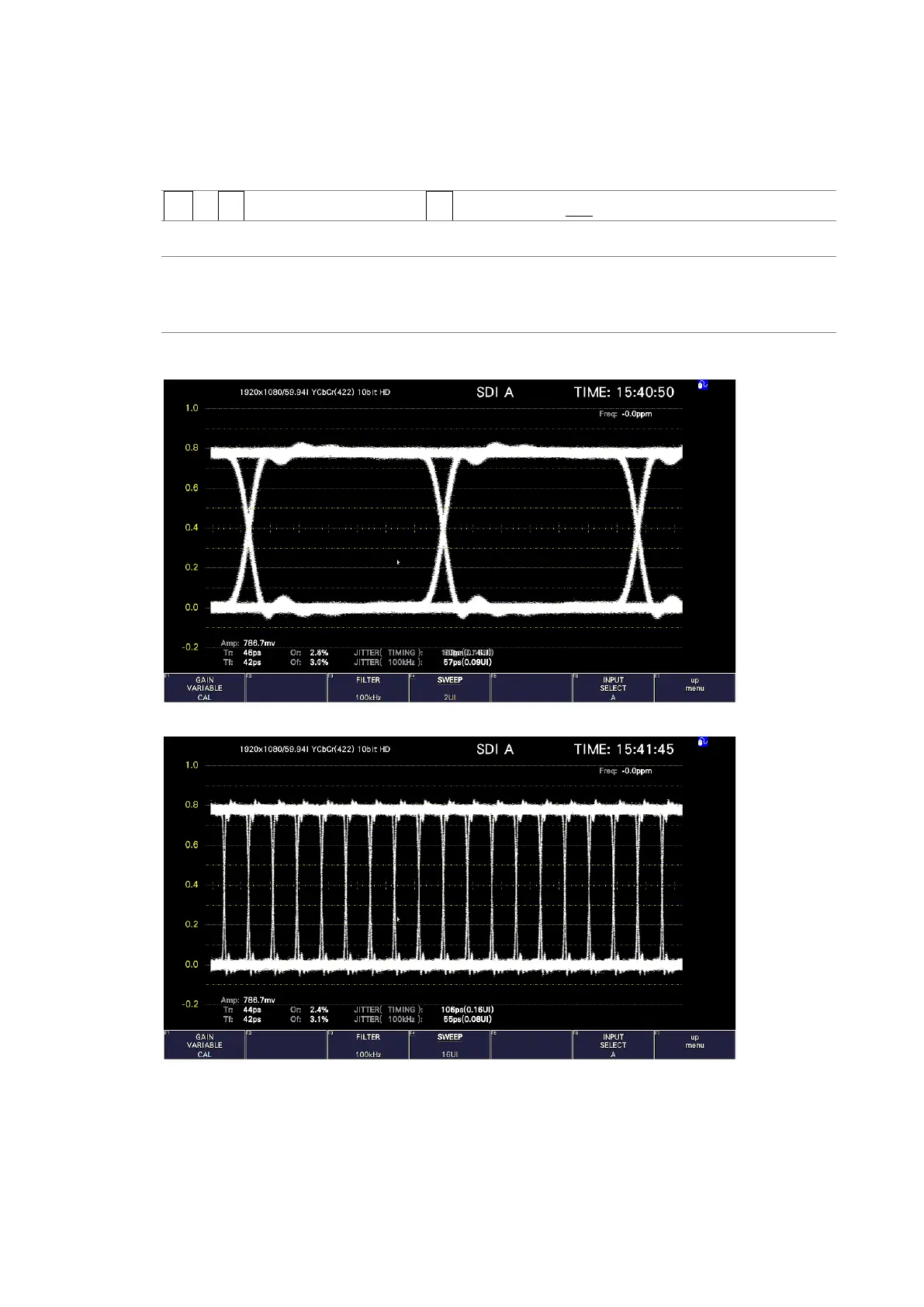
2UI: Two cycles of the eye pattern are shown.
4UI: Four cycles of the eye pattern are shown.
16UI: Sixteen cycles of the eye pattern are shown.
SWEEP = 2UI
SWEEP = 16UI
Figure 17-17 Selecting the sweep time



 To Next Page