16. Status Display
357
16.5.6 Selecting the Display Format
To select the data dump display format, follow the procedure below.
This menu appears both in the DATA DUMP menu and DUMP OPERATION menu. However,
when F•5 LINK or F•5 SUB is set to PICTURE, it does not appear.
Procedure
STATUS → F•2 SDI ANALYSIS → F•1 DATA DUMP → (F•2 DUMP OPERATION →) F•4
DISPLAY
: SERIAL / COMPO / BINARY (for HD, SD, 3G-A, 6G, and 12G)
: PICTURE / STREAM1 / STREAM2 (for 3G-B-DL)
: S1 SERIAL / S1 COMPO / S1 BINARY / S2 SERIAL / S2 COMPO / S2 BINARY (for 3G(DL)-
4K)
Settings
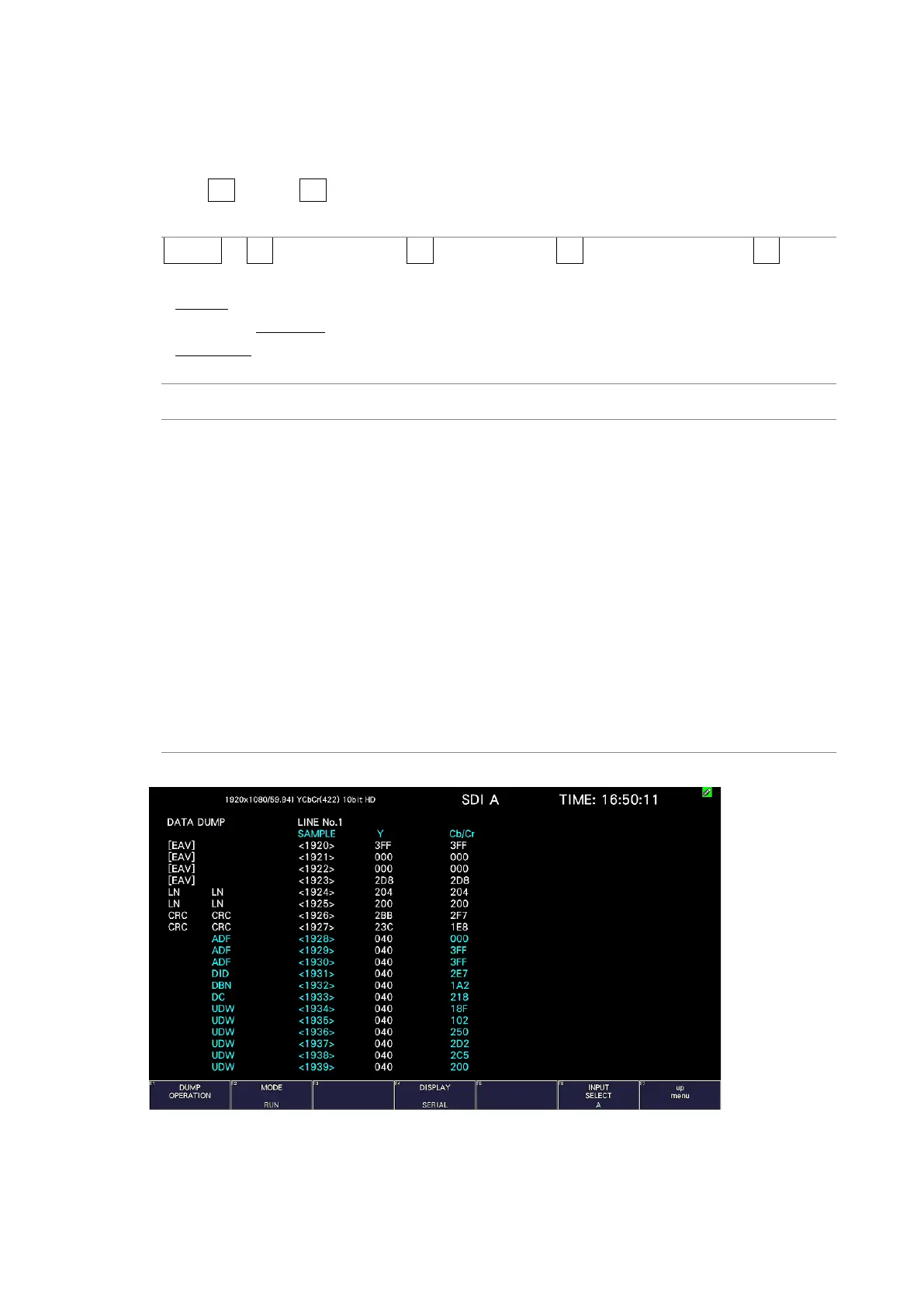
SERIAL: The parallel converted data sequences are displayed.
COMPO: The parallel converted data sequences are divided into each component
and displayed.
BINARY: The parallel converted data sequences are displayed in binary.
PICTURE: Links or streams 1 and 2 are combined and displayed in a picture
structure.
STREAM1: Stream 1 is displayed.
STREAM2: Stream 2 is displayed.
S1 SERIAL: Stream 1 is displayed serially.
S1 COMPO: Stream 1 is separated and displayed.
S1 BINARY: Stream 1 is displayed in binary.
S2 SERIAL: Stream 2 is displayed serially.
S2 COMPO: Stream 2 is separated and displayed.
S2 BINARY: Stream 2 is displayed in binary.
DISPLAY = SERIAL



 To Next Page