6. BASIC OPERATION
101
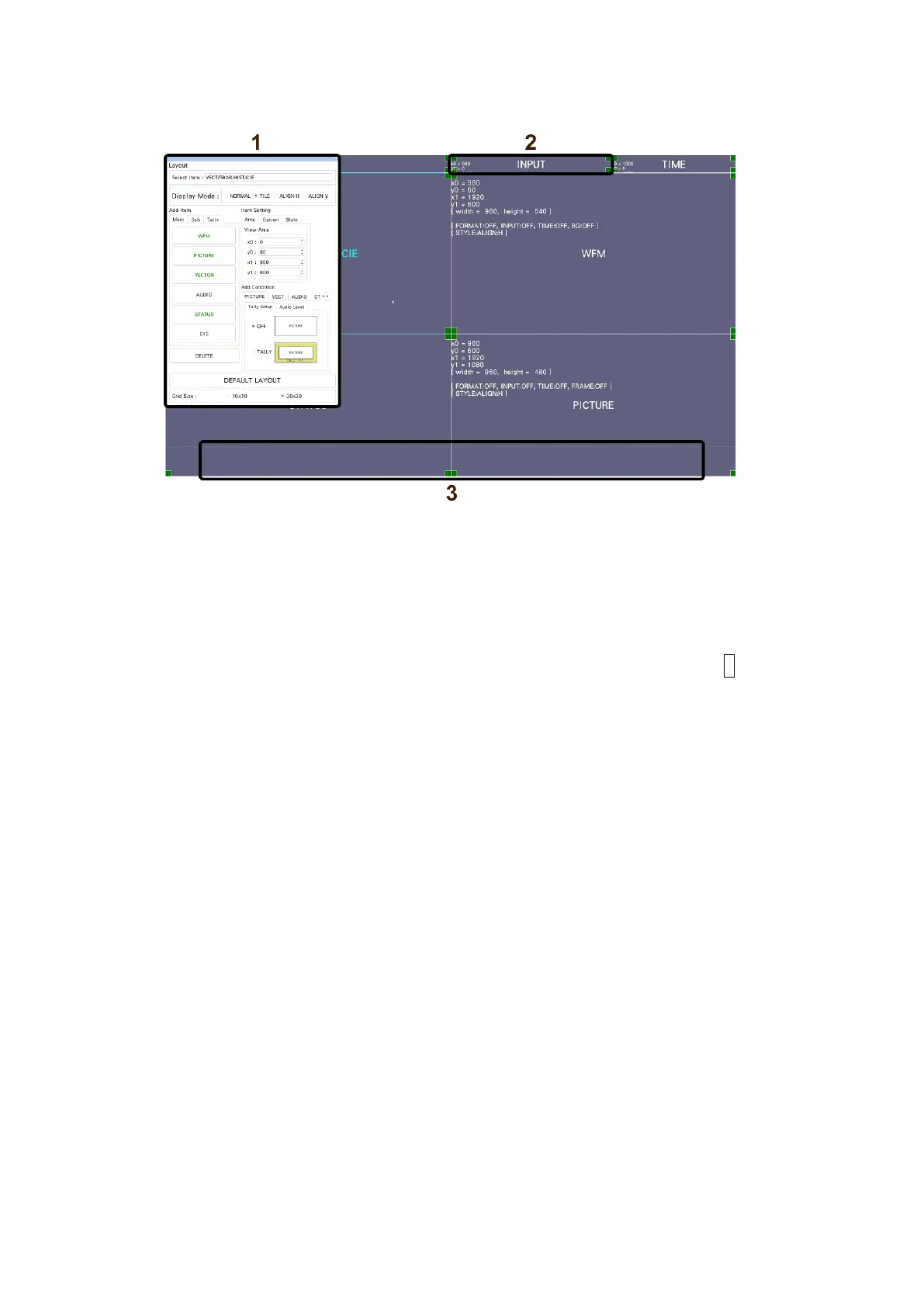
6.5.3 Layout Screen Description
Figure 6-42 Layout screen
1 Layout Window
The Layout window is used to create layouts.
Mode in the title bar displays the current measurement mode (WFM, USER 1 to USER 5,
etc.).
You can move the window by dragging and close it by clicking or tapping X in the upper
right of the window. When using a mouse, to display a window that you closed, double-
click in the layout screen.
2 Item
Displays the item selected on the Main or Sub tab.
The settings specified with Item Setting are displayed in the frame.
If you select it, the frame color changes from white to light blue.
3 Menu Guide
A function menu appears in this area.
Use these as guides when placing items.



 To Next Page