10. Video Signal Waveform Display
205
10.8 Configuring the Color System Settings
To configure the color system settings, press F•7 COLOR SYSTEM on the WFM menu.
WFM → F•7 COLOR SYSTEM →
Figure 10-26 COLOR SYSTEM menu
10.8.1 Selecting the Color Matrix
The instrument performs a matrix conversion on an input signal to convert it into a GBR,
RGB or pseudo-composite signal. To select the waveform display format, follow the
procedure below. The selected display format is indicated in the lower right of the display.
Procedure
WFM → F•7 COLOR SYSTEM → F•1 COLOR MATRIX: YCbCr / GBR / RGB / COMPOSITE
Settings
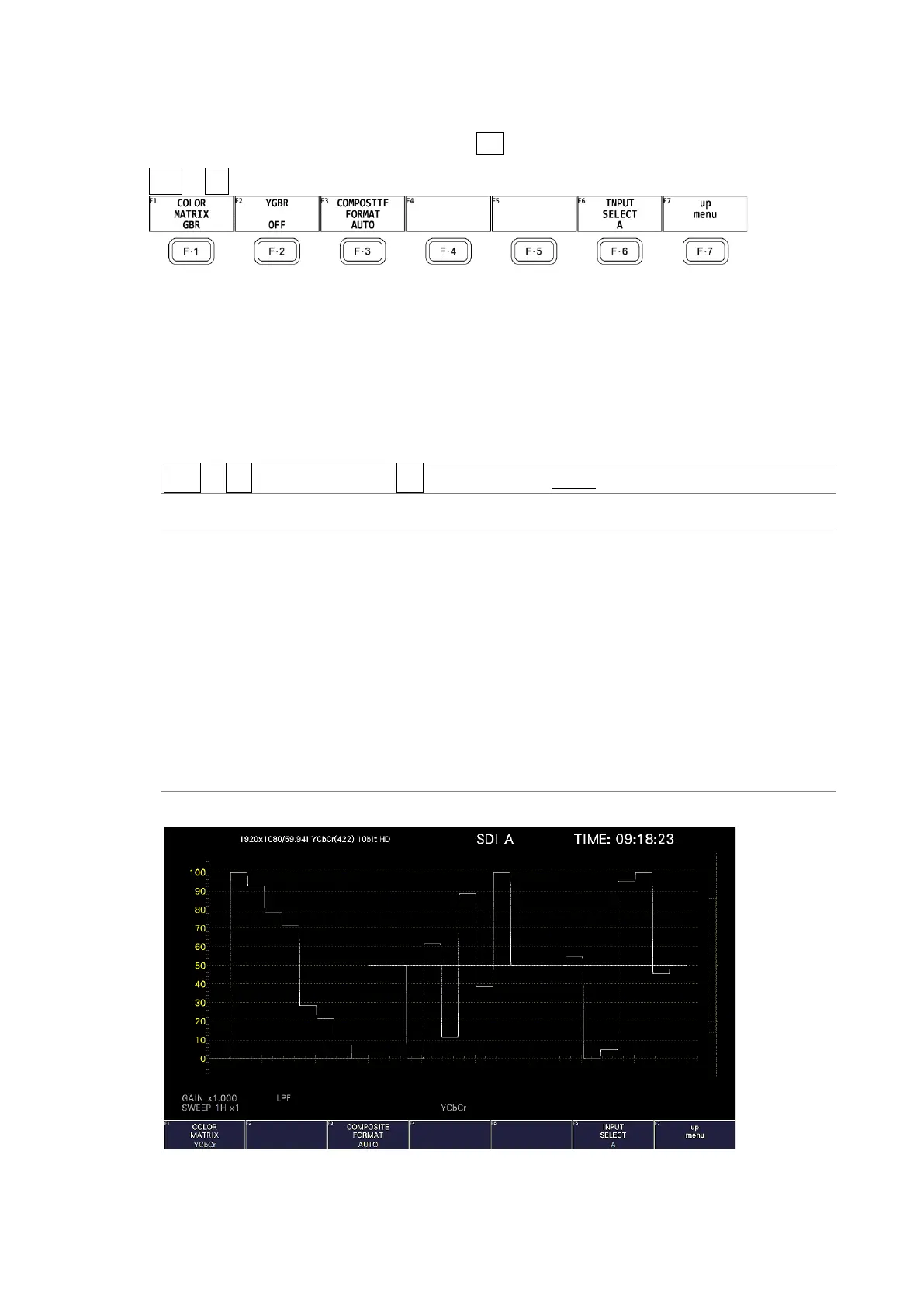
YCbCr: The YC
B
C
R
signal is displayed.
This setting cannot be selected when the input signal is RGB.
GBR: The input signal is converted into a GBR signal and displayed.
RGB: The input signal is converted into a RGB signal and displayed.
COMPOSITE:
The input signal is converted into a pseudo NTSC or PAL composite signal and
displayed.
• Color burst frequencies do not match those of PAL and NTSC.
• Color burst and sync signal widths and locations are different from those of
PAL and NTSC.
• The signal bandwidth is that of the original signal.
COLOR MATRIX = YCbCr



 To Next Page