13. Picture Screen
251
13.2.5 Adjusting the Gain
To adjust the gain, press F•1 GAIN on the GAIN/BIAS menu.
PIC → F•1 PIC CONFIG → F•2 ADJUST → F•5 GAIN/BIAS → F•1 GAIN →
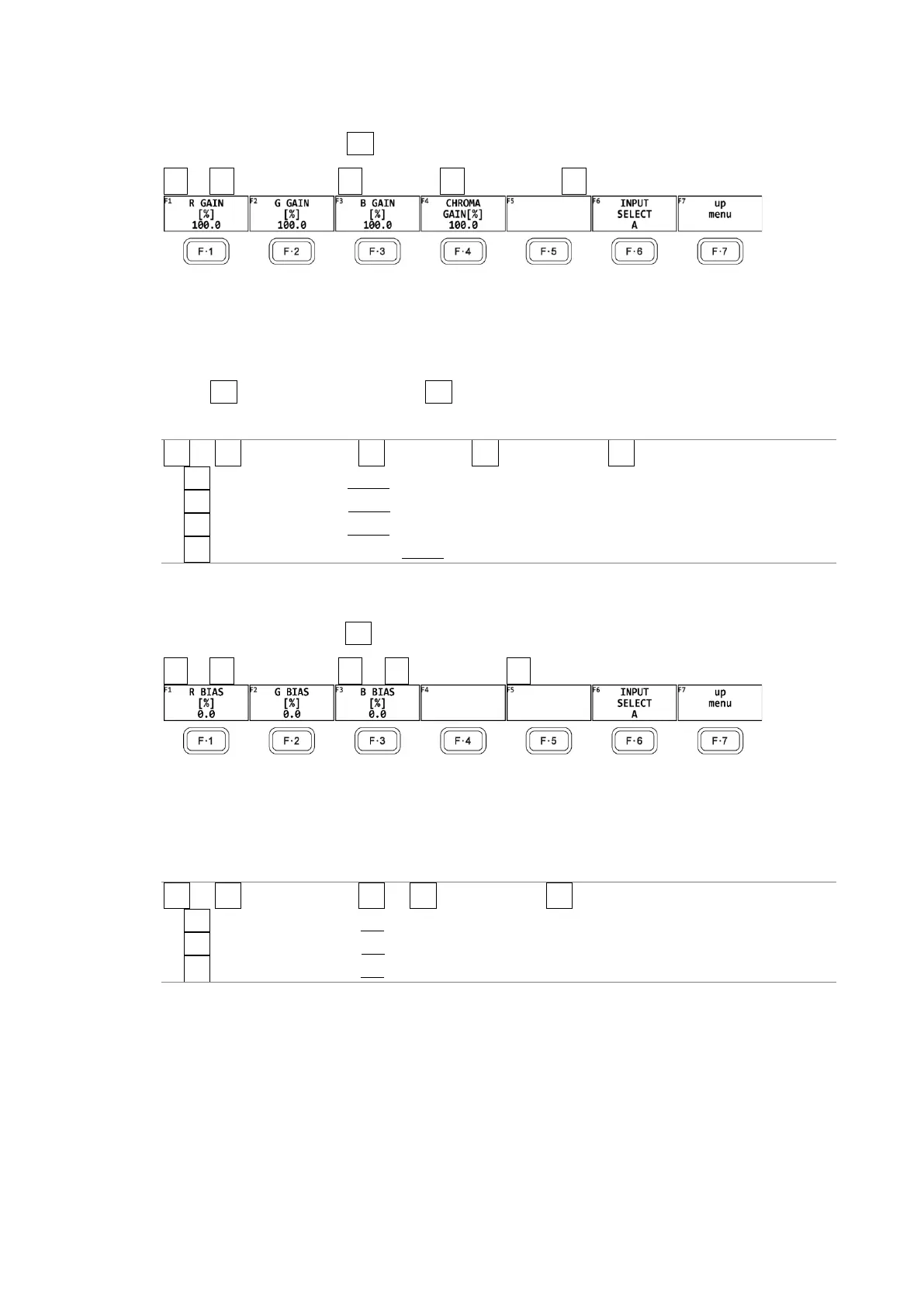
Figure 13-4 GAIN menu
To adjust the gain separately for the R, G, B, and chroma signals, follow the procedure
below.
Press the function dial (F•D) to return the setting to its default value (100.0).
When F•2 CHROMA UP is set to UP, F•4 CHROMA GAIN does not appear. If is fixed at 200.0.
Procedure
PIC → F•1 PIC CONFIG → F•2 ADJUST → F•5 GAIN/BIAS → F•1 GAIN
→ F•1 R GAIN[%]: 0.0 - 100.0 - 200.0
→ F•2 G GAIN[%]: 0.0 - 100.0 - 200.0
→ F•3 B GAIN[%]: 0.0 - 100.0 - 200.0
→ F•4 CHROMA GAIN[%]: 0.0 - 100.0 - 200.0
13.2.6 Adjusting the Bias
To adjust the bias, press F•2 BIAS on the GAIN/BIAS menu.
PIC → F•1 PIC CONFIG → F•2 → F•5 GAIN/BIAS → F•2 BIAS →
Figure 13-5 BIAS menu
To set the RGB signal bias separately for each color, follow the procedure below.
Press the function dial (F•D) to return the setting to its default value (0.0).
Procedure
PIC → F•1 PIC CONFIG → F•2 → F•5 GAIN/BIAS → F•2 BIAS
→ F•1 R BIAS[%]: -50.0 - 0.0 - 50.0
→ F•2 G BIAS[%]: -50.0 - 0.0 - 50.0
→ F•3 B BIAS[%]: -50.0 - 0.0 - 50.0



 To Next Page