16. Status Display
346
16.3 Clearing Error Counts
To clear the error counts and SinceReset, follow the procedure below.
Procedure
STATUS → F•7 ERROR CLEAR
16.4 Configuring Event Log Settings
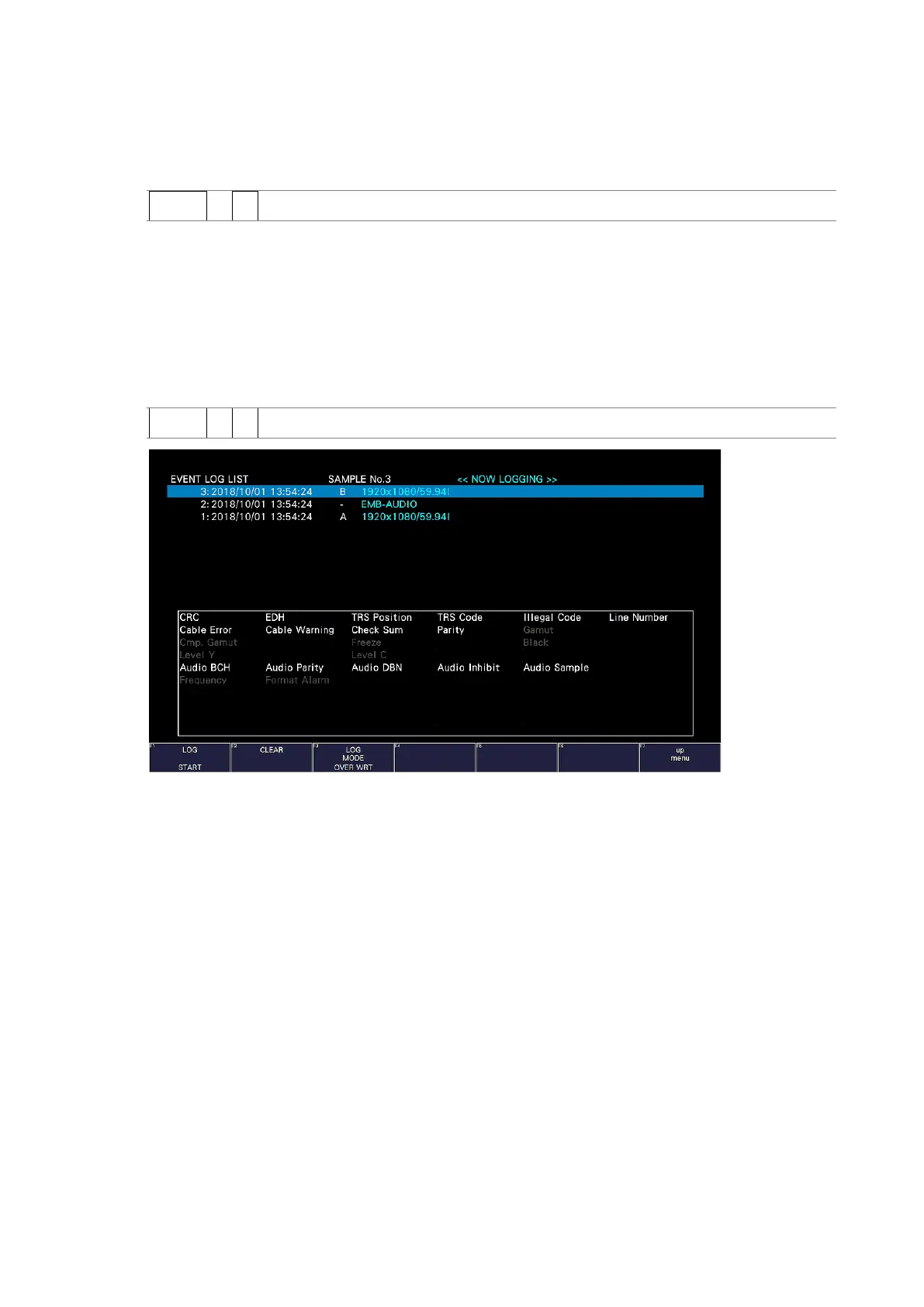
To display the event log, follow the procedure below.
The event log displays a list of the events that have occurred.
The applicable event-detection channels are all A/B channels. However, when measuring
3G(DL)-4K, 6G or 12G, events are detected only for displayed channels.
Procedure
STATUS → F•1 EVENT LOG
Figure 16-6 Event log display
16.4.1 Event Log Screen Description
Events are listed on the event log screen by the time of their occurrence.
Turn the function dial (F•D) to the right to scroll the screen and view older events in the log.
Press the function dial (F•D) to display the latest events.
• Notes
• When the same event occurs successively and when multiple events occur at the same
time, they are treated as a single event.
• When multiple events occur at the same time, you may not be able to check all the
events on the screen. When this happens, you can view all the events by saving them to
a USB memory device.
• The event display is cleared when you turn the power off.
• Switching video formats or input channels may cause disturbances in the signal that will
cause errors to be displayed.



 To Next Page