11. VECTOR DISPLAY
229
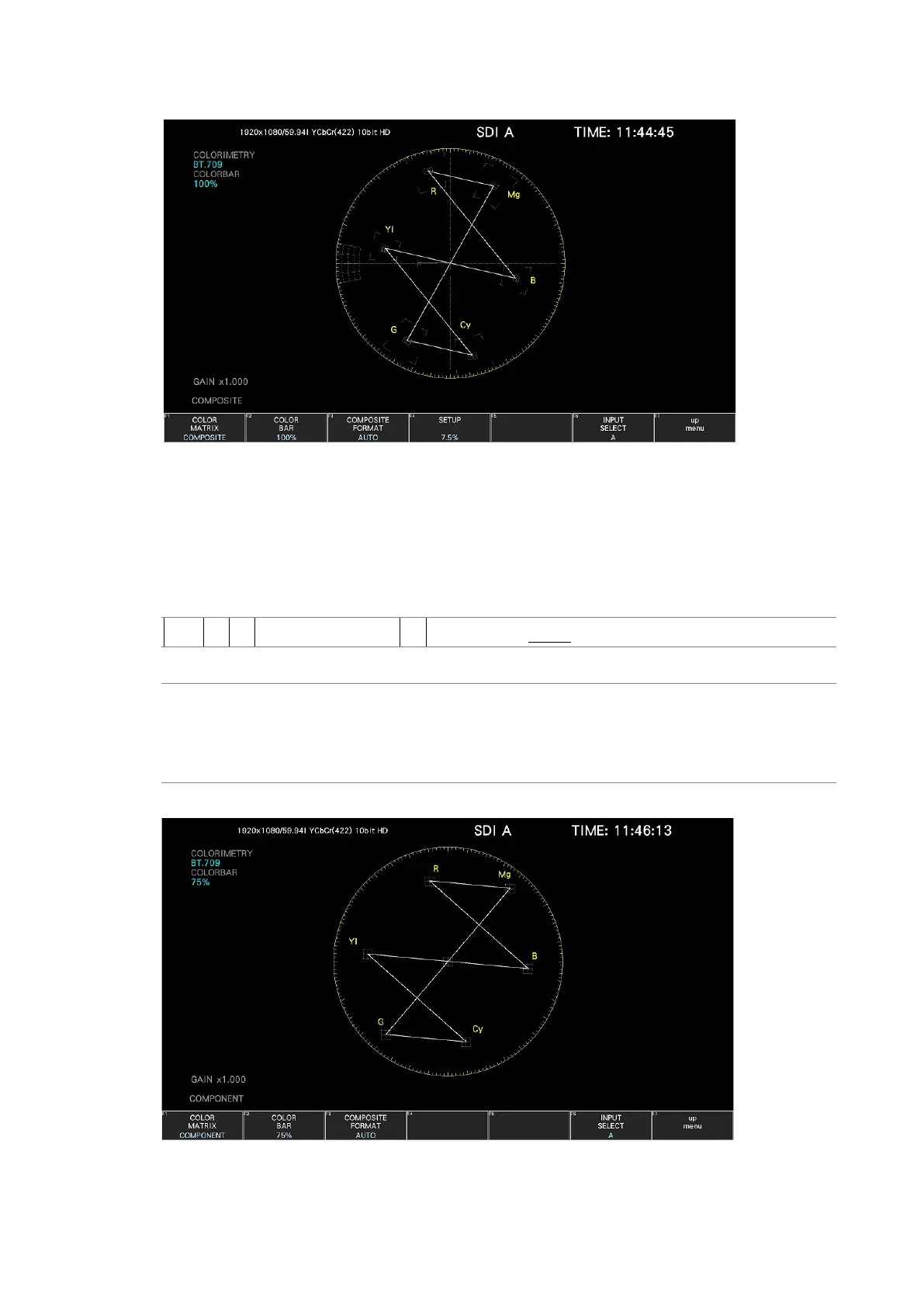
COLOR MATRIX = COMPOSITE
Figure 11-19 Selecting the color matrix
11.11.2 Displaying a Scale for 75% Color Bars
To display a scale for 75 % color bars, follow the procedure below.
The scale selected here is displayed in the COLORBAR on the upper left of the screen.
Procedure
VECT → F•7 COLOR SYSTEM → F•2 COLOR BAR: 100% / 75%
Settings
100%: A scale on which a 100% color bar signal input is mapped to the peak
level is displayed.
75%: A scale on which a 75% color bar signal input is mapped to the peak level
is displayed.
COLOR BAR = 75%
Figure 11-20 Displaying a scale for 75 % color bars (when receiving a 75 %
intensity color bar signal)



 To Next Page