7. SYSTEM SETTINGS
150
7.2.9 Configuring SNMP
Use SNTP tab to configure the SNTP parameters.
The settings that you specify here will not be initialized even if you initialize the instrument.
Nor are they recorded to presets.
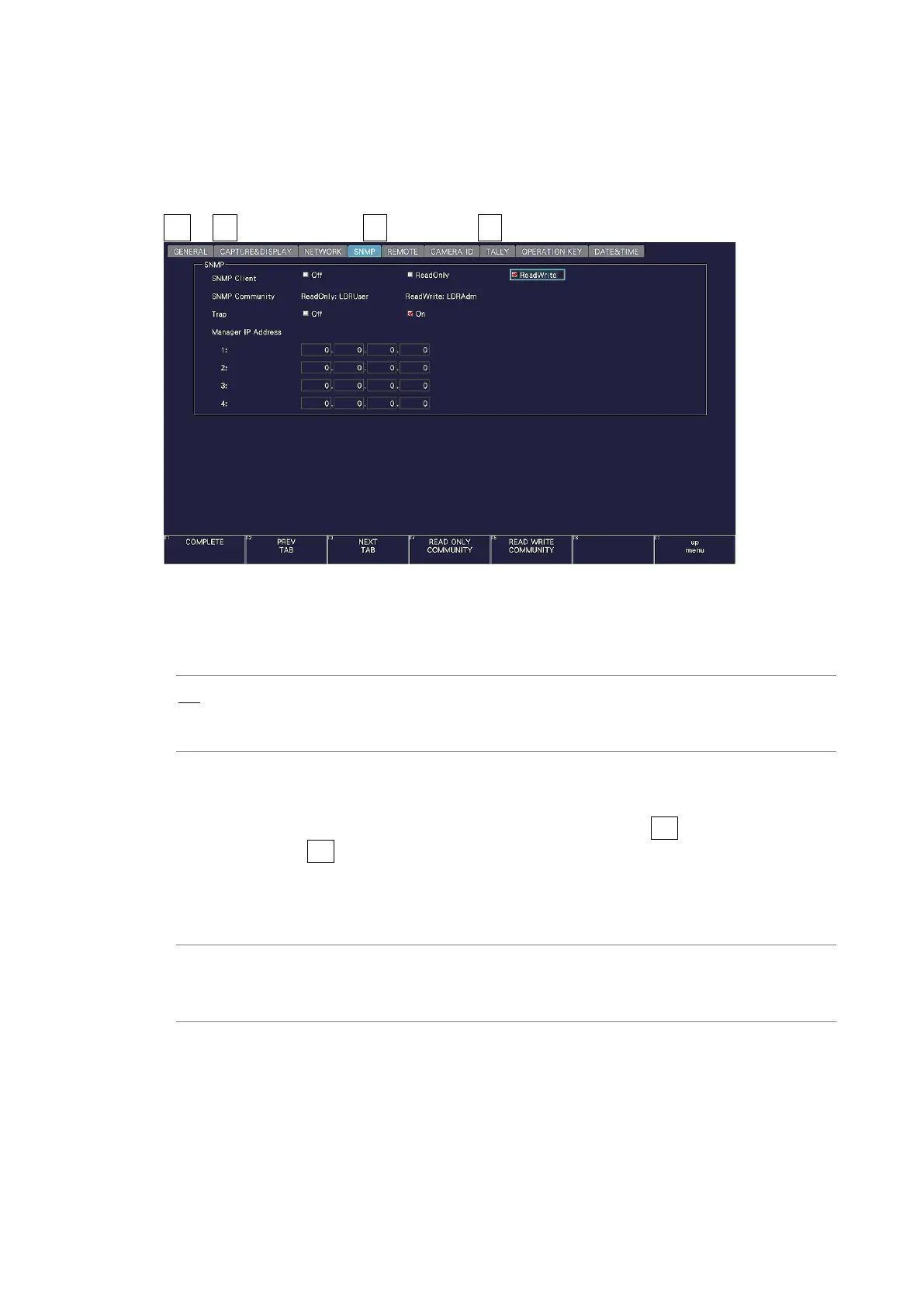
SYS → F•2 SYSTEM SETUP → F•2 PREV TAB or F•3 NEXT TAB →
Figure 7-18 SNMP tab
• SNMP Client
Select the SNMP access mode.
Off: SNMP cannot be used.
ReadOnly: Settings can be read.
ReadWrite: Settings can be read and written.
• SNMP Community
Shows the SNMP community name.
The default values are shown below. You can change them using F•4 READ ONLY
COMMUNITY and F•5 READ WRITE COMMUNITY. You cannot change the community
name of TRAP.
Enter a comment using up to 15 characters.
Default
ReadOnly: LDRUser
ReadWrite: LDRAdm
TRAP: LDRUser



 To Next Page