7. SYSTEM SETTINGS
151
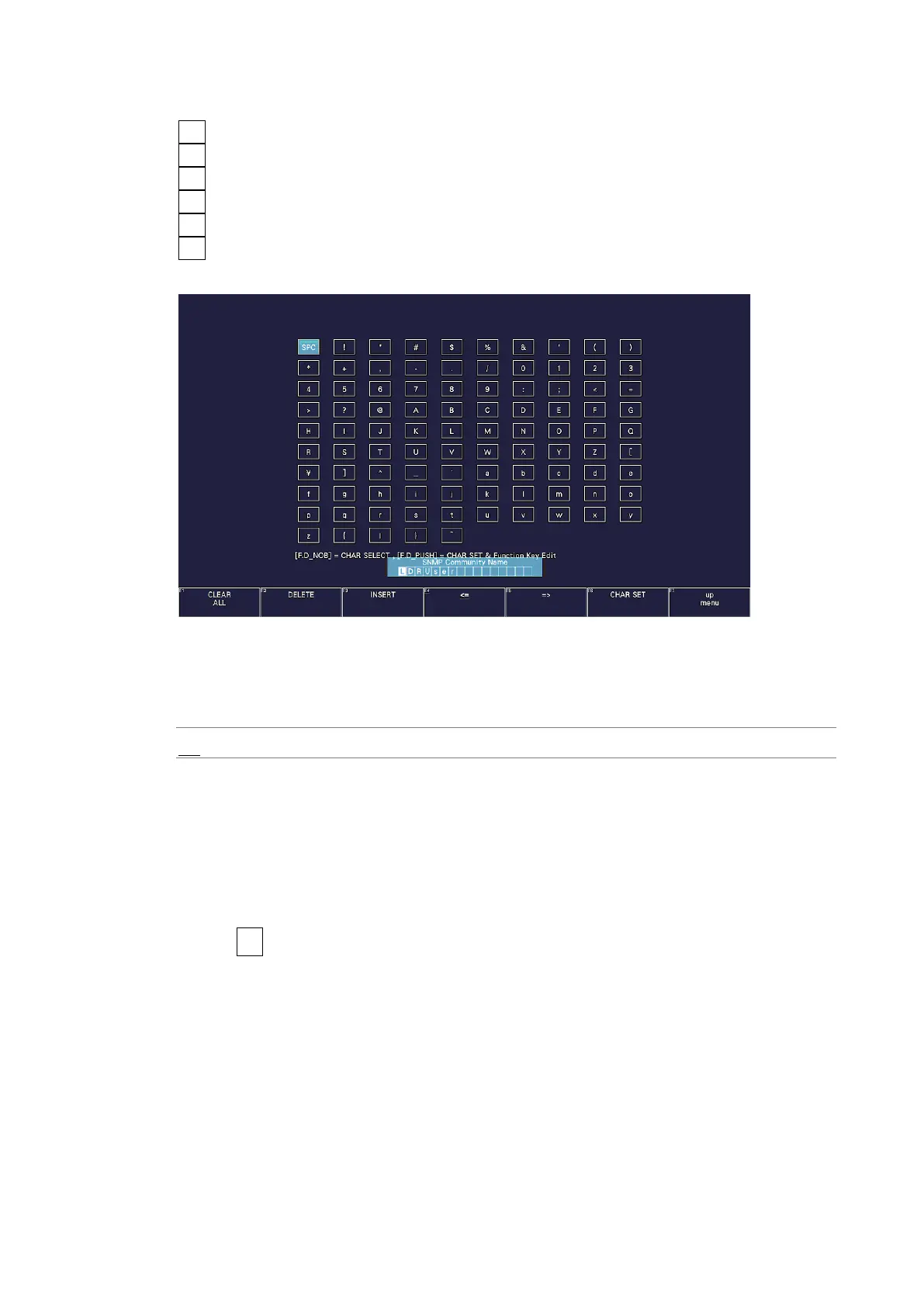
You can use the following keys on the SNMP community name input screen.
F•1 CLEAR ALL Deletes all characters
F•2 DELETE Deletes the character at the cursor
F•3 INSERT Inserts the selected character at the cursor position
F•4 <= Moves the cursor to the left
F•5 => Moves the cursor to the right
F•6 CHAR SET Enters the character
Function dial (F•D) Turn to select a character, and press to enter the character.
Figure 7-19 Community name input screen
• Trap
Select whether to enable SNMP trap output.
Off / On
• Manager IP Address
Shows up to four SNMP manager IP addresses.
• Saving the enterprise MIB file to USB memory device
To save the enterprise MIB file to USB memory device, follow the procedure shown below.
1. Connect a USB memory device to the instrument.
2. Press F•6 USB MEMORY.



 To Next Page