13. Picture Screen
261
13.4.5 Setting the Safe Action Marker
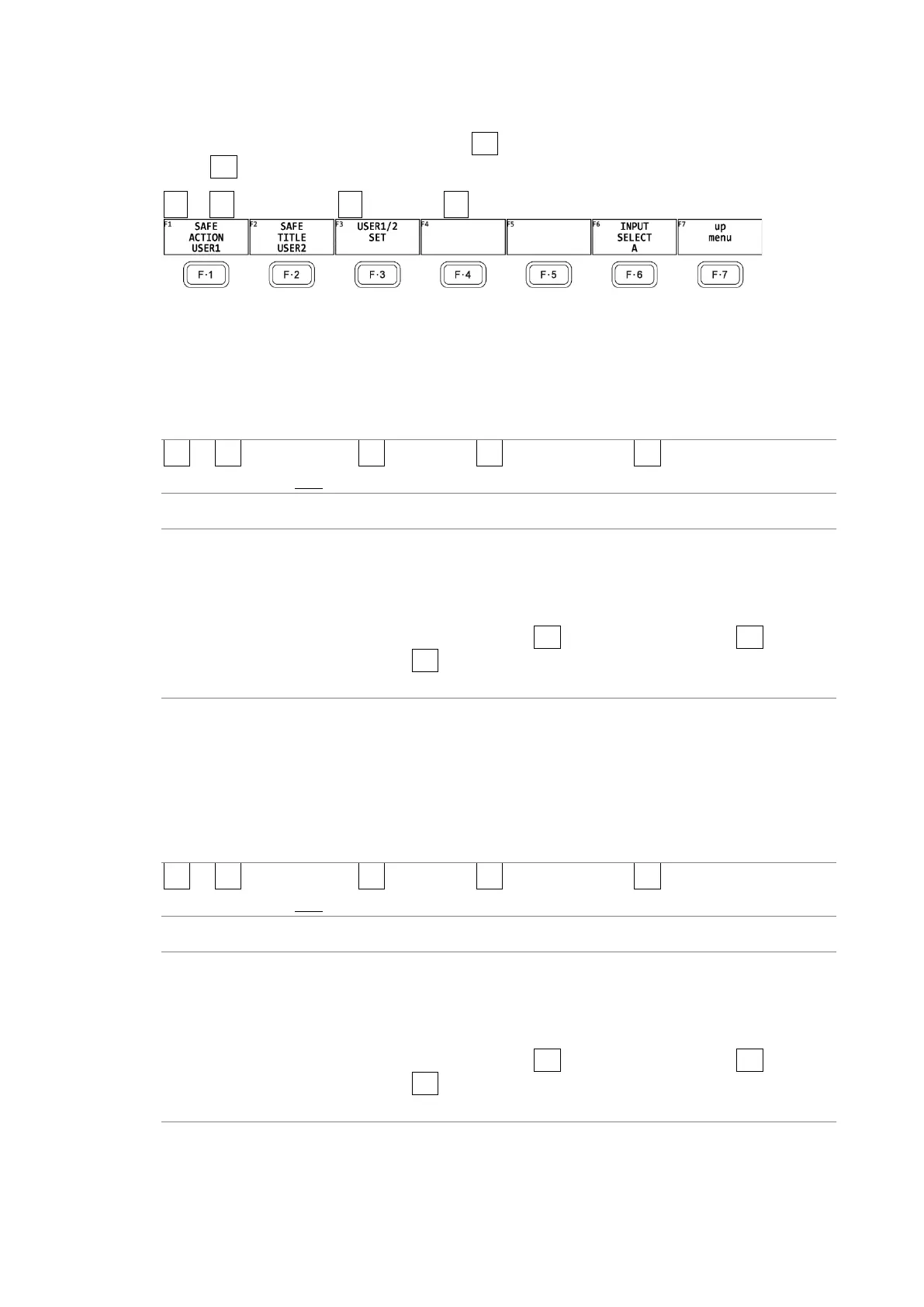
To configure safety marker settings, press F•5 SAFETY ZONE on the MARKER menu.
When F•3 ASPECT MARKER is set to AFD, this menu item is not available.
PIC → F•1 PIC CONFIG → F•4 MARKER → F•5 SAFETY ZONE →
Figure 13-13 SAFETY ZONE menu
To display the safe action marker, follow the procedure below.
When an aspect marker is displayed, the safe action marker is displayed relative to the
aspect marker.
Procedure
PIC → F•1 PIC CONFIG → F•4 MARKER → F•5 SAFETY ZONE → F•1 SAFE ACTION: ARIB /
SMPTE / USER1 / OFF
Settings
ARIB: An ARIB TR-B4 safe action marker is displayed.
This setting cannot be selected when the input signal is 4K.
SMPTE: An SMPTE RP-218 safe action marker is displayed.
This setting cannot be selected when the input signal is 4K.
USER1: A marker that has been set with F•1 USER1 WIDTH[%] and F•2 USER1
HEIGHT[%] for F•3 USER1/2 SET is displayed.
OFF: A safe action marker is not displayed.
13.4.6 Setting the Safe Title Marker
To display the safe title marker, follow the procedure below.
When an aspect marker is displayed, the safe action marker is displayed relative to the
aspect marker.
Procedure
PIC → F•1 PIC CONFIG → F•4 MARKER → F•5 SAFETY ZONE → F•2 SAFE TITLE: ARIB /
SMPTE / USER2 / OFF
Settings
ARIB: An ARIB TR-B4 safe title marker is displayed.
This setting cannot be selected when the input signal is 4K.
SMPTE: An SMPTE RP-218 safe title marker is displayed.
This setting cannot be selected when the input signal is 4K.
USER2: A marker that has been set with F•3 USER2 WIDTH[%] and F•4 USER2
HEIGHT[%] for F•3 USER1/2 SET is displayed.
OFF: A safe title marker is not displayed.



 To Next Page