12. CIE Chromaticity Diagram Display (SER22)
243
The key operations that you can perform in the triangle name input display are as follows:
F•1 CLEAR ALL Deletes all characters
F•2 DELETE Deletes the character at the cursor
F•3 INSERT Inserts a character at the cursor
F•4 <= Moves the cursor to the left
F•5 => Moves the cursor to the right
F•6 CHAR SET Enters the character
Function dial (F•D) Turn to select a character, and press to enter the
character.
12.1.4 Turning the Sub Scale On and Off
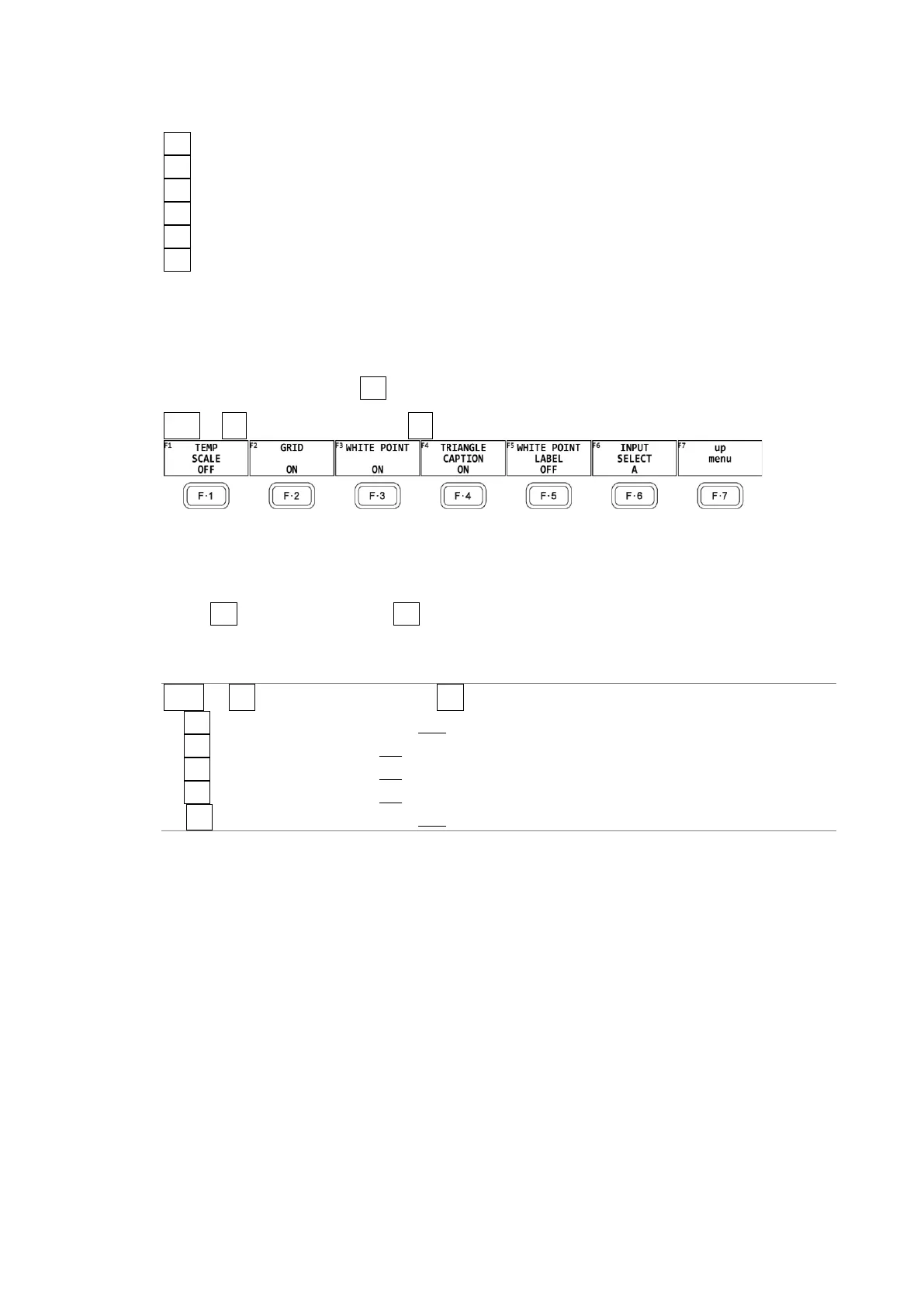
To set the sub scale, press F•5 SUB SCALE on the CIE DIAGRAM SCALE menu.
VECT → F•2 CIE DIAGRAM SCALE → F•5 SUB SCALE →
Figure 12-6 SUB SCALE menu
To turn on and off the color temperature curve, grid, white point, triangle name, or white
point label, follow the procedure below.
When F•3 WHITE POINT is on, F•5 WHITE POINT LABEL is displayed. The white point label
is set to DCI W when the colorimetry is set to DCI. Otherwise, it is set to D65.
Procedure
VECT → F•2 CIE DIAGRAM SCALE → F•5 SUB SCALE
→ F•1 TEMP SCALE: ON / OFF
→ F•2 GRID: ON / OFF
→ F•3 WHITE POINT: ON / OFF
→ F•4 TRIANGLE CAPTION: ON / OFF
→ F•5 WHITE POINT LABEL: ON / OFF



 To Next Page