7. SYSTEM SETTINGS
166
7.7 Initialization
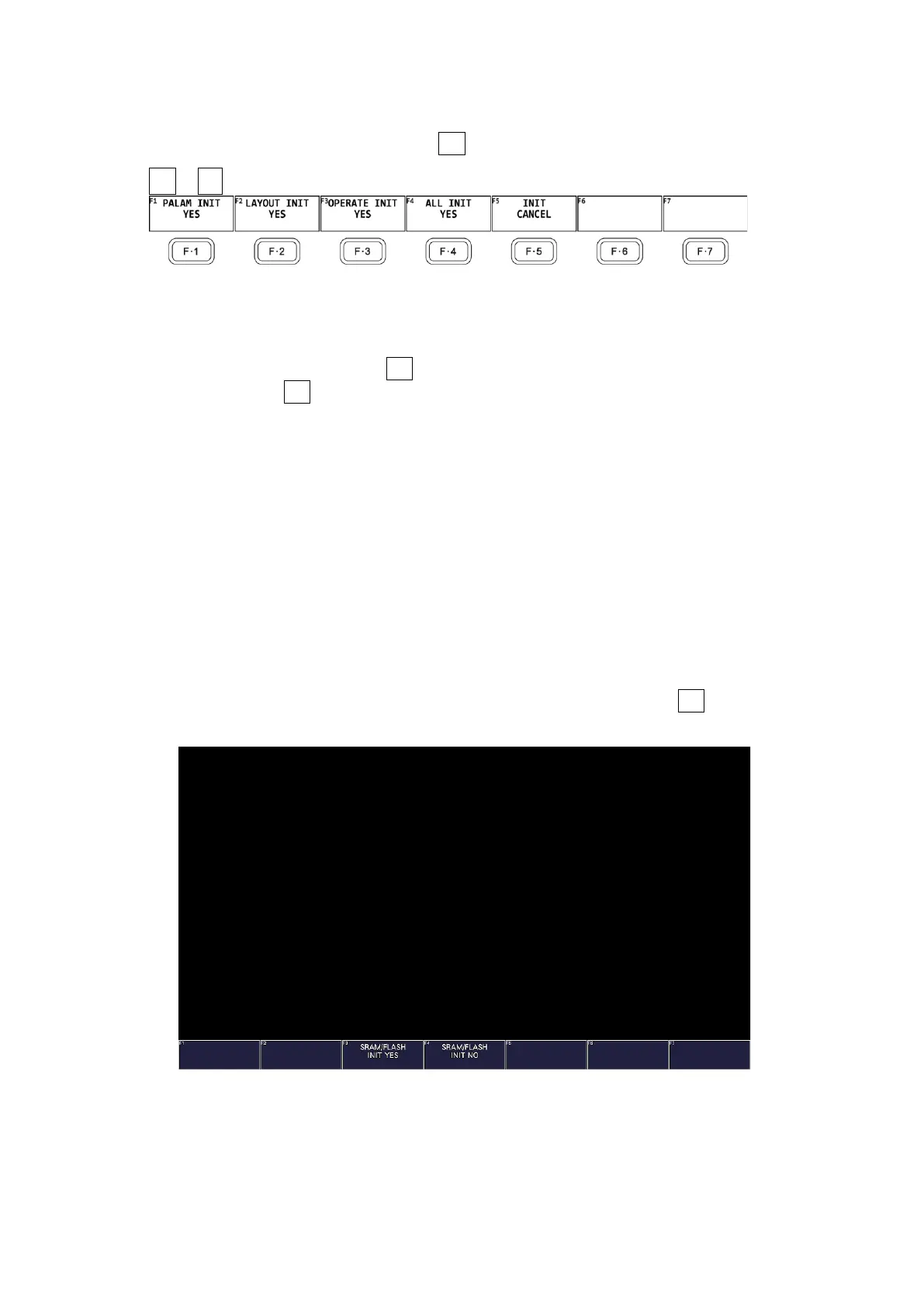
To initialize the settings and layout, use F•7 INITIALIZE on the SYS menu.
SYS → F•7 INITIALIZE →
Figure 7-31 INITIALIZE menu
7.7.1 Initializing Settings
To initialize the settings, press F•1 PARAM INIT YES.
To cancel, press F•5 INIT CANCEL.
When you initialize the settings, all the settings—excluding those listed below—are
initialized. For information about the default values, see chapter 20, “MENU TREES.”
• Network settings (NETWORK tab)
• Remote control settings (REMOTE tab)
• Camera ID settings (CAMERA ID tab)
• Date and time settings (DATE&TIME tab)
• Preset contents
• Measurement screen layout
• Factory Default Settings
If you also want to initialize the above settings (excluding the date and time settings),
turn on the power while holding down the V POS and H POS knobs. Release them when
about 3 seconds elapse after the power is turned on, and then press F•3 SRAM/FLASH
INIT YES.
Figure 7-32 Factory default settings



 To Next Page