11. VECTOR DISPLAY
232
11.12 5-Bar Display
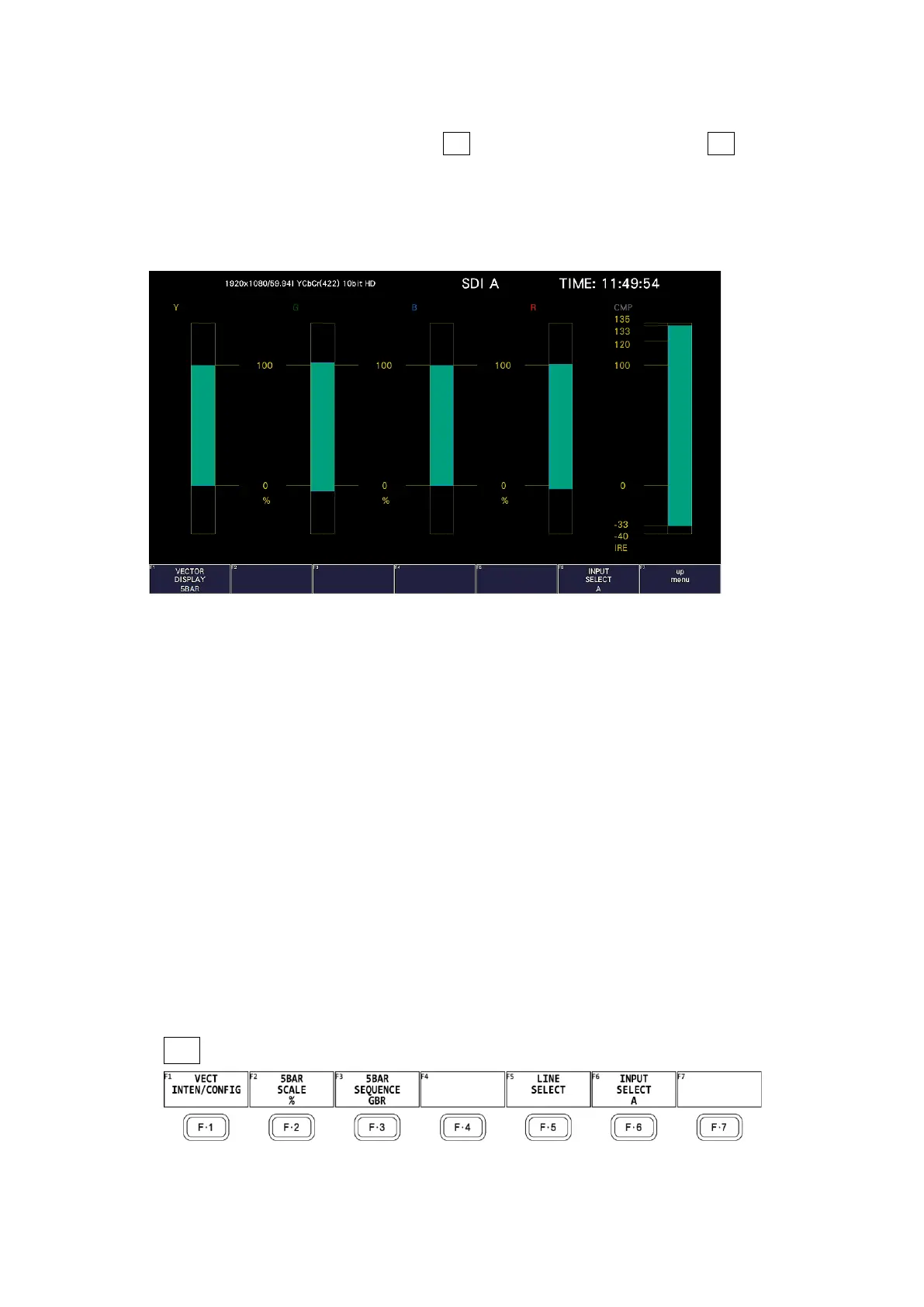
To display the 5 bar screen, press VECT, F•1 VECT INTEN/CONFIG, and then F•1 VECTOR
DISPLAY to select 5BAR.
In the 5-bar display, the YC
B
C
R
signal is converted into a GBR or pseudo-composite signal, and
the peak levels of the converted signal's Y, G, B, R, and CMP (composite) components are
displayed simultaneously using five bars.
Figure 11-22 5-bar display
• Y
Levels that fall outside of the range that you set using Luminance Upper and Luminance
Lower on the status menu are displayed in red.
[See also] Luminance Upper and Luminance Lower → 4, “Error Setup 4”
• GBR
Levels that fall outside of the range that you set using Gamut Upper and Gamut Lower on
the status menu are displayed in red.
[See also] Gamut Upper/Lower → 16.2.3, “Error Setup 3”
• CMP
Levels that fall outside of the range that you set using Composite Upper and Composite
Lower on the status menu are displayed in red.
[See also] Composite Upper/Lower → 16.2.3, “Error Setup 3”
• Menu
Use the VECT menu to configure the 5-bar display settings.
VECT →
Figure 11-23 Vector menu



 To Next Page