17. Eye Pattern Display (LV5300/LV5300A/LV7300-SER02)
414
17.9 Configuring Eye Pattern Display Settings
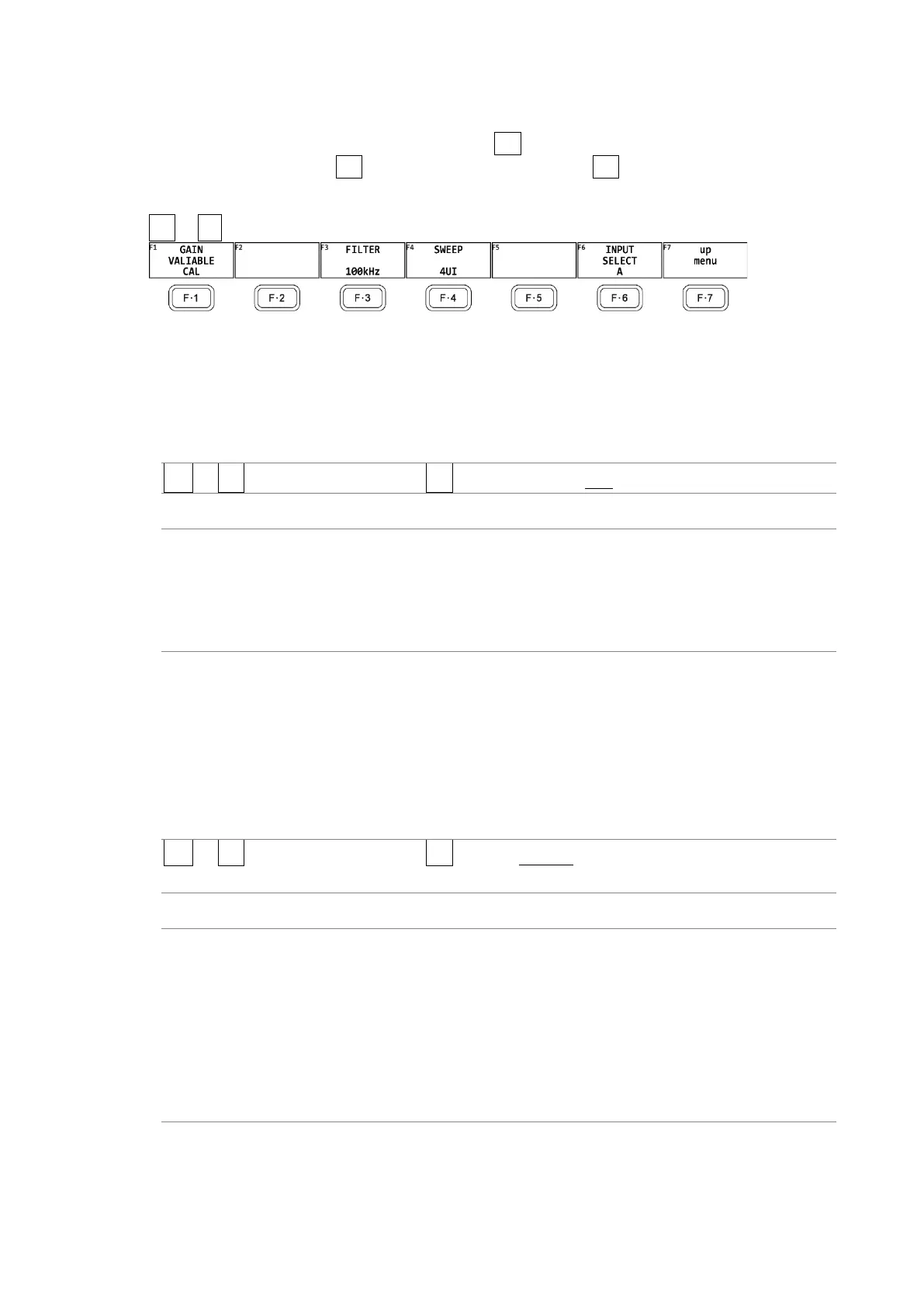
To configure eye pattern display settings, press F•2 GAIN/FILTER/SWEEP on the EYE menu.
This menu appears when F•1 EYE/JITTER INTEN/CONFIG → F•1 EYE/JITTER MODE is set to
EYE.
EYE → F•2 GAIN/FILTER/SWEEP →
Figure 17-16 GAIN/FILTER/SWEEP menu
17.9.1 Adjusting the Gain
To adjust the eye-pattern gain, follow the procedure below.
Procedure
EYE → F•2 GAIN/FILTER/SWEEP → F•1 GAIN VARIABLE: CAL / VARIABLE
Settings
CAL: The eye pattern is shown without gain.
VARIABLE: The eye pattern is shown with the specified gain (×0.50 to ×2.00). The
gain value appears in the upper right of the screen.
Turn the function dial (F•D) to adjust the gain. Press the function dial
(F•D) to return the setting to its default value (1.00).
17.9.2 Selecting the Filter
To select the filter that is used during jitter measurement, follow the procedure below. The
selected filter is indicated at the bottom of the display.
If you change this setting, the filter that you selected for jitter display also changes.
[See also] 17.10.2, “Selecting the Filter”
Procedure
EYE → F•2 GAIN/FILTER/SWEEP → F•3 FILTER: 100kHz / 1kHz / 100Hz / 10Hz / TIMING /
ALIGNMENT
Settings
100kHz: Jitter at 100 kHz or higher is measured.
1kHz: Jitter at 1 kHz or higher is measured.
100Hz: Jitter at 100 Hz or higher is measured.
10Hz: Jitter at 10 Hz or higher is measured.
TIMING: Timing jitter is measured. Jitter at 10 Hz or higher is measured.
ALIGNMENT: Alignment jitter is measured. When the input signal is not SD, jitter at
100 kHz and higher is measured. When the input signal is SD, jitter at 1
kHz and higher is measured.



 To Next Page