15. Audio Display
322
15.6 Lissajous Display (SER20)
To display Lissajous curves, set F•1 DISPLAY MODE on the AUDIO menu to LISSAJOU.
To configure the Lissajous display settings, press F•3 LISSAJOU SETUP. This setting is
available when F•1 DISPLAY MODE is set to LISSAJOU.
AUDIO → F•1 DISPLAY MODE and select LISSAJOU → F•3 LISSAJOU SETUP →
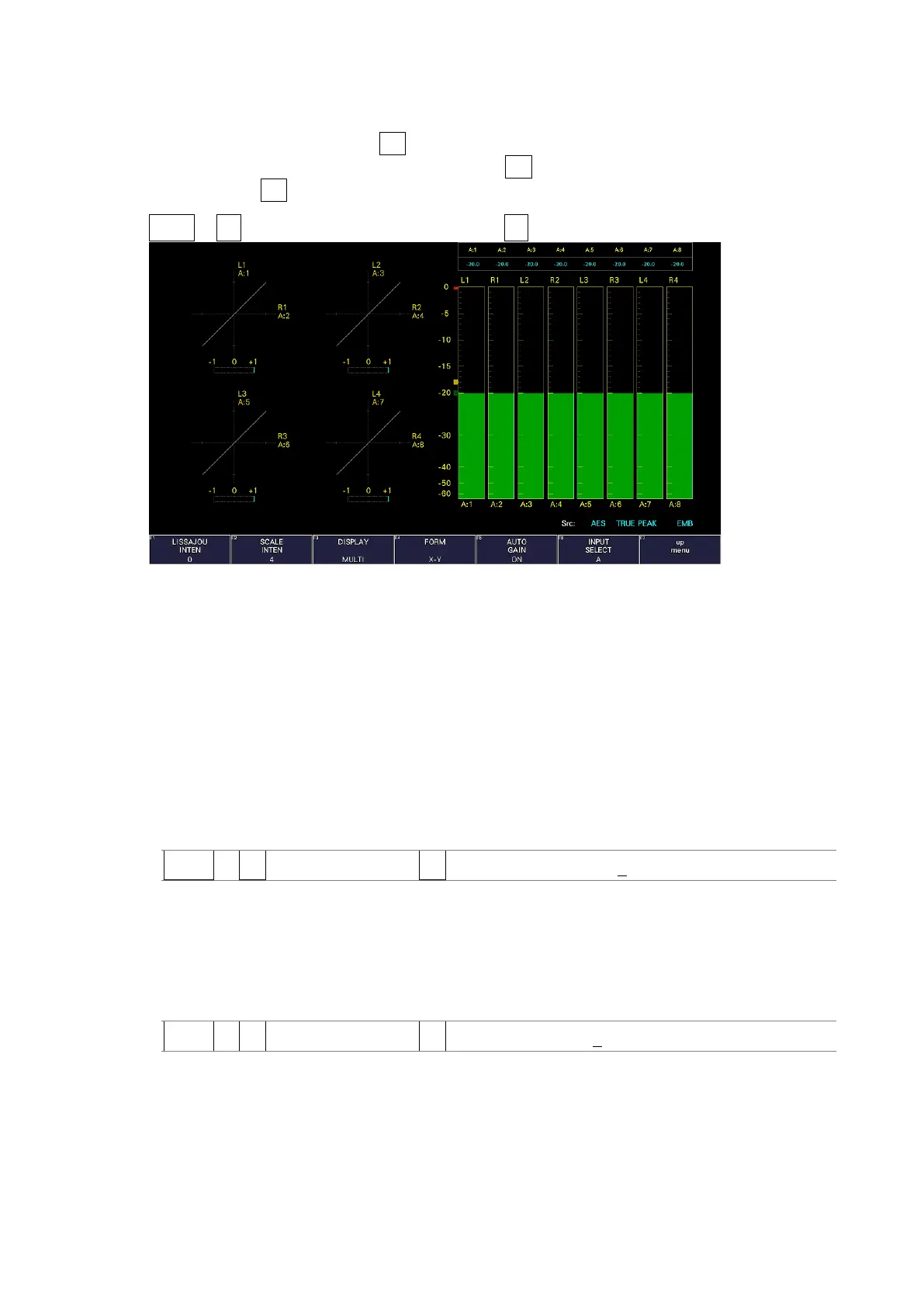
Figure 15-9 Lissajous display
• Correlation Meter
The correlation meter indicates the phase difference between the two signals. A reading of
+1 indicates that the signals are in-phase, a reading of -1 indicates that the signals are
180 ° out of phase, and a reading of 0 indicates that the signals are not correlated.
15.6.1 Adjusting the Lissajous Curve Intensity
To set the Lissajous curve intensity, follow the procedure below.
Press the function dial (F•D) to return the setting to its default value (0).
Procedure
AUDIO → F•3 LISSAJOU SETUP → F•1 LISSAJOU INTEN: -8 - 0 - 7
15.6.2 Adjusting the Scale Intensity
To adjust the intensity of the Lissajous and meter scales, follow the procedure below.
Press the function dial (F•D) to return the setting to its default value (4).
Procedure
AUDIO → F•3 LISSAJOU SETUP → F•2 SCALE INTEN: -8 - 4 - 7



 To Next Page