10. Video Signal Waveform Display
182
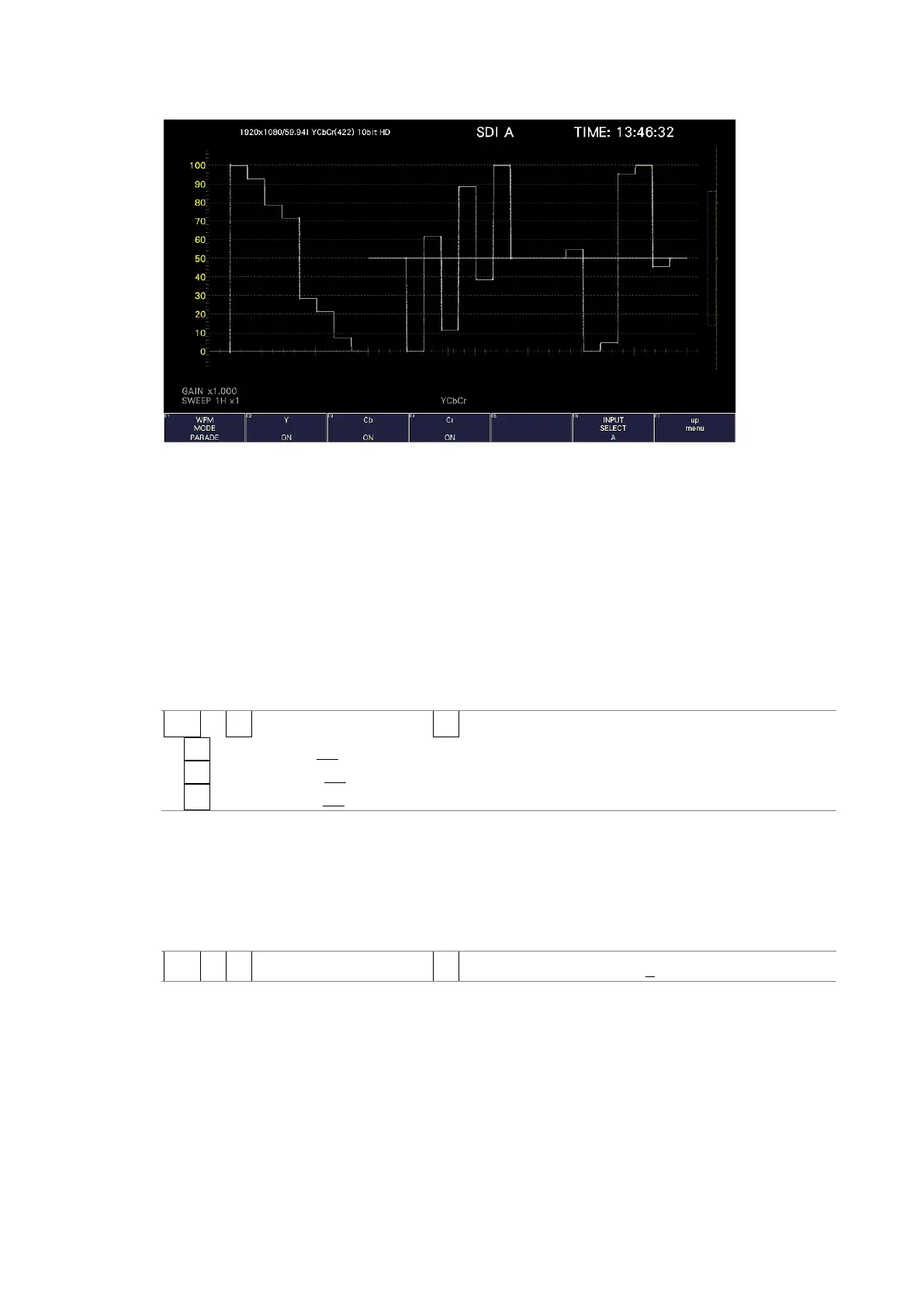
WFM MODE = PARADE
Figure 10-6 Selecting the display mode
10.3.2 Turning the Channels On and Off
To turn the waveforms on and off, follow the procedure below.
You cannot turn all the waveforms off.
This menu item is not displayed when COLOR MATRIX is set to COMPOSITE or when YGBR
or YRGB is set to ON.
[See also] COLOR MATRIX → section 10.8.1, “Selecting the Color Matrix.”
YGBR, YRGB → section 10.8.20, “Turning Luminance Signals On and Off.”
Procedure
WFM → F•1 WFM INTEN/CONFIG → F•2 WFM MODE
→ F•2 Y / G / R / X: ON / OFF
→ F•3 Cb / B / G / Y: ON / OFF
→ F•4 Cr / R / B / Z: ON / OFF
10.3.3 Adjusting the Waveform Intensity
To adjust the video signal waveform intensity, follow the procedure below.
Press the function dial (F•D) to return the setting to its default value (0).
Procedure
WFM → F•1 WFM INTEN/CONFIG → F•3 WFM INTENSITY: -128 - 0 - 127



 To Next Page