7. SYSTEM SETTINGS
127
7.1.2 Setting the Input Format
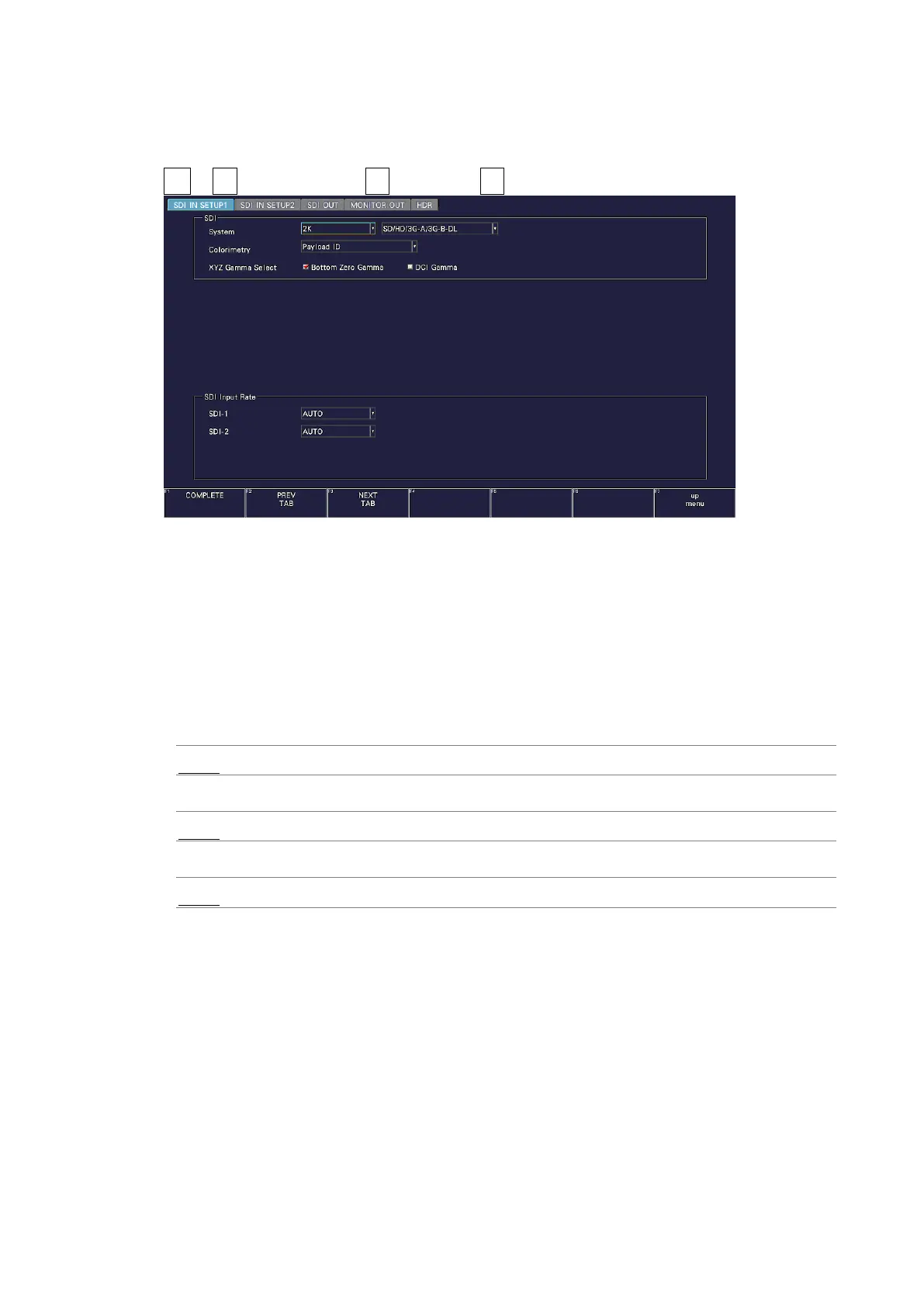
Use SDI Input Rate on the SDI IN SETUP1 tab to set the SDI input signal format.
SYS → F•1 SIGNAL IN OUT → F•2 PREV TAB or F•3 NEXT TAB →
Figure 7-3 SDI IN SETUP1 tab
• SDI Input Rate
If SDI System is set to SD/HD/3G-A/3G-B-DL, select the format of the signal to receive
from SDI INPUT 1 and 2. If SDI System is set to 6G or 12G, select the format of the signal
to receive from SDI INPUT 1.
In normal cases, use AUTO. If you select a setting other than AUTO and apply a signal
different from the selected format, the signal will not be received correctly.
SDI System = SD/HD/3G-A/3G-B-DL
AUTO / 3G / HD / SD
SDI System = 12G
AUTO / 12G
SDI System = 6G
AUTO / 6G



 To Next Page