13. Picture Screen
254
13.3.3 Configuring the SCTE-104 Detection Display settings
To superimpose the SCTE-104 detection packets up to 3 types on the picture.
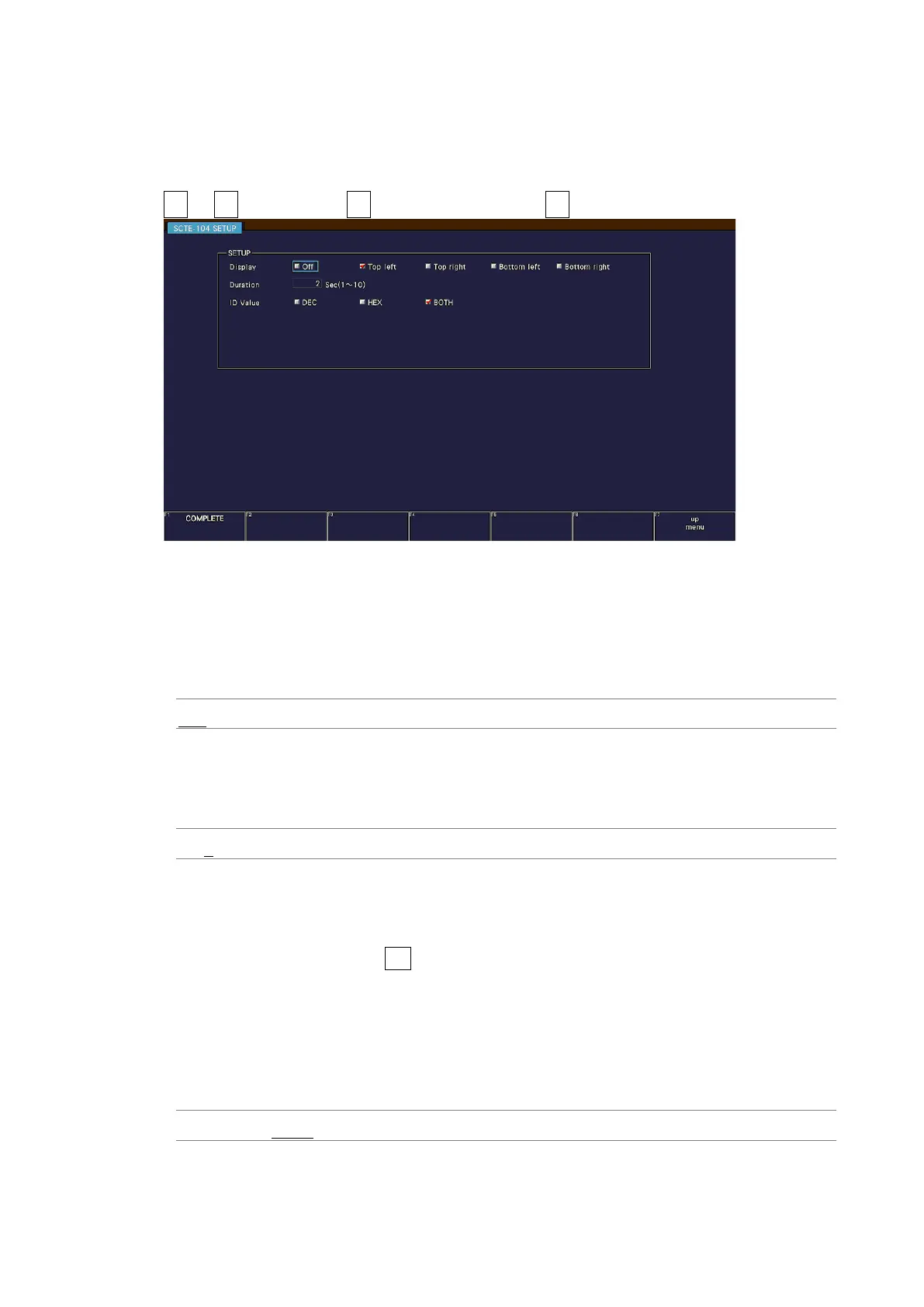
On the SCTE-104 SETUP tab, you can set the SCTE-104 detection display.
PIC → F•1 PIC CONFIG → F•3 INDICATION SETTING → F•4 SCTE-104 SETUP →
Figure 13-8 SCTE-104 SETUP tab
• Display
Select the display location of SCTE-104 detection from the upper left, upper right, lower
left, or lower right of the screen.
If you select off, the SCTE-104 detection is not displayed.
OFF / Top left / Top right / Bottom left / Bottom right
• Duration
Select the display time of the SCTE-104 detection message from 1 to 10 seconds.
It doesn’t work in conjunction with the SCTE-104 packet display time of the status display.
1 / 2 / 3 / 4 / 5 / 6 / 7 / 8 / 9 / 10
• ID Value
Select the message display format from HEX (hexadecimal display), DEC (decimal
display), or BOTH for the SCTE-104 detection.
It works in conjunction with F•3 ID VALUE on the SPLICE display screen of the status
display.
When ID Value is set to BOTH, splice_event_id and unique_program_id are displayed
simultaneously in hexadecimal and decimal numbers as shown below.
Splice ID Hexadecimal (decimal)
Program ID Hexadecimal (decimal)
DEC / HEX / BOTH



 To Next Page