14. HDR Display (SER23)
309
14.4.2 Starting and Stopping Measurements
To start or stop MAX FALL and MAX CLL measurements, follow the procedure below.
Procedure
PIC → F•2 CINELITE/HDR → F•3 MAX FALL/CLL → F•2 MEASURE: STOP / START
14.4.3 Clearing Measurements
To clear MAX FALL and MAX CLL measurements, follow the procedure below.
Procedure
PIC → F•2 CINELITE/HDR → F•3 MAX FALL/CLL → F•3 CLEAR
14.4.4 Setting the MAX FALL/CLL Error
To display the MAX FALL/CLL error setting screen, follow the procedure below.
Procedure
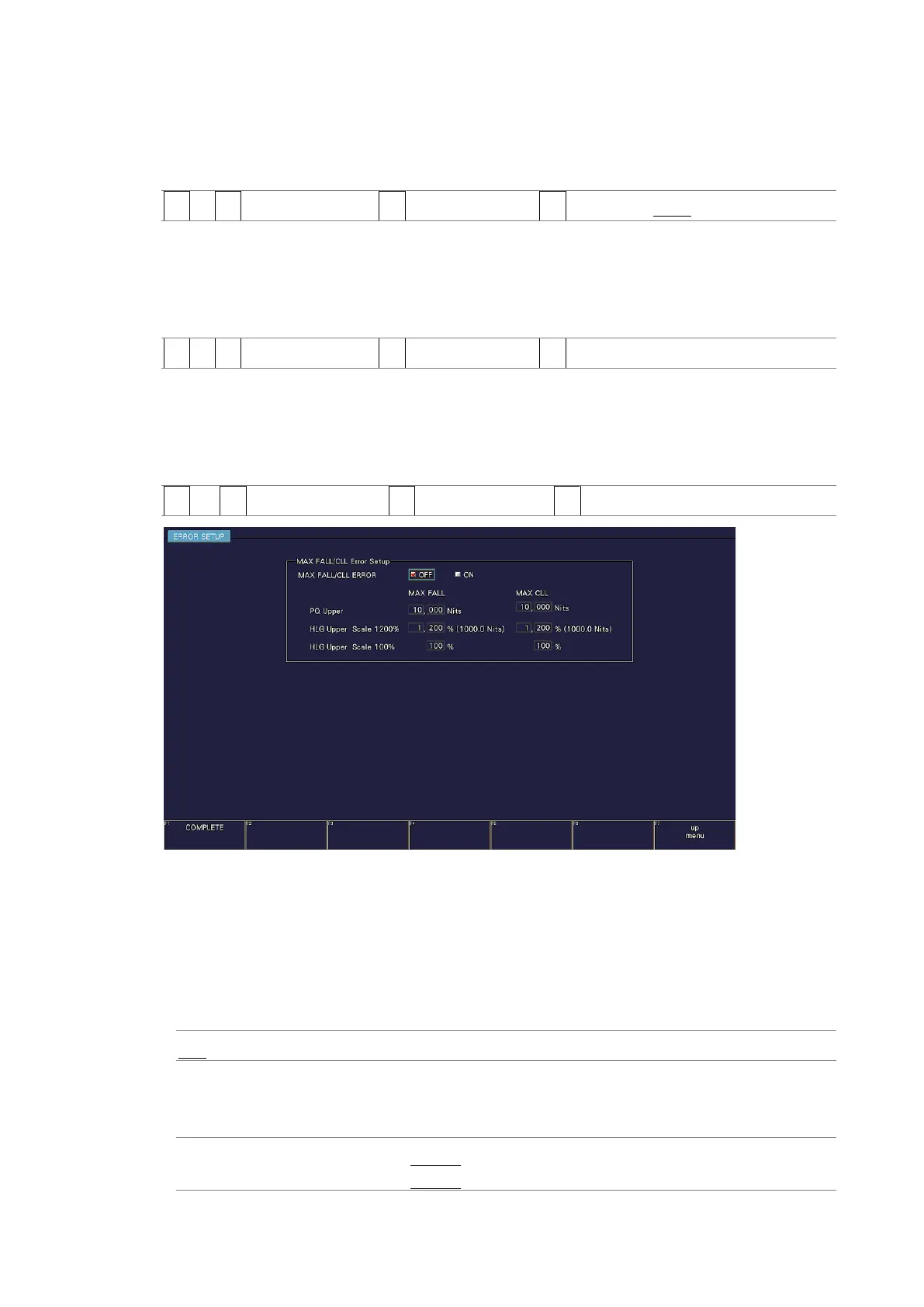
PIC → F•2 CINELITE/HDR → F•3 MAX FALL/CLL → F•4 MAX FALL/CLL ERROR SETUP
Figure 14-11 MAX FALL/CLL error setting screen
• MAX FALL/CLL ERROR
To turn the MAX FALL/CLL error on and off.
When set to on, when the measurement result is equal to or greater than the specified
threshold, it is displayed turns red and recorded as the event log.
[See also] 16.4, “Configuring Event Log Settings.”
OFF / ON
• PQ Upper
Set the threshold for PQ.
MAX FALL: 0.000 Nits to 10.000 Nits
MAX CLL: 0.000 Nits to 10.000 Nits



 To Next Page