11. VECTOR DISPLAY
213
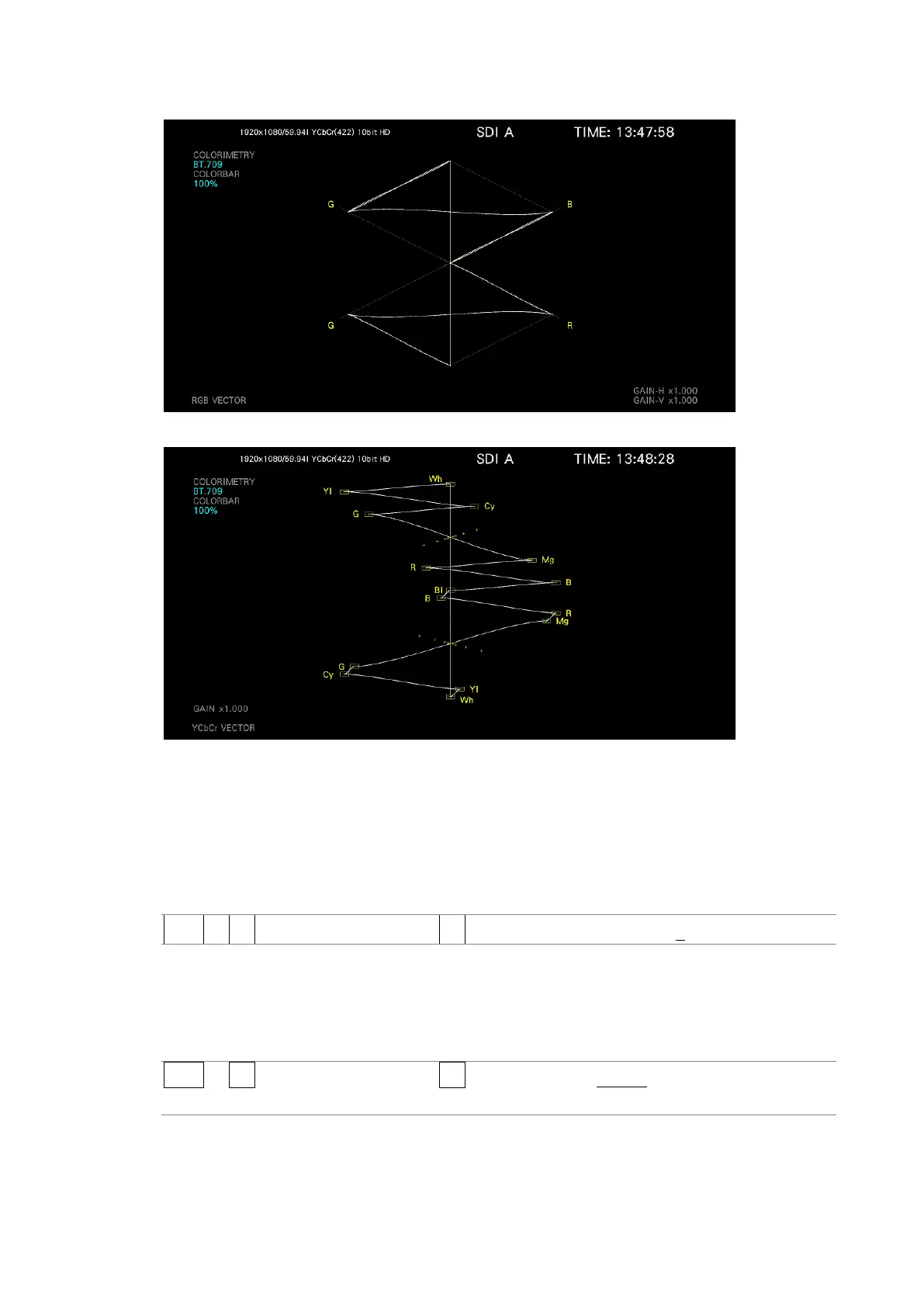
VECTOR MODE = RGB VECTOR
VECTOR MODE = YCbCr VECTOR
Figure 11-3 Vector mode
11.2.3 Adjusting the Waveform Intensity
To adjust the vector intensity, follow the procedure below.
Press the function dial (F•D) to return the setting to its default value (0).
Procedure
VECT → F•1 VECT INTEN/CONFIG → F•3 VECTOR INTENSITY: -128 - 0 - 127
11.2.4 Selecting the Waveform Color
To select the vector color, follow the procedure below.
Procedure
VECT → F•1 VECT INTEN/CONFIG → F•2 VECTOR COLOR: WHITE / YELLOW / CYAN /
GREEN / MAGENTA / RED / BLUE



 To Next Page